




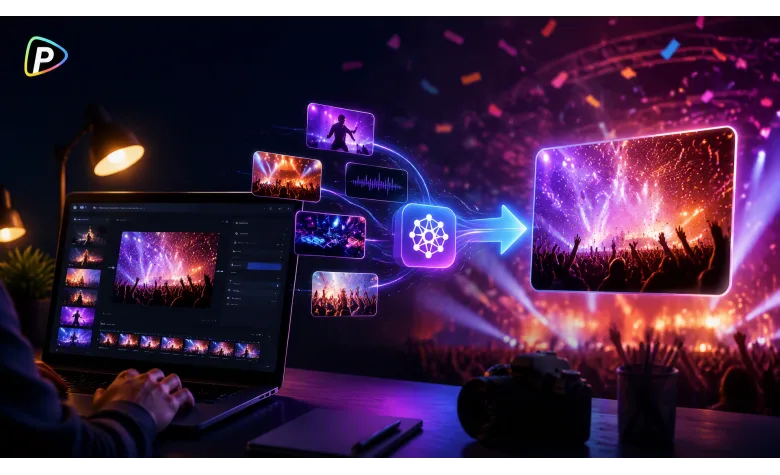
usinesses often need short videos to promote a product launch, store opening, seasonal sale, trade show, or brand event. But they may not have enough footage or time to film a new video for every campaign.
The Pollo AI video generator can create videos from written prompts or existing images. Businesses can use it to develop new promotional scenes or add movement to product photos, event posters, and campaign visuals.
This guide explains how to create a clear event promotion video for commercial campaigns and online marketing.
What to Prepare Before Creating the Video
Before using the Pollo AI video generator, the business should decide what the video needs to promote.
A product launch may focus on the product and its main benefit. A store opening may highlight the location or opening offer. A sales campaign may focus on a limited-time discount.
The business should prepare the key details, including the event or campaign name, date, location, offer, and call to action. Product photos, posters, logos, store images, and campaign graphics can also be useful.
The video should focus on one main message. Trying to promote several products or offers in a short video can make the message harder to follow.
How to Create an Event Promotion Video with Pollo AI
1. Choose How to Start
Businesses can begin with text-to-video when they have an idea but no suitable footage.
For example, a company launching a new speaker could write:
“A wireless speaker appears on a modern display platform. Soft lights move across the product as the camera slowly moves closer. Clean commercial style.”
The prompt describes what viewers should see and gives the video a clear focus.
If the business already has a product photo, event poster, or campaign image, image-to-video may be more useful. The uploaded image provides the main visual reference, while the prompt explains the movement.
For example:
“Slowly move the camera toward the product. Add gentle background movement while keeping the product design clear.”
Text-to-video is useful for creating a new promotional scene, while image-to-video can help turn existing campaign materials into short videos. Businesses can also explore tools such as the DeepAI video generator through Pollo AI when choosing a workflow that fits their available materials and promotional needs.
2. Describe the Promotion Clearly
The prompt should describe the scene instead of only stating the marketing goal.
For example, “Promote our summer sale” does not explain what the video should show.
A clearer prompt could be:
“A bright clothing store during a summer sale. Customers browse colorful outfits while staff arrange a featured display. Warm lighting and natural movement.”
The business can describe the location, featured product, customer activity, and overall mood. A store opening may show customers entering the shop, while a trade show video may focus on visitors exploring products at a booth.
Keeping the prompt focused usually works better than combining several locations, products, or activities in one video.
3. Generate and Improve the Video
After entering the prompt or uploading an image, users can choose an available video model, set the format, and generate the first version.
A vertical video may be suitable for TikTok, Instagram Reels, and YouTube Shorts. A wider format may work better on a website or in a presentation.
The first result may need adjustments. If the product is not visible enough or the movement feels too strong, the user can revise only that part of the prompt.
For example:
“Keep the product in the center.”
“Use slower camera movement.”
“Show customers interacting with the product.”
Small changes are often easier to manage than rewriting the entire prompt.
4. Add Campaign Details
After generating the main visuals, the business can add accurate information during editing.
A product launch may include the launch date and product name. A store opening may need the address and opening time. A sales video may show the discount and promotion period.
For example:
Summer Store Opening
June 15 | 10 AM
Central Plaza
Opening Week Offers
The video should end with a clear action, such as Visit Us, Shop Now, Register, or Learn More.
Before publishing, the business should check that the dates, prices, locations, and promotional details are correct.
5. Adapt the Video for Each Channel
The same campaign may need different versions for different platforms.
A short vertical video can focus on the product or offer for social media. A longer version on a website can provide more details about the event or campaign.
Businesses can also change the focus for different audiences. For example, one product launch video may highlight features, while another shows how customers can use the product.
The visuals may change, but the main campaign details should stay consistent.
Conclusion
The Pollo AI video generator can help businesses create promotional videos for product launches, store openings, sales campaigns, trade shows, and brand events.
By choosing the right starting material, writing a clear prompt, and keeping the message focused, businesses can create short videos that introduce a promotion and guide viewers toward the next step.