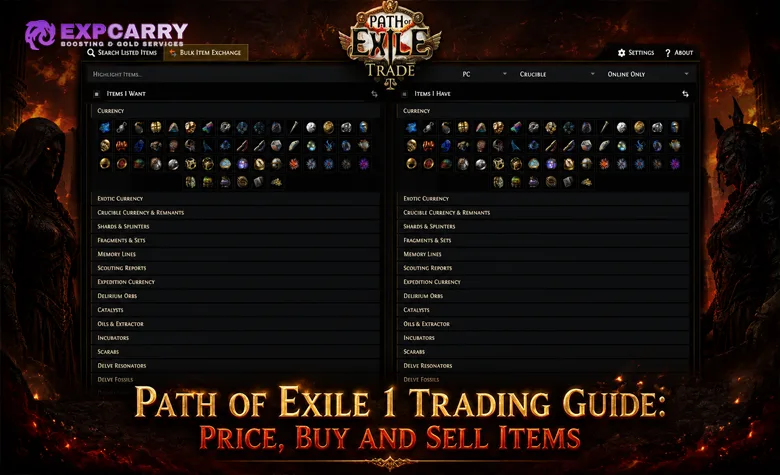
Trading in Path of Exile 1 is no longer a single website-to-whisper process. Players can search through the official website or the in-game Trade Market, buy supported stackable items through the Currency Exchange, purchase eligible non-exchange items asynchronously from Merchant's Tabs, or complete a traditional player-to-player trade through the manual trade window.
The correct method depends on what is being traded. Rare equipment needs precise stat filters and careful valuation. Currency, fragments, and other supported bulk items are usually better handled through the Currency Exchange. A manually listed item still follows the familiar whisper, party, hideout, and trade-window flow, while an item in a Merchant's Tab can be purchased directly even when its seller is offline.
Current status: This guide covers Path of Exile 1 and has been checked through patch 3.29.3. It does not use the older assumption that all PC trades require an external browser and a responding seller. Start from the official Path of Exile 1 Trade Search and always select the correct league and realm before comparing prices.
PoE 1 Trading Methods at a Glance
PoE 1 currently has several connected but distinct trading systems. Understanding where a listing comes from prevents wasted whispers, incorrect price comparisons, and attempts to place an item in the wrong market.
| Trading Method | Best Used For | How the Trade Completes | Main Cost or Requirement |
|---|---|---|---|
| Official Trade Search | Rare items, uniques, bases, gems, jewels, maps, and other searchable listings | Either instant purchase when the result is an asynchronous listing or a manual whisper trade | Correct search filters and the listed payment |
| In-game Trade Market | The same broad item searches as the official Trade website | Works like the Trade website without leaving the game | Opened with the comma key on keyboard or through the controller pause menu |
| Currency Exchange | Supported currency and other stackable commodities | The system matches orders at the selected ratio | The offered items or currency plus a Gold fee |
| Merchant's Tab | Items that are not available through the Currency Exchange | Direct asynchronous purchase, including while the seller is offline | An individually priced listing; the buyer pays the Gold cost |
| Public Premium Stash Listing | Traditional searchable sales from a public stash tab | Buyer whispers, joins the seller, and both use the manual trade window | Seller must be online and available to respond |
These systems do not merge every listing into one shared order book. Currency Exchange orders are handled inside that exchange. Merchant's Tabs support asynchronous purchases for eligible non-exchange items. Public Premium Stash listings retain the traditional manual workflow.
Prepare the Search Before Looking at Prices
A trade search should begin with a build requirement, not an item name. Write down the mandatory stats, acceptable substitutes, minimum values, maximum budget, and which affix must remain open for a bench craft. Without that plan, it is easy to buy an impressive rare that fails to cap resistances, breaks attribute requirements, or removes a required source of damage.
Separate requirements into three groups:
- Mandatory: the item is unusable without these properties, such as a specific unique effect, influence modifier, fractured modifier, gem level, attribute, or resistance threshold.
- Flexible: several stats can solve the same problem, such as Fire Resistance or an equivalent amount of Cold Resistance after rearranging another slot.
- Luxury: useful improvements that should not force the buyer beyond the available budget, such as a perfect roll, an additional damage modifier, or socket colors that match important gems and grant the +10% Quality bonus.
Check the slot as part of the complete character. A ring with 100 total elemental resistance may be worse than a ring with lower resistance but the exact Dexterity and Chaos Resistance the build lacks. A coherent PoE 1 league starter setup provides this kind of upgrade order before currency is committed to individually attractive items.
Using the Official Trade Website and In-game Trade Market
Select Path of Exile 1, the correct challenge league or Standard league, and the correct realm. Softcore, Hardcore, Ruthless, private leagues, and console economies do not share identical supply or prices. A cheap Standard result cannot be purchased by a character in the current challenge league.
The official item search is divided into filters that describe different parts of an item:
| Filter Area | What to Check | Common Error |
|---|---|---|
| Type Filters | Category, rarity, item name, base type, and item level | Searching only by item name and ignoring a different base or variant |
| Equipment Filters | Armour, Evasion, Energy Shield, block, damage, critical chance, attack speed, sockets, and links | Paying for defenses or weapon values the build does not scale |
| Stat Filters | Explicit, implicit, fractured, crafted, pseudo, enchantment, and other modifier types | Selecting the wrong version of a modifier with similar wording |
| Miscellaneous Filters | Corrupted, mirrored, identified, influence, quality, gem level, map state, and other item-specific properties | Buying an item that cannot be modified in the intended way |
| Trade Filters | Online status, sale type, price range, seller, and listing behavior | Comparing offline, manual, and instant listings as if they offered identical convenience |
The in-game Trade Market was added to PoE 1 in 3.27 and works like the Trade website. The official PoE 1 3.27 patch notes confirm the comma-key shortcut, controller access, asynchronous trade, Merchant's Tabs, and Faustus in the hideout after he has been encountered.
Enable Live Search only after the filters are accurate. It alerts you when a new matching listing enters the index, but it does not reserve the item or guarantee that the seller will complete a manual trade. Read the new result before sending a whisper instead of treating the alert as proof that every required property is present.
Use the browser when copying links, maintaining several searches, or comparing many results on a large screen. Use the in-game interface when remaining inside the client is more convenient. The underlying goal is the same: narrow the results until the remaining items are genuinely comparable.
Explore services related to this guide, selected from our Path of Exile catalog.
View All Path of Exile Services


How to Search for Rare Items Correctly
Rare items cannot be valued reliably by name because their modifiers create the value. Start with the slot and base type, add only the mandatory stats, then tighten the search one requirement at a time. If the first search returns no results, determine which requirement removes the supply instead of deleting every filter at once.
For a defensive ring, a useful sequence might be:
- Select the Ring category and non-unique rarity.
- Add the minimum maximum Life or Energy Shield required by the build.
- Use pseudo resistance totals when any combination of elemental resistances is acceptable.
- Add Chaos Resistance, attributes, accuracy, or damage only when the slot must provide them.
- Require an empty prefix or suffix if the plan depends on a bench craft.
- Set the maximum price and sort results by price.
- Check whether a slightly weaker threshold produces many cheaper alternatives.
Pseudo modifiers combine related values into a practical total. They are useful for Life and resistance searches, but they do not replace reading the actual item. For example, a high total elemental resistance can be distributed in a way that does not solve the character's specific uncapped element.
Use Count groups when several alternative modifiers are acceptable and the item needs any two or three of them. Weighted Sum groups are more advanced: they can rank items by assigned weights, but poor weights produce misleading results. Mandatory build-enabling modifiers should remain separate filters instead of being hidden inside a weighted score.
For weapons, compare the value that the skill actually uses. An attack build may care about physical DPS, elemental DPS, attack speed, critical chance, or a specific local modifier. A spell build may care more about gem levels, spell damage, cast speed, critical modifiers, or damage over time. Do not compare the visible weapon DPS of an attack weapon with a caster weapon whose power comes from spell modifiers.
How to Price a Rare Item
Pricing a rare means finding items that a buyer would consider substitutes. Searching every modifier at its exact roll often returns zero results; searching too broadly mixes unrelated items. Begin with the properties that create the item's market and then measure how much each additional modifier changes the available price range.
| Pricing Step | Question to Answer |
|---|---|
| 1. Identify the base | Is the base type, item level, defense percentile, weapon type, or implicit valuable? |
| 2. Identify special states | Is it fractured, influenced, synthesized, corrupted, mirrored, split, enchanted, or otherwise restricted? |
| 3. Separate prefixes and suffixes | Which modifiers are strong, and does the item still have room for a useful craft? |
| 4. Search defining modifiers | Which two or three properties make a buyer choose this item rather than another drop? |
| 5. Compare several listings | Is there a cluster of realistic prices rather than one suspiciously cheap result? |
| 6. Test weaker thresholds | Does reducing one roll slightly cut the price dramatically? |
| 7. List and adjust | Does the item attract immediate repeated interest, normal interest, or no buyers over time? |
Do not assume the cheapest visible listing establishes fair value. It may already be sold, deliberately underpriced, incorrectly configured, or posted by a seller who never intends to respond. Compare multiple similar items, check whether sellers are online, and look for a price band supported by actual supply.
An immediate flood of whispers after listing is a warning that the item may be significantly underpriced. Stop and repeat the comparison before completing the sale. One message is not proof of a pricing mistake, but many instant messages from different players usually justify another check.
Rare pricing becomes easier when the function of every modifier is understood. If an item appears valuable but its role in the character is unclear, compare it against a complete PoE 1 custom build plan before assigning value to individually strong stats that may not work together.
Pricing Uniques, Gems, Jewels, and Crafting Bases
Named items are easier to search than rares, but two copies can still have very different prices. Always compare the exact version rather than the item name alone.
| Item Type | Price-changing Properties |
|---|---|
| Unique equipment | Modifier rolls, variant, corruption, sockets, links, item level, foil state, and legacy values in Standard |
| Skill and Support Gems | Exact gem name, normal or transfigured version, level, Quality, corruption, and exceptional or awakened status where applicable |
| Cluster Jewels | Size, number of added passive skills, enchantment, item level, notables, and remaining modifiers |
| Other Jewels | Base type, implicit, corruption, modifier combination, roll values, and special limits |
| Crafting Bases | Base type, item level, influence, fracture, synthesis implicit, quality, defense percentile, and whether the item is split or corrupted |
| Maps and Invitations | Exact map, tier, influence or guardian, rarity, corruption, modifiers, and completion-related state |
Socket colors have a different economic meaning after the 3.29 socket rework. Any gem can be placed in any equipment socket. A red, green, or blue socket grants +10% Quality only when the socket color matches the gem color; white sockets do not grant this matching-color bonus. Links still matter. A six-linked item remains different from an item whose sockets are present but not fully connected. The official PoE 1 3.29 patch notes describe the current socket and Chromatic Orb rules.
High-value uniques deserve an exact roll search. A broad search for the name provides a base price, not necessarily the value of the copy in the trade window. The same inspection standard applies when comparing any fixed PoE item selection: confirm league, variant, modifier rolls, corruption, sockets, and links instead of relying on the item name or icon.
Bulk Trading and the Currency Exchange
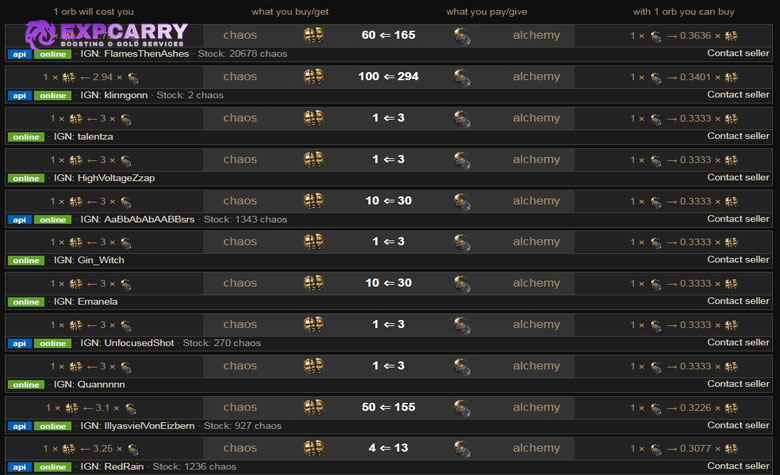
The Currency Exchange and the website's Bulk Item Exchange are related to the same economic problem but do not complete trades in the same way. Currency Exchange orders are placed through Faustus for supported stackable items and matched by the system. The website Bulk Item Exchange displays player listings and can still lead to a manual whisper trade.
| Feature | Currency Exchange | Bulk Item Exchange |
|---|---|---|
| Location | In game through Faustus | Official Trade website |
| Completion | Order matching by the system | Usually a generated whisper and manual trade |
| Seller response | Not required for a matched order | Required for a traditional listing |
| Additional cost | Gold fee shown by the interface | No system Gold fee for the manual player trade |
| Best advantage | Convenient automatic matching | Visible seller stock and manual bulk offers |
On the Currency Exchange, choose what you have, what you want, the quantity, and the ratio. Review the direction of the ratio and the displayed Gold cost before confirming. A favorable-looking number is meaningless if the two sides were reversed.
On the Bulk Item Exchange, choose the item being acquired and the payment currency, set a minimum stock when a full batch is required, and compare several sellers. Larger bulk lots can command a different per-item price because one completed trade saves time. The cheapest single-unit listing is not automatically the correct rate for a large purchase.
When manually listing a bulk ratio from a public stash, the numerator represents the payment wanted and the denominator represents the amount being sold. For example, an exact price of 5/20 Chaos on a supported item means five Chaos Orbs are requested for twenty of that item. Check how the result appears in the exchange search before relying on the listing.
How to Buy an Item with the Manual Whisper Flow
A traditional listing still requires both players to be online and complete the exchange themselves. The generated trade message includes the item, price, league, stash tab, and position. Do not rewrite the generated price to create an unannounced offer.
- Search for the item and confirm the correct league, realm, modifiers, item state, and price.
- Place the exact payment in the character inventory and leave enough room for the item.
- Use Direct Whisper or copy the generated whisper message.
- Wait for the seller's party invitation. If there is no response, move to another listing after a reasonable pause.
- Join the seller's hideout unless the seller communicates a different safe location.
- Allow the seller to retrieve the item and initiate the trade.
- Place the agreed payment into the trade window.
- Hover over and inspect the received item completely, then accept only when both sides are correct.
- Leave the party after the trade is completed.
A missing response does not necessarily mean a fake listing. The seller may be in a boss encounter, away from the keyboard, handling another buyer, or selling an item that has not yet disappeared from the index. Repeatedly whispering the same person rarely improves the result.
For negotiation, send a separate clear offer and wait for agreement before joining. If the listing says exact price, assume that amount is expected. Never put a lower amount into the window and hope the seller accepts without noticing.
How to Sell Items with Premium and Merchant's Tabs
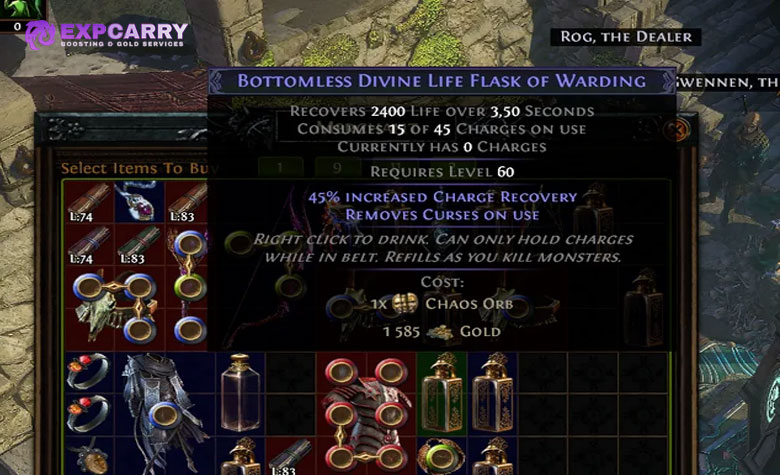
Public Premium Stash Tabs and Merchant's Tabs serve different selling workflows. A Premium tab remains storage and can publish traditional listings. A Merchant's Tab is managed through Faustus and supports asynchronous instant purchase.
| Seller Feature | Public Premium Tab | Merchant's Tab |
|---|---|---|
| Sale completion | Manual whisper and trade window | Automatic purchase through the market |
| Seller must be online | Yes | No |
| Price assignment | Individual item or supported tab-wide pricing | Each item is priced individually |
| Storage location | Regular stash interface | Faustus Manage Shop interface |
| Gold cost | No Gold fee for the manual trade | Buyer pays the purchase Gold cost; seller does not pay Gold to list or sell |
| Eligible items | Searchable items supported by public stash listings | Items that are not available on the Currency Exchange |
To sell traditionally, make a Premium tab public, choose individual or tab-wide pricing, and confirm the selected currency. Exact Price communicates a fixed request; Negotiable Price invites offers but may produce fewer immediate sales. Keep the tab organized so the generated stash position leads to the correct item.
When a whisper arrives, invite the buyer, return to the hideout when safe, retrieve the item named in the message, and initiate the trade. If the price was changed recently, state the correct price before opening the window. Do not silently substitute another copy with different rolls.
Merchant's Tabs become available in PoE 1 through Faustus after reaching Act 6 and meeting him in Lioneye's Watch. They are not ordinary stash pages. Manage them through Faustus in the hideout, price every item individually, and collect completed-sale earnings through the shop interface. Changing or removing a listed item is subject to anti-abuse timing rules, so verify the price before the listing becomes active.
Safe Trade Window Verification
The manual trade window requires the player to hover over offered items before acceptance, but it does not decide whether the item matches the listing or whether the deal is good. That responsibility remains with both players.
Before accepting, verify:
- The complete item name and base type.
- The exact number of linked sockets, not only the number of visible sockets.
- Gem name, level, Quality, corruption, and normal, transfigured, awakened, or exceptional version.
- Unique variant and every important modifier roll.
- Fractured, influenced, synthesized, mirrored, split, or corrupted status.
- Item level when it matters for crafting.
- Currency type, number of stacks, and quantity in every stack.
- Complete Divination Card, fragment, or item-set quantity.
If either player cancels and reopens the trade, inspect everything again. A common substitution attempt relies on replacing the correct item with a cheaper copy after a cancellation, distraction, or claimed mistake. Treat the new window as a completely new trade.
Never use a ground drop as a substitute for the trade window. Do not transfer a valuable item first because another player promises to craft, corrupt, mirror, or return it later. The normal window protects only the exchange currently visible; it cannot guarantee a later service or return.
Item-swap and Payment-swap Protection
Most preventable trade losses occur because the buyer recognizes the icon but does not read the item. Two uniques can share the same artwork while having different rolls, corruption states, or links. Two currencies can have similarly valuable-looking icons while representing very different amounts.
| Risk | Safe Check |
|---|---|
| Six-link replaced with fewer links | Trace the link lines through all six sockets; do not count sockets alone |
| Correct unique replaced by low-roll copy | Read every build-defining modifier and compare its numeric roll |
| Desired gem replaced by similar gem | Check the complete name, level, Quality, and special version |
| Full currency payment replaced by smaller stacks | Hover every stack and calculate the total before accepting |
| Uncorrupted item replaced by corrupted item | Read the item state and confirm whether further modification is possible |
| Crafting base replaced by lower item level | Inspect the advanced item description and verify item level and influence |
| Trade cancelled and reopened | Restart the full verification from the beginning |
Asynchronous Merchant's Tab purchases remove the manual item-swap step because the selected listing is transferred by the system at its posted price. They do not remove the need to read the listing before purchase. The wrong roll, corruption state, or variant is still the wrong purchase even when no seller can switch it in a window.
Avoiding Price Fixing and Bad Price Checks
Price fixing attempts to create a false reference price through listings that are not intended to sell. A player may post several cheap copies, ignore buyers, and then use the apparent low price to purchase underpriced items from other sellers. One abnormal listing should never define the value of a rare or scarce item.
- Compare several sellers instead of the first result only.
- Check whether the cheapest offers have enough stock for the requested bulk trade.
- Compare manual Trade listings with the Currency Exchange when the item is supported by both routes.
- Remove one stat filter at a time to understand which modifier creates the premium.
- Check exact roll ranges for uniques and jewels.
- Be suspicious when many identical low listings belong to one account.
- Reprice cautiously when several buyers whisper immediately.
The Currency Exchange shows actionable order ratios, while website listings show asking prices. Those values can differ because of Gold fees, convenience, stock size, and whether a seller responds. Compare equivalent quantities and completion methods rather than assuming every visible number describes the same transaction.
Trading Etiquette and Efficient Communication
Efficient trading respects the time of both players. Buyers should carry the exact currency, keep enough inventory space, send the generated message once, and travel promptly after accepting an invitation. Sellers should retrieve the correct item, communicate price changes before the trade, and avoid inviting several buyers for the same single item.
Useful short messages include "one moment" when leaving content safely, "sold" when the listing has already completed, or a clear counteroffer when the price is negotiable. There is no need for a long conversation during a routine trade.
For high-value transactions, slow down rather than relying on etiquette. Good manners do not replace verification. Count the payment, read the item, and accept only when the visible exchange is correct.
Common PoE 1 Trading Mistakes
- Using a PoE 2 market guide: item systems, currency functions, and trade availability differ between the two games.
- Ignoring the in-game Trade Market: PoE 1 has had a website-like in-game interface since 3.27.
- Whispering for every stackable item: supported commodities can be traded through the Currency Exchange.
- Expecting a Premium tab to sell offline: traditional Premium listings still require the seller, while Merchant's Tabs provide asynchronous purchase.
- Trying to list Currency Exchange items in a Merchant's Tab: Merchant's Tabs are for items not available on that exchange.
- Searching a rare by all six exact modifiers: this often hides comparable alternatives and produces a false price estimate.
- Buying the cheapest result without checking it: rolls, links, item level, corruption, and listing type can explain the difference.
- Confusing sockets with links: socket colors changed in 3.29, but a six-socket item is not automatically six-linked.
- Accepting after a trade is reopened: every item and stack must be checked again.
- Dropping valuable items on the ground: use the trade window or supported asynchronous system.
Conclusion
Safe and efficient PoE 1 trading begins by choosing the correct system. Use the official website or in-game Trade Market to search equipment. Use the Currency Exchange for supported stackable items when automatic order matching is worth the Gold fee. Use Merchant's Tabs for eligible asynchronous item sales, and follow the manual whisper flow only when the listing requires direct player interaction.
Price rares by their base, special state, defining modifiers, open affixes, and realistic substitutes. Price uniques, gems, jewels, and crafting bases by their exact variant and rolls rather than their name alone. Compare several listings, separate asking prices from actionable exchange orders, and never let one suspiciously cheap result define the market.
During a manual trade, the final defense is a complete inspection of the visible window. Verify the item, links, modifiers, special states, currency type, stack count, and total payment. If the window is cancelled or anything changes, start the check again. A few extra seconds of verification are worth more than recovering from an irreversible bad trade.