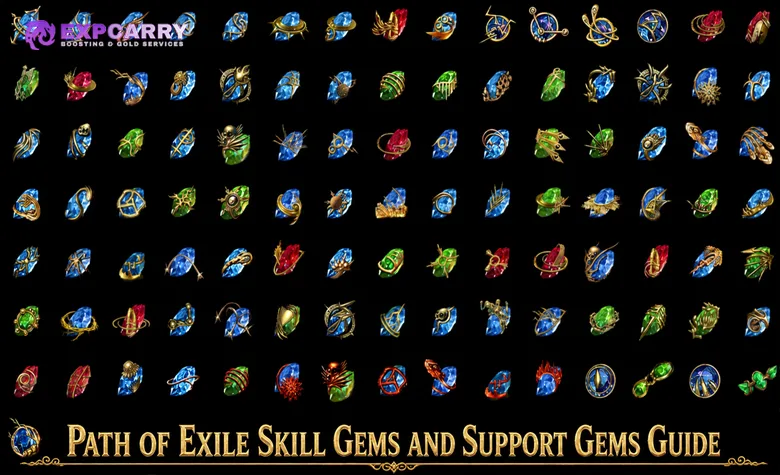
Path of Exile builds receive most of their active abilities from Skill Gems and change those abilities through linked Support Gems. A gem setup only works when the character meets every requirement, the sockets belong to the correct link group, and each Support Gem is compatible with the exact action performed by the skill.
The system becomes easier to manage when it is checked in a fixed order: read the Skill Gem, identify the part of the skill that deals damage or provides utility, inspect the complete Support Gem restriction, verify the links, and calculate the final cost or reservation. Gem tags are useful during this process, but they are not a complete compatibility test.
Patch status: This guide was checked against Path of Exile 3.29.3, including Hotfix 3, on August 23, 2026. Gems can now be placed in any equipment socket regardless of color. Red, green, and blue sockets instead provide +10% Quality when their color matches the socketed gem, while links still determine whether ordinary Support Gems affect socketed Skill Gems.
Path of Exile Skill Gems and Support Gems Overview
Skill Gems grant active skills, persistent buffs, minions, movement abilities, curses, auras, triggers, or other actions. Support Gems do not normally create a separate skill. They modify eligible skills in the same linked socket group and can change damage, targeting, delivery method, resource cost, duration, area, projectiles, critical behavior, ailments, or activation conditions.
| Gem Element | What It Controls | First Check |
|---|---|---|
| Skill Gem | The ability the character uses or activates | Level, attributes, weapon requirement, tags, and skill text |
| Support Gem | How a compatible skill behaves | Supported skill description and excluded skill types |
| Equipment socket | Where the gem is equipped | Available socket and optional color match for Quality |
| Socket link | Which socketed gems belong to one support group | Continuous visual connection between all required sockets |
| Gem level | Base values, requirements, and sometimes cost | Character level and Strength, Dexterity, or Intelligence |
| Gem Quality | A gem-specific secondary improvement | The exact Quality line on the current gem |
| Cost and Reservation Multiplier | The resource required by a supported skill | Final resource cost or reservation result |
A four-link normally contains one main Skill Gem and three Support Gems. A six-link normally contains one main Skill Gem and five supports. This is not mandatory: several active skills can share supports in one link group, and utility setups often combine a trigger, one or more triggered skills, and supporting utility gems.
How Gem Tags Work
Tags are the words displayed near the top of a gem tooltip, such as Attack, Spell, Projectile, AoE, Duration, Fire, Cold, Lightning, Chaos, Physical, Minion, Aura, Curse, Movement, Melee, Bow, Slam, Totem, Trap, or Mine. They classify the gem and allow modifiers to refer to categories of gems.
A modifier that grants levels to Fire Skill Gems checks for the Fire tag. A modifier that grants levels to Spell Skill Gems checks for the Spell tag. This makes tags essential when evaluating weapons, amulets, shields, and other items with gem-level modifiers. The official Path of Exile modifier list can be used to confirm the wording and item level of current gem-related modifiers.
Tags do not prove that every similarly named modifier or Support Gem affects every part of the skill. The Spell tag does not mean Spell Damage improves damage dealt by a minion summoned through that spell. The Projectile tag does not mean projectile modifiers improve a secondary damage effect that is not dealt by a projectile. Tags describe the gem category; the skill and support text determine the actual interaction.
| Tag Example | What It Reliably Tells You | What It Does Not Guarantee |
|---|---|---|
| Spell | The gem can receive modifiers to Spell Skill Gem levels | Every effect created by the skill scales with Spell Damage |
| Projectile | The gem has a projectile-related component | Every hit or damage over time component is projectile damage |
| Duration | The gem has a duration property that duration modifiers may reference | Increasing duration always improves damage per second |
| Minion | The gem belongs to the Minion gem category | Modifiers affecting the player also affect the summoned minion |
| Attack | The skill uses attack rules and normally depends on a valid weapon type | The skill can be used with every weapon |
| AoE | The gem contains an area component | Area Damage applies to unrelated non-area components |
Use tags to create a shortlist, then read the support restriction. If a support says it supports projectile skills that hit enemies, a projectile-tagged skill that creates no eligible hit can still fail the second condition. Compatibility is determined by the complete sentence, not by one matching word.
Equipment Sockets and Links in PoE 3.29
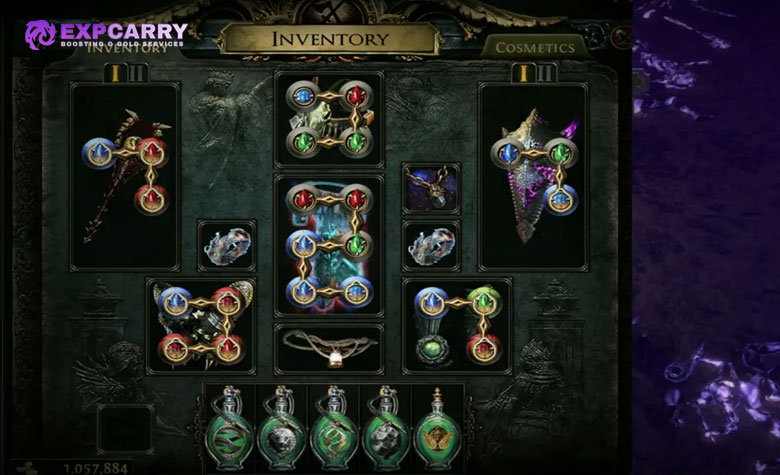
Patch 3.29 removed socket color as an equipment restriction. Any red, green, or blue gem can be inserted into any equipment socket. Item sockets are White by default, while naturally generated sockets have a small chance to be Red, Green, or Blue, with that chance increasing with item level. A colored socket that matches the gem color grants that socketed gem +10% Quality.
The change does not remove links. A Support Gem must still share the same linked group as an ordinary socketed Skill Gem. A six-socket item can contain two separate three-links, which is not a six-link. Follow the visible connection around the socket group and confirm that every required socket is part of one continuous chain.
The complete socket revision is documented in the official Path of Exile 3.29 patch notes. Chromatic Orbs and Tainted Chromatic Orbs now force at least one Non-White Socket instead of being required to make a gem usable. Crafting Bench options can force at least two, three, or four Non-White Sockets, while the old crafts for specific red, green, or blue socket combinations were removed.
- A White Socket accepts every gem but provides no color-matching Quality bonus.
- A Red Socket accepts every gem and gives +10% Quality to a red gem.
- A Green Socket accepts every gem and gives +10% Quality to a green gem.
- A Blue Socket accepts every gem and gives +10% Quality to a blue gem.
- An incorrect color match no longer disables the gem or breaks the link.
- An unlinked Support Gem still does not support an ordinary socketed Skill Gem.
During the campaign, prioritize the number of links and useful item modifiers. Matching colored sockets are an optimization layer, not a reason to keep a weak item. A good four-link with Life and resistances is usually more useful than a poor base kept only for one Quality bonus.
Explore services related to this guide, selected from our Path of Exile catalog.
View All Path of Exile Services
How Support Gem Compatibility Is Determined
A Support Gem works only when its positive requirement includes the skill and none of its exclusions reject the skill. Check the exact action being supported: an attack is not a spell, a hit is not damage over time, a triggered skill is not self-cast, and a minion attack is performed by the minion rather than the player.
- Identify the skill source: Determine whether the ability comes from a socketed Skill Gem, an item, an Ascendancy, or another triggered effect.
- Identify the use method: Confirm whether the skill is self-cast, an attack, triggered, channelled, used by a totem, thrown as a trap, placed as a mine, or performed by a minion.
- Identify the damage component: Separate hits, ailments, damage over time, explosions, minion damage, and secondary effects.
- Read the support permission: The first line normally describes what the Support Gem can support.
- Read every exclusion: Restrictions such as cannot support triggered skills, minions, channelling skills, or skills used by totems override a broad tag match.
- Verify the link or item rule: Ordinary socketed Skill Gems require a link. Item-granted skills follow the support rule of the item that grants them.
- Check the final resource requirement: A technically valid setup is unusable if its cost or reservation exceeds the available resource.
For example, a support that adds damage to attacks does not support a spell merely because that spell deals the same elemental damage type. A support that scales hits does not improve a pure damage over time effect. A support that modifies projectiles can affect the projectile component without affecting a ground effect left behind by the projectile.
If a complete gem configuration must balance damage, reservation, triggers, and gear within one budget, a custom Path of Exile build plan can be used to test the whole setup instead of combining support links from unrelated builds.
Gem Levels Experience and Requirements
Socketed gems gain experience while the character earns experience. Gem experience is not divided among equipped gems, and leveling several gems does not reduce character experience. Gems in the inactive weapon set can also gain experience, making those sockets useful for preparing alternate gems or valuable late-level supports.
Most ordinary Skill Gems and Support Gems have a natural maximum level of 20, although some exceptional supports use a different level range. Equipment modifiers, corruption outcomes, and other bonuses can raise the effective level above the gem's natural cap. A level 21 corrupted Skill Gem is common in optimized endgame setups, but it is not automatically better than every Quality or Vaal alternative.
Every gem level can change several values:
- Base damage, added damage, minion statistics, or effect magnitude.
- Mana, Life, or other resource cost.
- Attribute and character-level requirements.
- Cooldown, duration, area, projectile behavior, or another skill-specific value.
- The effect supplied by a Support Gem.
Do not accept every level-up automatically. A higher attribute requirement can disable the gem after a gear swap. A higher cost can break sustain. Trigger setups such as Cast when Damage Taken also restrict the required level of supported gems, so leveling a triggered skill beyond the permitted threshold can disconnect it from the trigger even though the sockets remain linked.
Players preparing a second character can place planned gems in spare weapon-set sockets before the character needs them. If character progression rather than gem experience is the main bottleneck, a focused PoE leveling option may be more relevant than purchasing finished gems without a complete setup.
Gem Quality and Why It Matters
Quality grants a separate effect printed on the gem. It does not apply one universal bonus to every Skill Gem or Support Gem. One gem may gain area of effect, another may gain projectile speed, damage, duration, ailment chance, minion speed, or a utility improvement. Read the exact Quality line before deciding how valuable it is.
Gemcutter's Prisms add Quality to eligible non-corrupted gems. A common vendor recipe can exchange a level 20 non-Awakened Support Gem together with a Gemcutter's Prism for a level 1 version with 20% Quality. This recipe no longer works with Skill Gems. It saves Prisms on ordinary supports but resets the support level, so it is best used when the build can tolerate leveling the gem again.
Corrupted gems cannot be modified normally. Quality should therefore be completed before using a Vaal Orb unless the player accepts the risk of locking an unfinished result. The corruption may change the level, change the Quality, do nothing visible, or transform an eligible Skill Gem into its Vaal version.
| Quality Source | Result | Important Limitation |
|---|---|---|
| Gemcutter's Prism | Adds Quality directly to an eligible gem | Cannot normally modify a corrupted gem |
| Level 20 Support Gem vendor recipe | Returns a non-Awakened Support Gem at level 1 with 20% Quality | Does not work with Skill Gems and removes the support's accumulated levels |
| Matching colored socket | Grants +10% Quality while the gem remains in that socket | Requires a Red, Green, or Blue Socket matching the gem color |
| Vaal Orb outcome | Can produce a higher Quality result | Unpredictable and permanently corrupts the gem |
| Item modifier | Can increase Quality for socketed gems | Only applies under the wording and socket conditions of that item |
Compare level and Quality rather than assuming one is always superior. Spell Skill Gems often gain substantial base damage from levels, while some attack skills depend more heavily on the equipped weapon. Utility gems can value Quality because it improves cooldown, duration, speed, or area without requiring a higher character level.
Skill Costs and Reservation Multipliers
Support Gems frequently include a Cost and Reservation Multiplier. When the support applies, that multiplier modifies the resource required by the supported skill. Adding several damage supports can turn a sustainable skill into one that empties Mana after a few uses, even when every support is compatible.
Reservation skills create a second problem. An aura or Herald may reserve a fixed amount or a percentage of a resource. Compatible linked supports can modify that reservation through their multipliers. A player may link a support for a minor benefit and unexpectedly lose enough unreserved Mana to cast the main skill.
| Resource Problem | Likely Cause | Practical Check |
|---|---|---|
| Main skill costs too much | Several support multipliers and a higher gem level | Remove one support at a time and compare the displayed cost |
| Aura will not activate | Total reservation exceeds the available resource | Inspect every linked support and reservation skill |
| Skill works before weapon swap | The second weapon set changes attributes, support levels, or reservation | Compare both equipment sets with the same auras active |
| Trigger never activates | The character cannot pay the triggered skill cost | Check current unreserved Mana or the converted resource |
| Life becomes reserved | Arrogance or another effect moves reservation from Mana to Life | Calculate the remaining Life before activating the setup |
| Mine placement stops | Active mines temporarily reserve part of the resource | Test a full placement sequence rather than one mine |
Enlighten is the specialist support commonly used to reduce the cost and reservation multiplier of linked gem skills after it gains levels. It is not a universal solution: it consumes a socket, levels slowly, and only affects the gems linked to it. Reservation Efficiency, Cost Efficiency, regeneration, leech, recovery, and cost conversion solve different resource problems and should not be treated as interchangeable.
Special Cases for Triggers Minions and Item Skills
Some gem setups follow additional rules that are not obvious from a simple tag comparison. Triggers, minions, totems, traps, mines, and skills granted by items can change who uses the skill and which modifiers apply.
Trigger Supports
When a skill is designated as the triggered skill by a trigger support, that triggered skill cannot normally be used manually through that setup and activates only when the trigger condition is met. The triggered skill must remain within any level restriction, must not violate the support exclusions, and must have a valid target when that skill requires one. Most triggered skills still pay their resource cost unless the trigger or another effect explicitly makes them free.
Do not connect several trigger supports to the same triggered skill and expect all of them to operate. A skill supported by multiple trigger methods can become disabled or fail one of the trigger restrictions. Cooldowns, trigger order, and internal skill rules can also make an otherwise valid setup activate less often than expected.
Minion Totem Trap and Mine Skills
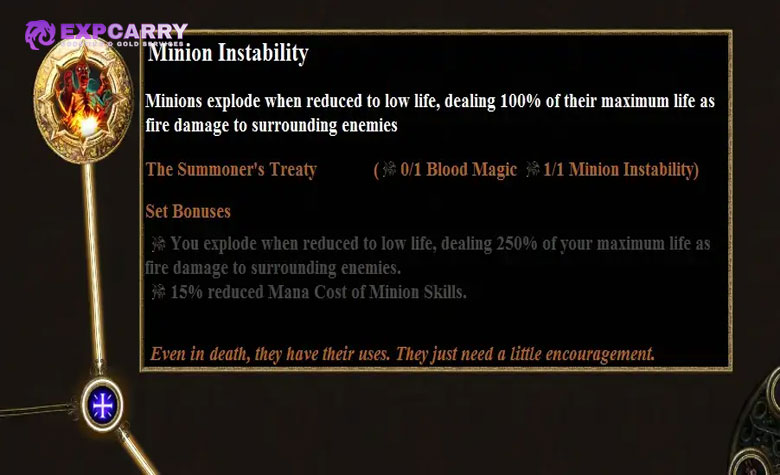
A minion uses its own attacks and spells. Player Spell Damage or Attack Damage does not automatically transfer to the minion merely because the summoning gem has the Spell or Minion tag. Use modifiers that explicitly affect minions or the supported minion skill.
Totem, Trap, and Mine supports change the delivery method of an eligible skill. The resulting skill is used through that proxy and follows the restrictions written on the converting support. Trap Throwing Speed and Mine Throwing Speed govern deployment, so ordinary Cast Speed or Attack Speed should not be treated as substitutes for throwing speed. Always identify which action controls deployment and which modifiers affect the skill after the proxy activates it.
Skills Granted by Items
An item can grant a skill without containing a corresponding Skill Gem. Compatible Support Gems socketed in that item can normally support the granted skill according to the item's rules, even though there is no active gem to link and the support sockets do not need to be linked to each other for that granted skill. Supports that explicitly work only with Skill Gems, such as Empower, Enhance, and Enlighten, do not support item-granted skills. Support modifiers on the item itself can also create additional effective links. Read the item and the granted skill together because the ordinary visual link test is not sufficient for this case.
A modifier such as Socketed Gems are Supported by a named support applies only to eligible gems in that item. It does not turn every character skill into a supported skill. When an item both grants a skill and provides built-in support modifiers, verify each modifier separately because one built-in support may affect the granted skill while another may reject its damage type or use method.
How to Build a Reliable Gem Link
Start with the role of the skill instead of copying the five supports with the highest damage estimate. A clearing skill needs coverage and speed, a boss skill needs sustained single-target damage, and a utility skill needs reliable activation at an affordable cost.
- Choose the main skill: Confirm the weapon, damage type, delivery method, and intended content.
- Add the enabling support: Some builds require a mine, trap, totem, trigger, projectile, or conversion support before the skill follows the intended play style.
- Add one coverage support: Extra projectiles, area, chaining, proliferation, or another clearing tool can be more valuable than raw damage.
- Add efficient damage supports: Select supports that affect the actual damage component and do not disable an important ailment or mechanic.
- Test the cost: Use the skill repeatedly with all auras active and in the intended combat state.
- Test bosses and mapping separately: A support can be excellent for packs and inefficient against one target.
- Recheck after every upgrade: Gem levels, item modifiers, socket Quality, and weapon swaps can change the result.
Do not judge a support only by the tooltip damage number. The tooltip may omit secondary explosions, overlapping areas, minion behavior, ailment damage, conditional bonuses, or realistic uptime. It can also show a large theoretical increase that is lost when the support reduces coverage, attack rate, duration, or resource sustain.
Why a Support Gem Is Not Working
Most support failures can be found without replacing the entire build. Remove every support except the suspected gem, enter a safe area, and test the skill while reading the changed tooltip. Then rebuild the link one gem at a time.
| Symptom | Most Likely Reason | Fix |
|---|---|---|
| No support indicator appears | The sockets are not linked or the support is incompatible | Verify the continuous link and read all support restrictions |
| The skill is disabled after leveling | Character level or attribute requirement is no longer met | Add the missing attribute or use a lower-level gem |
| A trigger stopped working | The active gem exceeded the trigger's supported level limit | Use a compatible lower-level active gem |
| The skill cannot be used manually | A trigger, totem, mine, or trap support changed its use method | Activate it through the new delivery method |
| Damage does not change | The support affects a different component or only a condition not currently met | Test the relevant hit, ailment, minion, or conditional state |
| An ailment no longer occurs | A support such as Elemental Focus prevents that ailment | Replace the support if the ailment is required by the build |
| The aura reserves too much | A linked compatible support applies a reservation multiplier | Unlink the unnecessary support or add a valid reservation solution |
| The skill fails after changing weapons | The weapon type or attributes are no longer valid | Check the exact weapon requirement and both weapon sets |
| Two identical supports do not stack | The same Support Gem cannot apply twice to one skill | Replace the duplicate with a different compatible support |
| A copied setup behaves differently | It uses another gem version, level, Quality, item modifier, or patch | Compare every gem and item line rather than the names alone |
Also check whether the expected effect has a visible animation. Some supports change calculations without adding a clear visual effect. Others apply only while stationary, at maximum charges, against a cursed enemy, after a critical strike, or under another condition that is absent in the hideout.
Awakened Exceptional Vaal and Transfigured Gems
Late-game gem upgrades are not one category. Awakened Support Gems are upgraded versions of specific supports and some gain an additional property at higher levels. Empower, Enhance, and Enlighten are familiar Exceptional Support Gems with low natural level caps and unusually slow experience progression, but Exceptional is now a broader gem category: Path of Exile 3.29 also includes additional Exceptional Skill Gems and Exceptional Support Gems. Read each Exceptional gem individually instead of assuming it follows the Empower, Enhance, or Enlighten model.
Vaal Skill Gems grant both the normal skill and a Vaal version. The Vaal skill consumes souls, has its own restrictions, and shares the socketed supports when those supports are compatible with that version. A Vaal gem is corrupted and cannot be modified by ordinary currency.
Transfigured Skill Gems are mechanically different versions of a base skill obtained through the Labyrinth system. A transfigured version can change tags, damage delivery, conversion, cooldown, minion behavior, or scaling. It should be treated as a new skill for compatibility testing rather than as a direct upgrade with the same supports.
The official Path of Exile Trade site is useful for comparing gem level, Quality, corruption state, alternate version, and price. Check all of those filters because a cheap level 20 gem is not equivalent to a level 21 gem, a 20% Quality gem, or a Vaal version.
Common Skill Gem and Support Gem Mistakes
- Confusing sockets with links: Six sockets do not provide five supports unless all six belong to one linked group.
- Treating tags as proof: A matching tag is only the beginning of the compatibility check.
- Ignoring exclusions: The final sentence on a Support Gem can reject triggers, minions, channelled skills, or another entire category.
- Scaling the wrong component: Hit, ailment, damage over time, explosion, minion, and secondary effects can use different modifiers.
- Leveling a trigger gem too far: The link remains visible while the active gem moves outside the trigger's supported range.
- Forgetting attribute requirements: A small gear change can disable several high-level gems at once.
- Ignoring cost multipliers: The highest theoretical damage link can fail during sustained combat.
- Over-supporting reservation skills: Unnecessary links can consume the resource needed by the main skill.
- Expecting duplicate supports to stack: Use distinct compatible supports in one setup.
- Copying an outdated link: Gem numbers, restrictions, Quality effects, and socket rules can change between patches.
- Prioritizing socket color over gear: In 3.29 every gem fits every socket, while a color match provides an optional Quality bonus.
- Corrupting too early: Finish planned levels and Quality before accepting a permanent corrupted result.
When a setup fails, return to the unmodified Skill Gem and add one support at a time. This identifies the exact support that changes the cost, use method, ailment, trigger condition, or damage component.
Final Skill Gem and Support Gem Recommendations
Build every gem setup from the skill's real behavior. Confirm the weapon and attributes, separate hits from damage over time, identify who performs the action, read the full Support Gem permission and exclusions, and verify that every ordinary support shares the correct linked group.
After compatibility is confirmed, compare gem levels, Quality, socket color bonuses, and the final cost or reservation. Test repeated use with all planned auras active. A support that adds theoretical damage but prevents sustained attacks, removes a required ailment, or breaks a trigger is not an upgrade.
Players who need broader help connecting gems, equipment, passives, leveling, and endgame goals can review the available Path of Exile progression options without changing the core rule: every support must be validated against the exact skill and complete build in which it will be used.