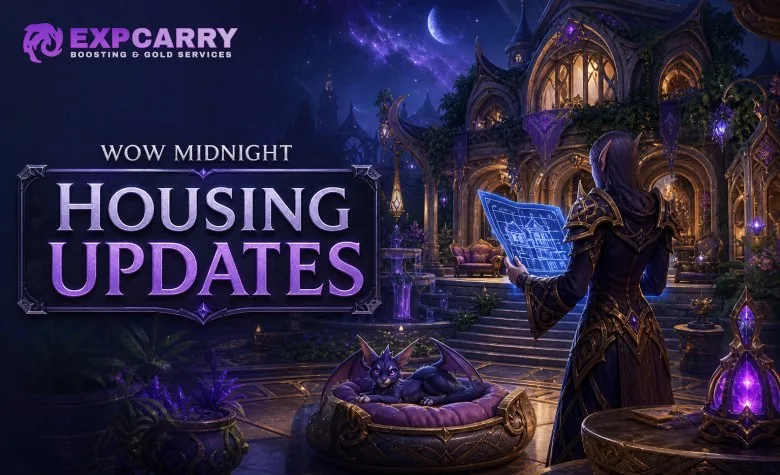
Patch 12.1: Curse of Ula’tek expands World of Warcraft: Midnight Housing with blueprint tools, companion pets in the home, four new Neighborhood Endeavors and additional themed decor. The update does not currently have an officially confirmed increase beyond the existing House Level 9 cap. House-level changes shown in unofficial databases or discussed by players should therefore not be treated as final requirements or rewards.
What Patch 12.1 Adds to Housing
| Feature | What it does | Availability |
|---|---|---|
| Blueprints | Save, export and import complete homes, exteriors or individual rooms. | Patch 12.1 housing update |
| Pet Beds | Lets noncombat companion pets appear and move around inside your house. | Patch 12.1 housing update |
| New Endeavors | Adds themed Neighborhood activities for Amani trolls, kobolds, Ohn’ahran centaur and tortollan themes. | Patch 12.1 housing update |
| Additional decor | Introduces new themed furnishings and decor connected to the new Endeavors and other Patch 12.1 activities. | Patch 12.1 housing update |
Patch 12.1 is a content update for Midnight, and Midnight Season 2 begins one week after the update launches. Housing improvements are available alongside the wider Curse of Ula’tek content, but the housing systems do not require raid or Mythic+ progression.
Are New House Levels Coming in Patch 12.1?
The current confirmed Housing cap is House Level 9. House Level 9 arrived with the Midnight pre-expansion content update and provides additional customization options. Medium-sized exterior plots become available at House Level 8.
Blizzard has not officially confirmed new House Levels for Patch 12.1 in the available announcement material. The Patch 12.1 housing preview confirms blueprint tools, Pet Beds and four new Endeavors, but it does not provide a final House Level 10, 11 or 12 unlock path.
This distinction matters because House Level is not the same system as Neighborhood Favor, Housing Experience or Endeavor progress:
- House Level is the personal progression system that unlocks housing functionality and increases decorating options.
- Neighborhood Favor represents the shared progress of residents in a Neighborhood and contributes to house progression.
- Housing Experience is earned through housing activities and collecting decor, helping advance House Level.
- Community Coupons are Endeavor rewards used for themed decor and are not House Levels or a replacement for House Experience.
If Patch 12.1 receives additional House Levels before launch, the final unlocks, experience requirements, decor budgets and room rewards must be checked against the final patch data. Until then, players should prepare for the confirmed systems rather than stockpiling materials for an unannounced level requirement.
How Housing Blueprints Work
Blueprints are the largest practical quality-of-life addition in Patch 12.1. They let you preserve a design, experiment with a new layout and share a home arrangement with other players.
Save a Housing Layout
You can save your current arrangement before making major changes. This is useful when testing a seasonal design, reorganizing a room or trying a new exterior without permanently losing your existing setup.
The system is designed to return placed decor to a saved arrangement rather than forcing you to rebuild the entire house manually. A reset option also makes it possible to clear the current placement and return items to storage before starting a new design.
Export a House or Room
Blueprint exports can cover different parts of a home. Depending on the selected scope, players can share:
- The complete exterior and interior layout.
- Only the exterior.
- Only the interior.
- A single room or room arrangement.
This makes blueprints useful for both complete house tours and smaller design ideas. A player could share a kitchen, library, workshop or bedroom without requiring another player to copy the entire property.
Import Another Player’s Blueprint
When importing a blueprint, the system shows which decor pieces are included and which of those pieces you already own. Missing items are identified instead of silently being placed as substitutes.
Importing a blueprint does not give you ownership of missing decor. You still need to acquire the required pieces through their normal sources, such as vendors, achievements, professions, activities or other content. A blueprint is a layout reference and placement tool, not a decor unlock.
Before importing a large design, check the available decor budget and confirm that you have enough of the listed items. A blueprint that uses many high-cost furnishings may require changes even after you collect every listed piece.
Explore services related to this guide, selected from our Player Housing catalog.
View All Player Housing Services
Welcome Pets Inside Your Home
Patch 12.1 adds Pet Beds, a new type of Housing decor that allows noncombat companion pets to appear inside the house. After placing a Pet Bed, you can select an eligible companion pet and let it move through the home.
The feature is separate from combat pets and does not turn your house into a Pet Battle location. It is intended as a visual and social housing feature: your chosen companion can remain in the house while you decorate, visit friends or show the property to other players.
What to Know About Pet Beds
- Pet Beds are decor objects and use space in the house like other furnishings.
- The feature applies to eligible noncombat companion pets rather than combat companions.
- Pets can navigate through parts of the home using new movement technology.
- Pet placement still depends on the available decor budget and the layout of the house.
- Pets do not replace vendors, NPCs or other interactive household objects.
For a clean layout, place the Pet Bed where the pet has room to move. Narrow corridors, dense furniture clusters and raised platforms can make a pet less visible even when the bed is correctly placed.
Four New Neighborhood Endeavors
Neighborhood Endeavors are shared activities in which residents work toward themed milestones. Players complete tasks such as quests, gathering, crafting, dungeon content or other eligible activities. Progress contributes to the active Endeavor, and completed milestones provide housing progression and themed rewards.
Patch 12.1 adds four new Endeavor themes:
| Endeavor theme | Housing focus | Expected reward type |
|---|---|---|
| Amani trolls | Troll-themed Neighborhood activities and decor. | Community Coupons, Housing Experience and themed furnishings. |
| Kobolds | Candle-focused activities and kobold-inspired decor. | Community Coupons, Housing Experience and themed furnishings. |
| Ohn’ahran centaur | Centaur-themed activities and furnishings influenced by the Ohn’ahran style. | Community Coupons, Housing Experience and themed furnishings. |
| Tortollans | Tortollan-themed Neighborhood activities and decor. | Community Coupons, Housing Experience and themed furnishings. |
The exact active Endeavor depends on the Neighborhood. If your own Neighborhood is not running the theme you want, the Endeavor vendor can be visited in another Neighborhood where that activity is active.
How to Participate in an Endeavor
- Visit the Neighborhood bulletin board or the local Endeavor interface.
- Check the currently active theme and available tasks.
- Complete eligible activities on your character.
- Contribute progress to the shared Neighborhood milestones.
- Collect completed rewards and spend Community Coupons with the relevant vendor.
Endeavors are designed as group-wide progress rather than a private quest chain. You do not need to personally complete every task for the Neighborhood to advance, and a single player cannot usually finish the entire activity alone. Joining an active Neighborhood and contributing to several different task types is the safest way to make steady progress.
What Rewards Come from the New Endeavors?
The primary rewards are housing progression, Community Coupons and themed decor. Endeavor rewards should be separated into three categories:
- Milestone rewards: Granted as the Neighborhood completes shared objectives.
- Currency rewards: Community Coupons used with Endeavor vendors.
- Vendor decor: Themed furnishings purchased from the vendor associated with the active Endeavor.
These rewards are not guaranteed mounts, raid equipment or character power upgrades. Their purpose is to expand Housing collections and provide additional ways to customize the interior and exterior of a home.
New Endeavor decor may remain tied to the relevant vendor and active Neighborhood theme. If you want a particular collection, check the vendor before the Endeavor changes and record which items still need to be purchased.
How the Patch 12.1 Housing Features Work Together
The systems are complementary rather than interchangeable:
- Use Endeavors to earn shared progression and themed decor currency.
- Use the vendor to purchase furnishings associated with the active theme.
- Use House Experience and normal housing activities to continue progressing your house.
- Use Blueprints to save the current design before adding new rewards.
- Use Pet Beds to incorporate companion pets into an existing room or house layout.
If your house is already close to its decorating limit, collect the new decor first and redesign later. You do not need to remove existing items immediately simply because a new Endeavor has become available.
Recommended First Steps in Patch 12.1
- Save your current house. Create a blueprint before testing new furnishings or Pet Beds.
- Check your House Level. Treat House Level 9 as the currently confirmed cap unless final patch notes add further levels.
- Visit the active Endeavor vendor. Review the full decor selection before spending Community Coupons.
- Contribute to Neighborhood tasks. Focus on activities you already intend to complete rather than forcing unrelated content.
- Place a Pet Bed in an open area. Leave enough room for the companion pet to be visible and move through the room.
- Use blueprint imports as templates. Confirm missing decor and budget requirements before applying a large layout.
Common Housing Mistakes to Avoid
- Assuming Patch 12.1 automatically adds House Level 10. New levels have not been officially detailed in the available Patch 12.1 announcement.
- Confusing Community Coupons with Housing Experience. Coupons purchase Endeavor decor; they do not function as a general replacement for House Experience.
- Importing a blueprint without checking missing items. The layout does not unlock decor you have not collected.
- Using a Pet Bed in a crowded room. The pet may be difficult to see or navigate around dense furniture.
- Ignoring the active Endeavor theme. Each Neighborhood can have a different activity, so the desired vendor may not be in your own Neighborhood.
- Deleting a finished room before saving it. Create a blueprint first so the design can be restored if the new layout does not work.
What Is Confirmed and What Is Still Unclear?
Confirmed for the Patch 12.1 housing update: blueprint saving, exporting and importing; Pet Beds for eligible noncombat companion pets; and four new Endeavor themes based on Amani trolls, kobolds, Ohn’ahran centaur and tortollans.
Not officially finalized in the available announcement: a new House Level cap, exact level-by-level unlocks, additional decor budget values, final Endeavor costs and any numerical reward changes. Those details should be checked against the final Patch 12.1 notes and live game data before publication is updated.