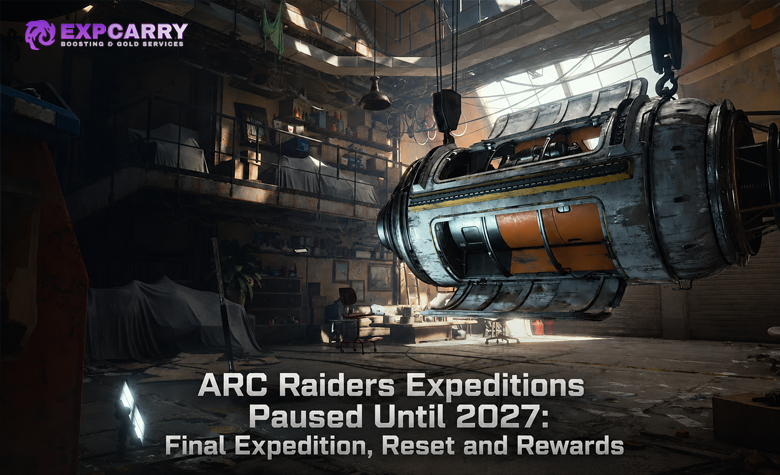

ARC Raiders Expeditions are optional, prestige-style Raider resets: you finish a personal Caravan project, sign up during a limited Departure Window, and begin again with permanent rewards plus short-term progression buffs. The key decision is not simply whether you can afford the Caravan. It is whether the permanent benefits, catch-up potential, and fresh-progression loop are worth losing your current Raider’s stash, Blueprints, Workshop, level, skills, and quest progress. As of August 2, 2026, the latest live build is Update 1.39.0; Expedition 4’s July 7–21 Departure Window has ended, so there is no active Expedition 4 departure to join. Prepare your next available personal Expedition through the Projects screen, but always treat its in-game requirements and dates as the final authority.
How ARC Raiders Expeditions Work
An Expedition is a personal Project unlocked once your Raider reaches level 20. It is not a mandatory seasonal wipe, and it does not reset every player at the same time. You build and supply your own Caravan over several stages, then choose whether to send your Raider away once a Departure Window opens.
The process has two distinct phases:
- Preparation: complete your Caravan’s material and item-turn-in stages. You can contribute between Departure Windows, and committed items cannot be recovered.
- Departure Window: manually sign up, finish the active damage challenge if you want its bonus rewards, use eligible Skill Point catch-up if applicable, and wait for automatic departure when the window closes.
Completing the Caravan is not the same as signing up. This is the mistake that matters most. A finished Caravan only makes your Raider eligible; you must still confirm Departure during the active window. Embark also used a Last Call safeguard during Expedition 4, but you should never rely on it instead of checking the Project menu early.
For the last completed cycle, Expedition 4 ran from July 7 to July 21, 2026. Its official announcement confirms that signed-up Raiders departed automatically when the window closed. Read Embark’s Expedition 4 overview for the previous cycle’s confirmed rules and reward format.
Expedition Requirements: What You Need Before You Can Depart
There are three separate requirements to think about: unlocking Expeditions, finishing the Caravan, and completing the optional Departure challenge. Do not confuse them.
| Requirement | What it means | Why it matters |
|---|---|---|
| Level 20 | Unlocks the Expedition Project. | You cannot begin Caravan progression before this point. |
| Caravan completion | Turn in the required materials, specific items, and category-value contributions. | Required before you can sign up to depart. |
| Departure signup | Manual confirmation during the active window. | Required for the reset to occur. |
| Damage challenge | Optional cumulative damage milestones during the window. | Determines bonus Skill Points or later-cycle bonus rewards. |
Caravan materials and value turn-ins
Every Expedition contains staged deliveries. These typically combine common materials, advanced components, enemy parts, and a small number of named high-value items. The final loading stage also requires you to permanently commit value in several item groups: Combat Items, Survival Items, Provisions, and Materials.
For example, the latest completed Expedition used category targets of:
- 200,000 Coins of Combat Items;
- 100,000 Coins of Survival Items;
- 150,000 Coins of Provisions;
- 300,000 Coins of Materials.
These contributions are separate from the value of the stash that is lost when you actually depart. Do not sell every item that looks expendable while preparing: Caravan categories may value it more than a quick sale does. At the same time, do not blindly hoard every rare object. Use a deliberate keep, sell, and commit plan with the help of our ARC Raiders stash management guide.
Important: exact named Caravan items can change between Expeditions. Previous lists, including Expedition 4’s Portable TV, Sirena Dorata Ship Model, and Vaporizer Regulator requirements, are not guaranteed requirements for your next personal Expedition. Open Projects, pin the current stage, and farm only the items shown there.
What Resets When You Depart
Departure is a real progression reset, not a cosmetic rebirth. Your current Raider is gone, and most of the progression that makes your account powerful in the short term is wiped. Plan as if anything attached to your current Raider will not survive unless it is explicitly protected.
| Reset on Departure | Kept After Departure |
|---|---|
| Inventory items and Coins | Unlocked maps and Codex entries |
| Blueprints | Raider Tokens, Cred, and Merits |
| Raider level, Skill Points, and quests | Raider Deck progress and active leaderboard progress |
| Workshop, Raider Den, and regular stash upgrade progress | Trials, cosmetics, personal event progress, and Expedition-earned bonuses |
The practical consequence is simple: do not depart expecting to craft your preferred weapon immediately afterward. Blueprints, Workshop progress, and your stored kits reset. Your new Raider starts with the permanent Expedition benefits you earned, but you still need to rebuild the normal crafting and quest ecosystem.
Ermal’s Vault changes the decision
Ermal’s Vault is the primary exception to the “everything is gone” rule for items. Embark’s Expedition 4 rules allowed players to purchase up to five Expedition Vault Slots through Ermal to carry selected items into the next Expedition. Vault slots are limited, so use them for something that changes your first several raids—not for replaceable loot.
- Prioritize an item that removes a difficult early-progression bottleneck.
- Do not spend a slot on ordinary weapons, basic materials, or consumables you can replace quickly.
- Review the current Vault restrictions in-game before committing; future Expedition rules can change.
Explore services related to this guide, selected from our ARC Raiders catalog.
View All ARC Raiders Services


Damage Challenge Thresholds and Skill Point Catch-Up
The recurring Departure challenge uses total damage dealt during the active window. The confirmed milestone structure used through Expedition 4 was:
| Total damage dealt | Challenge rewards earned |
|---|---|
| 5,000 | Reward 1 |
| 10,000 | Reward 2 |
| 30,000 | Reward 3 |
| 50,000 | Reward 4 |
| 100,000 | Reward 5 |
For a player completing their first three Expeditions, these milestones can award up to five permanent bonus Skill Points per Expedition. The total permanent bonus Skill Point cap is 15. That makes early Expedition departures especially valuable for players who enjoy rebuilding and want more flexibility on future Raiders.
Skill Point catch-up begins after you have already departed at least once and missed eligible points from an earlier Expedition. The previously confirmed rate was 300,000 stash value per recovered Skill Point, after earning the current Expedition’s available Skill Points. You can recover up to five missed points at a time, subject to the system’s eligibility rules.
Do not assume catch-up applies if you skipped an entire Expedition. It is intended for missed points from an Expedition you actually departed on, not as a universal shortcut for every missed cycle.
Why Expedition 4 changed the calculation
Expedition 4 replaced its damage-challenge Skill Points with five possible Mystery Rewards: one Blueprint and 150 Raider Tokens per completed damage objective. The Blueprint pool was protected against duplicates within those rewards, but the Blueprints themselves were temporary and would reset on a later departure. Raider Tokens were permanent.
This was explicitly presented by Embark as a new reward format that could change again. In other words, do not use Expedition 4’s Blueprint-and-Token rewards to predict the next cycle’s challenge rewards. Check the current official announcement and your in-game Project panel before deciding how hard to push the damage milestones.
Permanent Rewards and Consecutive Buffs
Each completed Expedition grants permanent account-level rewards tied to your personal Expedition number. The first three Expeditions developed the Patchwork Raider outfit, added Scrappy cosmetic pieces, supplied 12 permanent stash slots each, and could add up to five permanent Skill Points each. Expedition 4 began the Zenith Raider outfit and continued the 12-slot permanent stash expansion.
Across five completed Expeditions, the stated maximum permanent Expedition stash expansion is 60 slots.
You also receive temporary consecutive-departure buffs. These are useful, but they should not be the only reason you reset:
| Buff per consecutive completion | Maximum at three stacks |
|---|---|
| +10% repair value | +30% |
| +5% XP | +15% |
| +6% Scrappy material yield | +18% |
The buffs stop increasing after three consecutive departures. Missing a Departure Window interrupts the streak: permanent rewards remain yours, but the temporary consecutive benefits are not active for the missed Expedition period. This creates a real tradeoff. If you want to preserve your streak, prepare the Caravan early; if you are not ready to give up your Raider, accept that the temporary buff chain is not worth forcing a bad reset.
Best Expedition Reset Strategy
The best reset strategy is to prepare in stages, then make the final decision only after you know the active window’s reward rules. Never depart merely because you have filled the Caravan.
1. Finish the Caravan before the window opens
Your best preparation happens before the deadline pressure begins. Pin your next stage’s named items, keep a reserve of commonly required materials, and use excess loot to fill the final category-value requirements. This gives you the entire Departure Window for damage milestones instead of forcing you to hunt a rare turn-in item at the last moment.
2. Keep a clear “depart or stay” checklist
Depart if most of these statements are true:
- You have finished the Caravan and can sign up as soon as the window opens.
- You are comfortable replaying early quests, Workshop upgrades, and Blueprint acquisition.
- You want permanent stash space, cosmetics, eligible Skill Point catch-up, or the current cycle’s rewards.
- Your important carry-over items are protected in eligible Vault Slots.
- You have enough time in the window to finish the challenge instead of gambling on a final-night grind.
Hold your Raider if most of these statements are true:
- You are in the middle of a quest, Workshop, Blueprint, or map-progression goal that matters more than the current Expedition rewards.
- You only recently reached level 20 and still need to learn the extraction loop.
- You do not have time to rebuild after the reset.
- Your current Expedition’s rewards are mostly temporary Blueprint value you already possess or do not need.
3. Farm challenge damage without throwing away your best kit
When the active challenge is damage-based, choose fights that are productive but still leave you an extraction route. Large ARC targets can produce meaningful progress, but they also create noise, attract Raiders, and can turn one long fight into a total kit loss. A boss or elite attempt is worth taking only when your squad has hard cover, a retreat lane, ammunition, healing, and a realistic extraction plan.
For structured PvE target decisions, route safety, and extraction discipline, see our ARC Raiders boss and elite guide. If rival Raiders are the main reason your damage runs fail, apply the sound, angle, and disengage rules in our ARC Raiders PvP fundamentals guide.
4. Do not wait until the final day to sign up
Sign up only after you have consciously accepted the reset, but do it early enough to catch interface issues, challenge progress problems, or schedule confusion. During Expedition 4, Embark acknowledged an unintended issue that could automatically sign players up after reaching 100,000 damage; that was not intended behavior. The lesson is not to expect automation—it is to verify your status in the Project menu and follow official patch updates.
The latest official patch, Live Update 1.39.0, is current as of August 2, 2026. It includes matchmaking and gameplay fixes, but it does not announce the next Expedition Window. Until Embark publishes that schedule, build your Caravan and avoid treating old dates or old material lists as current requirements.
Common Expedition Mistakes
- Assuming Caravan completion enrolls you automatically: it does not. You must sign up during the Departure Window.
- Confusing committed Caravan items with stash value: Caravan turn-ins are spent before departure; remaining stash value is a separate consideration for eligible Skill Point and catch-up calculations.
- Expecting Blueprints to survive: standard Blueprints reset. A reward Blueprint is not necessarily permanent just because the reward itself felt valuable.
- Saving all damage farming for the final session: server issues, PvP pressure, bad spawns, and extraction losses can leave you short of a milestone.
- Resetting for temporary buffs alone: streak buffs are helpful, but permanent rewards and your willingness to rebuild should drive the decision.
- Following an old requirement list: named Caravan requirements and reward formats can change between Expeditions.
Final Reset Decision
An ARC Raiders Expedition is worth doing when you want the long-term account progression and actively enjoy the fresh Raider loop. It is not worth rushing when your current Raider still has meaningful goals, you cannot protect the few items that matter most, or the active reward format does not justify another rebuild.
Prepare the Caravan early, preserve only what has a defined post-reset purpose, complete damage milestones before the deadline, and manually verify that you are signed up. That approach gives you the upside of Expeditions without turning a permanent reset into an avoidable loss.
If you want help completing a difficult Project stage, recovering from a failed high-risk farming run, or securing safer extractions while you prepare, ExpCarry’s ARC Raiders services include self-play carry and progression support options.