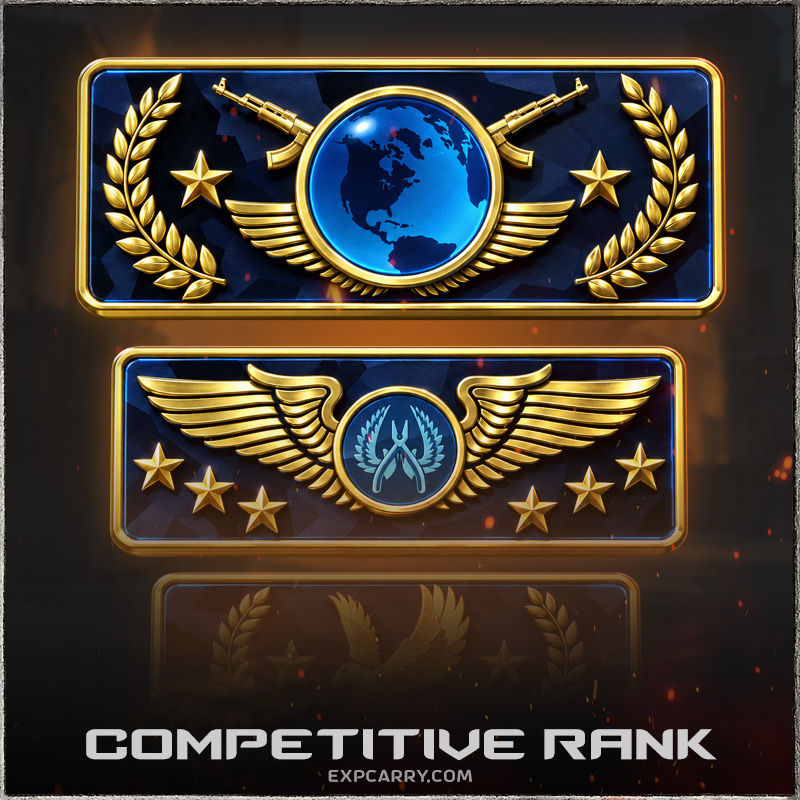
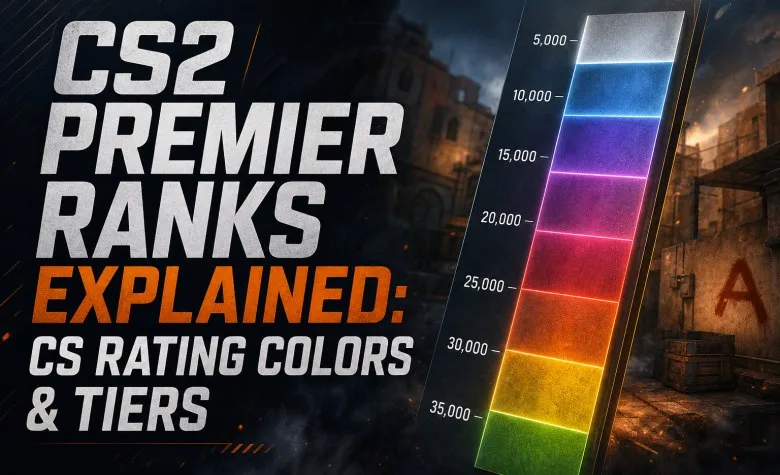
CS2 Premier does not use Silver, Gold Nova, Master Guardian or Global Elite ranks. Instead, Premier gives every calibrated player one numerical CS Rating that represents progress across the entire Premier mode.
The number is divided visually into color bands at 5,000-point boundaries. The color makes the rating easier to read, but the exact number matters more. A player at 15,050 and another at 19,900 are both in the same Purple band even though almost 5,000 CS Rating separates them.
CS2 Premier Rating Colors and Tiers
| CS Rating | Color Band | Next Major Boundary |
|---|---|---|
| Below 5,000 | Gray | 5,000 |
| 5,000–9,999 | Light Blue | 10,000 |
| 10,000–14,999 | Blue | 15,000 |
| 15,000–19,999 | Purple | 20,000 |
| 20,000–24,999 | Pink | 25,000 |
| 25,000–29,999 | Red | 30,000 |
| 30,000+ | Gold | No published final ceiling |
Valve defines the important boundaries in 5,000-point steps. Names such as Gray, Purple or Gold are convenient descriptions of the colors shown in the client rather than separate classic Skill Groups.
This distinction matters. Premier is one continuous numerical ladder. Crossing from 14,999 to 15,000 changes the visible color band, but it does not transform CS Rating into a different ranking system.
What Is the Highest Premier Rank in CS2?
Premier has no equivalent of The Global Elite as a named final rank.
The highest visible color band begins at 30,000 CS Rating and is generally described as Gold. The numerical rating can continue above 30,000, so 30K is a color threshold rather than a published maximum.
This is why “30K is the highest CS2 Premier rank” is only partly correct. It is the beginning of the highest color band, not a confirmed hard cap on CS Rating.
How Does CS Rating Work?
Your CS Rating is calibrated and changed through Premier matchmaking only. It does not automatically increase your Competitive Skill Group, Wingman rank or FACEIT Elo.
Premier uses one rating across the current Active Duty map pool. That makes it fundamentally different from standard Competitive matchmaking, where each map has its own Skill Group.
Before a Premier match, the game shows the possible CS Rating result currently at stake. If you win, your rating can increase; if you lose, it can decrease.
Valve does not publish the full mathematical formula behind every rating change. For that reason, exact claims such as “every win gives 250 rating” or “K/D directly determines the rating gain” should not be treated as official rules.
Explore services related to this guide, selected from our Counter Strike 2 catalog.
View All Counter Strike 2 Services


Promotion and Relegation Matches at 5K Boundaries
Valve's published Premier rules place promotion and relegation matches at the color boundaries, meaning every 5,000 CS Rating points.
The important boundaries are:
- 5,000;
- 10,000;
- 15,000;
- 20,000;
- 25,000;
- 30,000.
If your rating reaches the edge of a color band, the following Premier result can determine whether you cross into the next color or stay within the current band.
How Do You Unlock Premier?
Premier is not immediately available on every new CS2 account.
Valve currently requires:
- Prime Status;
- CS2 Profile Level 10.
Counter-Strike Ratings are only issued to Prime accounts.
Profile Level 10 is XP-based account progression and has nothing to do with FACEIT Level 10. These are completely different systems that happen to use the same number.
How Do Premier Placement Matches Work?
Before a visible CS Rating is established, Premier uses a calibration period.
Valve has documented seasonal recalibration where players must win 10 Premier matches to re-establish a visible CS Rating. Losses do not complete that ten-win requirement, so ten wins usually means more than ten total matches.
Your previous Premier history is not simply ignored during a seasonal reset. Valve has described ratings as being recalibrated based on previous-season performance before players re-establish the visible number.
If your CS Rating is still hidden and you need the calibration completed first, use the dedicated CS2 Premier Placement Matches page rather than an exact target-rating service.
Does Your Premier Rating Reset Every Season?
Premier operates in seasons. At a season transition, ratings can be recalibrated and temporarily hidden until the required matches or wins are completed again.
This is different from being sent back to a completely random starting point. Valve has previously stated that recalibration uses prior-season performance.
For SEO and player comparisons, this matters because a 15,000 rating from one season should not automatically be treated as exactly equivalent to 15,000 in every other season. The player population, map pool and rating distribution can change over time.
How Much CS Rating Do You Gain or Lose per Match?
There is no official fixed value for every Premier match.
The game displays the possible rating gain or loss before the match starts. That is more reliable than using a generic online rule such as “every win gives 100–300 points.”
Valve has previously increased the possible win/loss amounts to move players faster after calibration, which confirms that the size of rating movement is not permanently fixed.
For practical planning, use the value displayed in your live Premier match rather than an old average from another season.
Does Individual Performance Affect CS Rating?
Valve does not publish a complete formula showing exactly how kills, ADR, K/D, MVPs or round difference are weighted inside CS Rating changes.
The safest interpretation is therefore simple: winning and losing Premier matches drives the visible rating progression, while the exact internal formula remains undisclosed.
Do not build a guide or calculator around unverified claims that one specific stat directly adds a fixed number of CS Rating points.
CS2 Premier Season 5
Premier Season 5 began on July 8, 2026.
At the start of the season Valve changed the Active Duty map pool by:
- adding Cache;
- removing Overpass.
The current Season 5 Active Duty pool is:
- Ancient;
- Anubis;
- Cache;
- Dust II;
- Inferno;
- Mirage;
- Nuke.
How Premier Map Selection Works Now
A large number of older Premier guides are outdated here.
Valve changed the map-selection process on September 22, 2026. Premier no longer simply bans maps until one remains.
The current process is:
- Team 1 picks one map.
- Team 2 picks two maps.
- Team 1 picks one final map.
- One of those four maps is selected randomly for the match.
This makes a broad map pool more valuable than before. You cannot rely on permanently forcing one favorite map the way you can when directly selecting a Competitive map.
Premier Rating vs Competitive Rank
| Feature | Premier | Competitive |
|---|---|---|
| Rank type | Numerical CS Rating | 18 classic Skill Groups |
| Scope | One rating across Premier | Separate rank for every map |
| Highest visible milestone | Gold band at 30,000+ | The Global Elite |
| Map selection | Premier selection process | Individual maps can be queued |
| Seasonal system | Yes | Different rank structure |
A high Premier rating does not automatically make you Global Elite on every Competitive map. Likewise, Global Elite on one Competitive map does not directly assign you a specific Premier CS Rating.
For the full comparison between Premier, Competitive, FACEIT and Wingman, see our CS2 Ranks Explained guide.
Premier Rating vs FACEIT Elo
Premier CS Rating and FACEIT Elo are both numerical, but they are independent ladders.
Premier belongs to Valve matchmaking. FACEIT Elo belongs to FACEIT and maps to FACEIT Levels 1–10.
There is no public official universal table saying:
15,000 Premier = FACEIT Level 7
or any other exact equivalence.
FACEIT can use Premier history when calculating starting Elo for some new accounts, but FACEIT keeps the formula private.
Is 10K, 15K, 20K or 25K Premier Rating Good?
There is no official Valve distribution table showing what percentage of all Premier players occupies every rating band.
This means statements such as “20K is officially top 5%” should not be presented as Valve data unless the source is clearly identified as a third-party dataset.
A safer way to interpret milestones is:
| Milestone | What It Officially Means |
|---|---|
| 5,000 | Entry into the Light Blue color band |
| 10,000 | Entry into the Blue color band |
| 15,000 | Entry into the Purple color band |
| 20,000 | Entry into the Pink color band |
| 25,000 | Entry into the Red color band |
| 30,000 | Entry into the Gold color band |
A separate percentile article should use a named dataset, sample size and date instead of pretending community distributions are universal.
Common CS2 Premier Rank Mistakes
- Calling Premier colors official named ranks like Competitive Skill Groups.
- Assuming 30,000 is a hard maximum rather than the start of the Gold band.
- Using an old Premier map-ban guide after the September 2026 map-selection update.
- Assuming every win gives the same amount of CS Rating.
- Using Competitive ranks as an exact conversion for Premier CS Rating.
- Using FACEIT Levels as an exact conversion for Premier CS Rating.
- Publishing third-party rank distributions as if they came from Valve.
- Confusing Profile Level 10 with a competitive skill milestone.
- Forgetting that Premier ratings are seasonal and can be recalibrated.
How to Read Your Premier Rating Correctly
The most useful way to read Premier is to start with the exact number and use the color only as a secondary milestone.
For example:
- 14,900 and 10,100 are both Blue, but they are not equally close to Purple;
- 19,950 is still Purple, but only a small rating gap remains to Pink;
- 30,100 and 35,000 are both Gold, but their exact rating positions are very different.
For progress tracking, the numerical CS Rating is therefore more useful than the color name alone.
How to Increase Your Premier Rating
If you are climbing on your own, focus on repeatable wins rather than chasing one specific color. Premier now exposes you to multiple maps through the current selection system, so consistent map knowledge, economy decisions, utility and team communication matter across the Active Duty pool.
If you already have a visible rating and your goal is a specific numerical target such as 15K, 20K, 25K or 30K+, see our CS2 Premier Rating Boost.
If your rating is still hidden and you first need calibration, use CS2 Premier Placement Matches.
Last verified: October 2026. Premier Season 5, Prime requirements, 5,000-point color boundaries and the September 2026 map-selection process were checked against current Valve and Steam documentation.