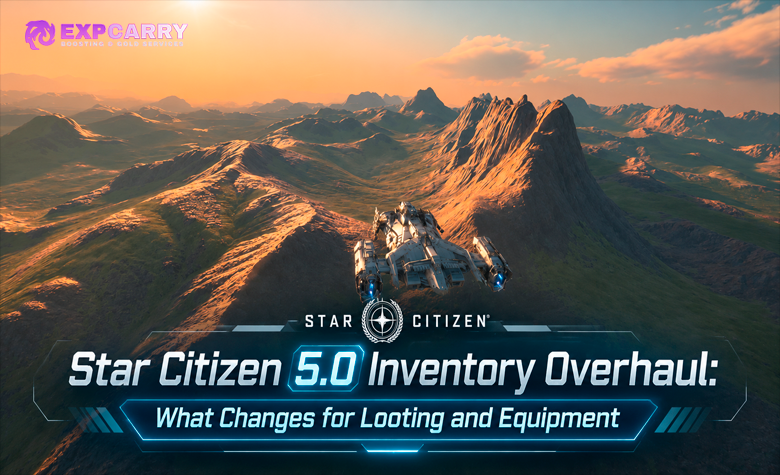
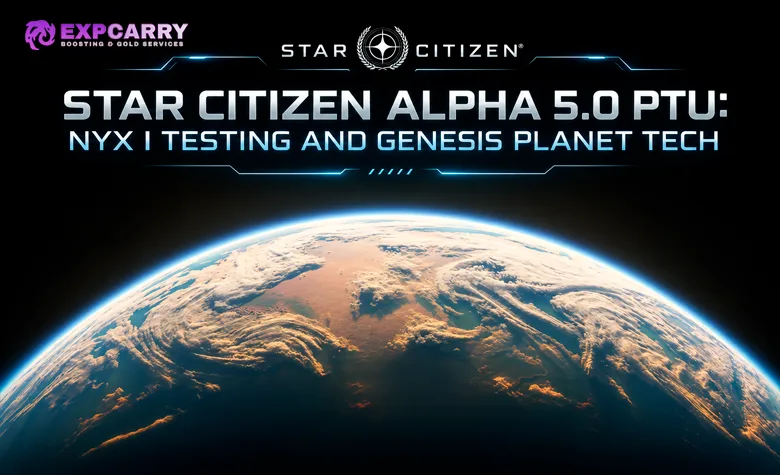
Star Citizen Alpha 5.0 is playable in the Public Test Universe, with Nyx I serving as the first hands-on test of Genesis Planet Tech V5 and Starchitect-generated locations. Players can fly over the new terrain, land in contrasting biomes, visit modular settlements, check guild mission boards, and report problems with vegetation, weather, traversal, contracts, or streaming. The important distinction is the server: these are unfinished PTU features, not content already released to the main Persistent Universe.
As of November 19, 2026, the latest official 5.0 PTU patch notes identify build 5.0.0-PTU.13228337 for Wave 3 testers, while Alpha 4.10.3 remains LIVE. CIG's PTU installation page still displays 5.0 as Wave 1, despite the newer Wave 3 patch notes; check your RSI account and launcher for actual access. This guide focuses on tests you can perform now on Nyx I, the practical differences introduced by Genesis, and changes still being tuned before release. It does not repeat the older 4.11 roadmap or explain every Genesis production tool from scratch.
Short answer: Test Nyx I in the Alpha 5.0 PTU by comparing terrain and biome transitions from orbit to ground, entering Starchitect locations, accepting local guild contracts, and checking resource spawns and stability across sessions. Genesis combines Planet Tech V5, procedural location assembly, and planetary population and server-territory systems; none of these PTU observations should be presented as final LIVE behavior.
Alpha 5.0 PTU Status, Current Build and LIVE Version
CIG renamed the previously planned Alpha 4.11 update to Alpha 5.0 on November 4, 2026 because Genesis and related foundational systems had become the centerpiece of the release. The official November 4 Roadmap Roundup places Nyx I, Planet Tech V5, Starchitect, Contract Boards, Population Manager, and planetary server subdivision in the 5.0 plan. Nyx II and Nyx III moved to a later tentative 5.1 target, so an article promising all three newly accessible planets in 5.0 would be inaccurate.
The earlier 5.0 PTU patch notes label build 13215521 as Wave 1. The newer official build 13228337 is labeled Wave 3, US-only PTU channel, with Long Term Persistence enabled for testing. Separately, RSI's installation support page still displays the 5.0 PTU status as Wave 1. Those notices reflect different update times; they do not guarantee every account sees the same build or server at the same instant.
| Environment | Published status | Player-facing implication |
|---|---|---|
| LIVE | Alpha 4.10.3 | Regular Persistent Universe progression; 5.0 Nyx I and Genesis rollout are not LIVE |
| Alpha 5.0 PTU | Latest cited build: 5.0.0-PTU.13228337 (Wave 3) | Nyx I and Genesis testing; instability and changes between builds are expected |
| Access notices | Newer patch notes say Wave 3; RSI install page still says Wave 1 | Check the PTU tab on your own account and the launcher rather than assuming access |
| Persistence | LTP enabled between PTU releases in the patch notes | Does not promise that PTU earnings or tested changes transfer to LIVE |
| Future planets | Nyx II and Nyx III tentatively moved to 5.1 | Do not treat their future gameplay or resources as testable 5.0 content |
Accessing the 5.0 PTU Through RSI Launcher
Use RSI's official PTU installation instructions. Sign in on the RSI website, open Account Dashboard and Settings, locate Public Test Universe, copy your account when the option is available, then select PTU in the RSI Launcher and install that branch. If the PTU tab is unavailable, the account may not meet the current access conditions or the test environment may be temporarily unavailable. Re-copying can be required during a test cycle.
A PTU copy is not a second live economy. Gear, rentals, account state, and earned currency can differ from the usual Persistent Universe, and progress earned on PTU does not return to LIVE. Record the actual build string before testing because a patch can change the planet, mission tuning, or technical behavior overnight.
Nyx I Test Checklist: Planet, Locations, Contracts and Meshing
The best first session covers one repeatable route rather than a random sightseeing flight. Pick a landing area, note the build and performance settings, test a short ground loop, then move to a generated point of interest and run one contract. This separates a terrain problem from a mission bug or server stall and gives useful evidence when the next PTU build changes the same location.
| Test area | Already available to examine | Evidence worth recording |
|---|---|---|
| Genesis / Planet Tech V5 | Biomes, ground materials, vegetation placement and distant terrain | Same location from altitude, low flight and on foot; visible changes or seams |
| Weather and water | Rain, wetting, water surfaces, cloud and lightning presentation | Weather state, lighting, surface ripples and performance during the event |
| Starchitect locations | Generated compounds, depots, campsites, logistics areas and surveillance sites | Approach, entrances, climbable ledges, AI placement and loot interactions |
| Guild Halls and Contract Boards | Local contracts, faction/reputation interfaces and mission chains | Board location, prerequisite, accepted task and whether rewards register |
| Resource and fauna systems | Scattered mineables, harvestables and wildlife where present | Spawn location, interaction, persistence and client/server consistency |
| Intraplanetary server meshing | Traversal across planetary territories under a distributed backend | Hitches, entity behavior, interactions and disconnects during travel |
These are testing targets, not a claim that every contract, creature, resource deposit or procedurally generated site is functioning in every build. If a mission is missing, check prerequisites and the current build notes before deciding it was removed. Likewise, a successful mining interaction on PTU is not proof that its yield or economic value will remain unchanged on LIVE.
Nyx I Surface: Genesis Biomes, Rock Distribution and Terrain Materials
Planet Tech V5 changes the way terrain is built and rendered, including biome transitions, ground materials, vegetation, rock placement and GPU-driven generation. On Nyx I, this is visible in the relationship between terrain and the plants growing on it. Rather than judging the technology by a single panoramic screenshot, fly from one environment into another and then walk across the boundary. Look for vegetation types changing gradually, sensible rock and ground-cover distribution, and terrain textures remaining coherent at different distances.
Recent PTU notes describe changes to which species dominate different biomes, an orange-toned grass variant, lower vegetation density in forest and swamp regions, adjusted rock and bedrock materials, more efficient scattering, and newly added reeds. The latest build also adjusts snow and surface-material accumulation on scattered rocks. None of this means every tree or ore node is placed by hand, nor that a procedurally populated patch contains a guaranteed resource. The separate Genesis Planet Tech explanation covers the production pipeline; the test here is whether the current 5.0 result remains consistent while you move through it.
Terrain Seams, Ground Cover and Distant Detail
The November 16 PTU build changed how neighboring terrain patches choose ground cells to address visible straight-line cracks and mismatched textures at patch borders. Subsequent testing also targeted distant terrain tessellation, rendering costs and scattered-object flickering. From a ship, pick a ridge or valley and approach it at steady speed; then inspect the same ground on foot. Record straight seams, abrupt color changes, plants floating above rocks, objects popping in, or an obvious mismatch between near and distant terrain.
Repeat the route after a build update using the same graphics options and a similar viewpoint. A screenshot comparison can show a genuine improvement in surface continuity, while an FPS counter alone cannot tell you whether a single hitch came from shaders, entity streaming or network load. For a meaningful performance comparison, repeat comparable piloting drills with identical ship and controls on suitable LIVE and PTU terrain; Nyx I itself is not available on LIVE, so an identical Nyx I route cannot be compared across both environments.
Rain, Water, Clouds and Lighting on Nyx I
Weather is part of the current Genesis test because the planet's appearance changes with rain, cloud cover, wet ground and time of day. CIG has tuned rain frequency, lightning intensity, thunder, water response and wet-surface ripple strength across successive builds. The newer patch also adjusts cloud coverage and overcast lighting. A location that looks polished under clear daylight may reveal terrain or foliage problems when the ground is wet or a ship light hits the vegetation.
Test the same landing area in two weather states if possible. Watch whether wet materials transition cleanly, whether water ripples overwhelm the surface, and whether distant cloud and lighting effects remain readable during flight. The Nyx I Lagrange point was also moved in an earlier PTU patch to improve how the planet is lit when viewed from Delta Station; do not use an older station viewpoint as a fixed reference for the newer build.
Explore services related to this guide, selected from our Star Citizen catalog.
View All Star Citizen Services

Genesis Systems in Alpha 5.0: Planet Tech V5, Starchitect and Population Manager
Genesis is broader than a new terrain shader. The roadmap groups world creation, procedural settlement assembly, environmental populations and server distribution into systems intended to work together. Planet Tech V5 provides terrain and biome foundations; Starchitect arranges locations from modular tiles; Population Manager is designed to manage environment-appropriate populations, while planetary server subdivision distributes backend workloads. Those components have different maturity levels, so they should not be described as one fully finished feature.
One naming trap is that Nyx I also has a lore company called Genesis Terraforming. The fictional terraforming backstory is not proof of how the engine generates plants, contracts or planet servers. A current Alpha 5.0 guide should describe tested systems and developer notes, rather than treating the planet's lore as an implementation specification.
| Technology | Development purpose | Visible result to verify on PTU |
|---|---|---|
| Planet Tech V5 | Generation and rendering of terrain, biomes, plants and materials | Landscape transitions and close-to-distant visual consistency |
| Starchitect | Distribute points of interest and assemble them from modular location pieces | Different compound layouts with usable paths, interiors and interactions |
| Population Manager | Support environment-appropriate inhabitants and population management | Observe NPC placement where present; do not assume final behaviors |
| DGS Planet Subdivision | Divide planetary space into dynamically assigned server territories | Travel and interaction continuity, rather than a visible server boundary |
Starchitect Points of Interest: Compounds, Guild Halls and Traversal
Starchitect is already testable through the locations spread across Nyx I. Recent PTU passes cover compounds, landing pads, logistics tiles, habitation areas, depots, campsites and surveillance towers. AI spawn points have moved into more appropriate interiors, ledge markup now covers guild halls and landing pads of all sizes, and loot and navigation have received further work. The meaningful question is not whether two settlements look different; it is whether their entrances, climbing routes, NPC paths and objective interactions actually work.
Visit more than one location type before judging the system. At a compound, check the approach from the landing zone, an exterior-to-interior transition, a climbable route and an interaction inside. At a surveillance site, inspect whether its lighting reflects power state and whether a relevant contract can restore the tower. Recent patch notes list potential fixes for clipping, collision and AI navigation problems, while the latest build also improves exterior lighting, so repeatable testing remains valuable.
AI Placement, Climbing and Loot Checks
Use a consistent route through a generated site and note the place where an NPC, loot container, ladder or ledge behaves unexpectedly. CIG's earlier 5.0 PTU notes moved hostile spawn closets from outdoor areas into buildings and reduced or redistributed some NPC populations. A newly empty courtyard is therefore not automatically evidence that the entire site has lost AI. Check the intended interior before reporting missing enemies.
Do not assume every loot container or repair box has final placement or value. A test build may revise both physical item spawns and the required mission state. Keep the PTU route distinct from longer LIVE mission sessions: tested loot, mission progress and reward items in the PTU do not become ordinary LIVE earnings.
Contract Boards, Guild Halls and Nyx I Reputation Testing
Contract Boards turn guild and faction work into a location-based activity. The 5.0 test includes guild halls, notice boards and mission information covering local jobs and wider career paths. Recent builds configured reputation and rewards for additional Nyx I guilds, adjusted chain prerequisites, and introduced icons and colors distinguishing local, planetary, system-wide and universal contract scopes. That provides an actual testing route: visit a board, verify which jobs appear, accept one, finish the objective and check whether the board, contract log and rewards agree.
Do not convert PTU progression rates into a launch farming guide. One November 16 build explicitly used a 25-times reputation multiplier for testing; that temporary value cannot be carried forward as the normal 5.0 or 4.10.3 LIVE rate. If you are comparing the new boards with established faction reputation progression, distinguish a temporary PTU acceleration from ordinary LIVE unlock requirements.
- Find the guild hall or notice board: record the planet location and the active PTU build.
- Inspect available contracts: note faction, rank requirement, reward description and missing prerequisites.
- Accept a local mission: confirm that the objective appears in the contract log and starmap.
- Travel to the assigned site: watch for target markers and whether the generated location loads correctly.
- Complete each objective: distinguish a broken interaction from an unmet mission requirement.
- Check completion and reputation: record whether rewards appear, while avoiding extrapolation from temporary test multipliers.
- Revisit the board: check follow-up availability and whether the chain continues as described.
Known PTU fixes have targeted courier missions not generating, missing mission items, contracts not appearing on boards and gathering missions that completed without awarding a reward. The newer build also targets contract generation across shards and incorrect location tags. These are reported as potential fixes, not proof that every account will now finish them successfully. The existing Nyx system guide provides broader background on Levski and the existing system, although its older 4.11 roadmap references predate the rename; this article addresses new Nyx I PTU contracts only.
Mineables, Harvestables and Fauna Across the Planet
The Procedural Generation Tracker was introduced during 5.0 technical previews so mineables, harvestable objects and fauna could function across the planetary mesh. PTU notes continue to adjust rock variants, resource interactions and harvestable refreshes, while the newer build also rebalances gathering quantities on notice boards. The useful test is whether a visible object exists consistently for the client and server, can be interacted with, and behaves sensibly after leaving and returning to the area.
Check rocks and harvestables in several different biome types instead of declaring a new best farming spot from one deposit. A location can receive a vegetation or scattering pass that changes what is present in the next build. The current LIVE mining resource supply is a separate economy from experimental PTU spawns; no PTU ore yield or material price should be advertised as an established LIVE route.
Intraplanetary Server Meshing and Planetary Travel Stability
DGS Planet Subdivision is designed to distribute sections of a planet across dynamically assigned game-server territories instead of placing the entire celestial body on one server. Players are not supposed to see physical borders between those territories. The relevant checks concern travel continuity, object persistence, interaction responsiveness and whether local activity remains stable when moving across the planet or joining other players.
Build 13215521 included changes to territory configuration loading and to how the replication layer batches entity removals. The newer build also targets contract generation across shards and several server crashes. Those engineering details do not establish a specific guaranteed player count, frame-rate gain or seamless handoff under every condition. For practical testing, fly or drive between distant locations and note any stalled interactions, missing entities or crashes. Include server conditions and build number in reports; a single stutter cannot conclusively identify a meshing defect.
Nyx I PTU Testing Route: One Session, Reproducible Results
A structured session produces more useful information than visiting many sites without notes. Set aside one ship-and-ground loop and keep the same equipment and graphics settings for repeat tests. The route below avoids invented coordinates or fixed spawn guarantees: discover your reachable points of interest through the PTU starmap and available local contracts.
- Record the build: confirm 5.0 in the PTU launcher and capture the complete build identifier before leaving the starting location.
- Approach Nyx I from distance: observe the broad biome color, terrain detail and how features resolve during descent.
- Land near a visible biome transition: compare ground materials, grasses, rocks and vegetation on both sides of the boundary.
- Wait through available weather: check water, wet surfaces, cloud lighting and performance without assuming a storm can be forced on demand.
- Visit a Starchitect site: follow a complete entrance-to-objective route, noting AI placement, climbable surfaces and loot behavior.
- Run one board contract: verify acceptance, navigation, objective completion, rewards and any follow-up assignment.
- Inspect a resource interaction: test a mineable or harvestable if one appears, and record any mismatch or failed refresh.
- Change territory or session: revisit when practical and compare persistence, missing objects and stability against the earlier state.
- Report a reproducible issue: retain screenshots, steps, location, build, and the difference between expected and observed behavior.
For issue reporting, use RSI's official PTU feedback instructions, which direct bugs to the Issue Council or Spectrum rather than ordinary account-support tickets. Search existing reports before filing another one, and state whether a problem is visual, contractual, resource-related or a crash. Reproduction steps are more actionable than a description that a particular biome feels broken.
Alpha 5.0 PTU Limitations, Known Fixes and Release Boundaries
Nyx I's surface and location systems remain under active iteration. Recent notes identify fixes or attempted fixes for terrain clipping, inaccessible interactions, missing mission rewards, ship cleanup and server crashes, while the newer build also addresses scattered-object rendering, contract generation and navigation. Earlier builds changed foliage density, weather frequency, water visuals and inventory volume. A line labeled potential fix should not be rewritten as a verified fix, and even a confirmed PTU improvement may need another pass before LIVE.
Ship Time To Kill balance and missile lock interface changes also appear among PTU testing priorities. Earlier notes specifically warned that TTK work was present for a testing window and was not necessarily intended as a 5.0 launch feature. Do not present every experimental ship-stat adjustment as a guaranteed 5.0 release value. The same caution applies to mission rewards, high-value resources and persistence after a future patch or wipe.
| Observed or published item | Safe interpretation | Unsupported leap |
|---|---|---|
| Nyx I vegetation and weather pass | Working PTU presentation being tuned between builds | Every biome and storm is final for LIVE |
| Starchitect sites and local mission boards | Testable locations and contracts with ongoing fixes | All layouts, NPCs and rewards are permanently fixed |
| Temporary reputation multiplier | Progression accelerator for a specified PTU test | Normal LIVE reputation gain is multiplied by the same amount |
| LTP enabled in PTU notes | Persistence is part of current PTU testing | PTU currency, items and reputation transfer to LIVE |
| TTK or missile interface test | Feedback target included in current test builds | All current balance changes will ship unchanged in 5.0 |
| Nyx II and Nyx III | Tentatively targeted for the later 5.1 release | Both are already new explorable 5.0 PTU planets |
Star Citizen Alpha 5.0 PTU FAQ
These answers cover the release boundary, test access, Nyx I availability and what Genesis changes during the current testing cycle.
Is Star Citizen Alpha 5.0 already LIVE? No. As of November 19, 2026, Alpha 4.10.3 is the regular LIVE version, while Alpha 5.0 is on PTU. The latest confirmed 5.0 test patch is 5.0.0-PTU.13228337 (Wave 3).
Can every backer enter the 5.0 PTU? No universal access is confirmed by the current notices. RSI's installation page still shows 5.0 PTU as Wave 1, while the newer specific build notes say Wave 3. Check the PTU permission in your account and the launcher; an announcement alone does not guarantee successful access at that moment.
Can I land on Nyx I and test Genesis now? Yes, in an accessible Alpha 5.0 PTU session. Nyx I is the current test planet for Planet Tech V5, generated locations, missions and related systems, but the experience is unfinished and not a release-ready guide to final farming routes.
Are Nyx II and Nyx III included with Nyx I in Alpha 5.0? No. CIG's November 4 roadmap update moved their tentative target to Alpha 5.1. Do not treat earlier Alpha 4.11 previews that grouped all three planets as the current 5.0 release plan.
Conclusion
Nyx I makes the Alpha 5.0 PTU worth testing because Genesis can be inspected at ground level, across changing biomes, and inside procedurally assembled locations rather than judged from a roadmap screenshot. Start with a repeatable flight and walking route, then check a guild contract, resource interaction and long-distance travel while recording the exact build. Treat improvements and failures as PTU observations until CIG deploys them to LIVE, and keep the older 4.11 and general Genesis explanations separate from these hands-on tests.