
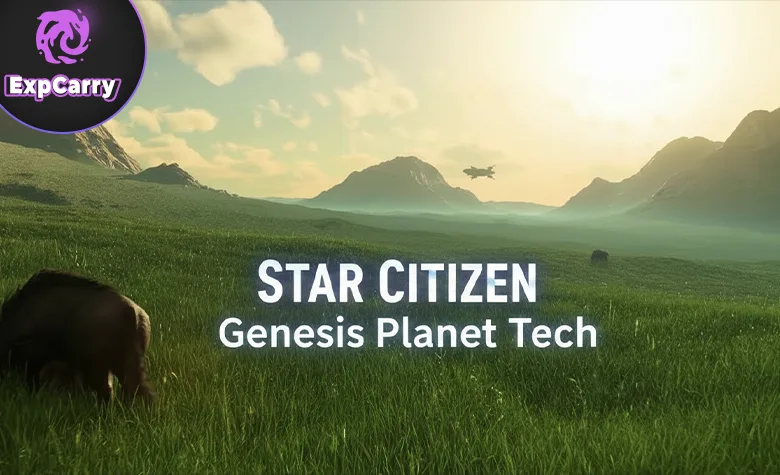
Genesis is the name CIG uses for Star Citizen's procedural planet-production stack, often discussed alongside "Planet Tech." It is the toolchain and rule system used to build planets, moons, and surface visuals at scale. Seamless travel from orbit to the ground (with no loading screens) is enabled by the broader Star Engine streaming and LOD systems working with the planet tech output, not by Genesis alone. When people say "planet tech" in Star Citizen, they are usually talking about the Planet Tech line and the Genesis-related tools and workflows around it.
This guide explains what Genesis actually is, how it creates the look of a world, what parts of a planet it influences (terrain, materials, biomes, and surface population), and what changes when Genesis improves. It also clarifies how the planet-production stack connects to planetary rendering (atmospheres, lighting, clouds) that shapes the final look in-game. The focus is practical: what the tech does, why planets look the way they do, and how future updates to Genesis can reshape existing locations.
This is a current-state explanation of the Genesis concept as used for Star Citizen's planetary production. Implementation details evolve over time, but the core idea stays the same: build believable worlds through layered procedural rules, then render and stream them efficiently for seamless traversal. Note: this is about the technology and production workflow, not lore uses of the word "Genesis" (for example, terraforming references or ship names).
Genesis Planet Tech: Turning Rules Into Worlds You Can Land On
Genesis is not a single feature. It is a pipeline: authoring tools for artists and designers, procedural generation rules that convert those inputs into terrain and biomes, and a planet-production workflow that feeds the engine's rendering and streaming. Its goal is simple: produce large, distinct planets without hand-sculpting every mountain and every rock, while still letting artists control the final look.
Core Idea: Procedural Control With Artist Authority
Genesis works best when you think of it as "procedural, but directed." Artists define the building blocks and the rules. The tech applies those rules consistently across massive areas, creating believable variety while keeping the world on-brand for lore, climate, and location.
In practice, that means three constant layers working together:
- Terrain generation: the height and shape of the surface, from macro continents and basins down to ridges and micro detail.
- Biome and material distribution: what the ground is made of and where it appears - rock, sand, dust, ice, soil, and transitional blends.
- Rendering and streaming: how the planet is drawn, lit, and loaded as you move, so performance stays stable from space down to footsteps.
If you separate these layers, Genesis stops being "magic planet tech" and becomes an understandable production system.
What Genesis Actually Generates
Genesis is responsible for the "base truth" of a planet's surface identity: terrain shapes, biome rules, material layering, and surface population constraints. That includes large-scale silhouettes and small-scale surface readability. It can drive how steep slopes are authored to read, how rocky outcrops appear, how dunes form, and how terrain transitions between climate zones.
Common outputs Genesis and related planet tech systems influence include:
- Elevation and erosion shapes: mountains, canyons, basins, ridges, and natural breakup patterns that make terrain feel formed, not painted.
- Surface tiling and blending: material layers that mix without hard borders, so you get believable transitions instead of obvious texture stamps.
- Scatter and instancing: placement rules for rocks, boulders, clutter, and vegetation-like elements (where appropriate) to make surfaces read at human scale.
- Shorelines and boundaries: where terrain meets water, ice, or separate material regions, including how those borders are blended visually.
Some of these are primarily generation and authoring. Some are primarily rendering. Players experience them as one thing: the planet looks more real.
Why Planet Tech Changes Can Reshape Older Worlds
When Genesis improves, it can change both production and visuals. New tools can allow artists to re-author a biome library. New blending can change the look of the same planet without changing gameplay locations. New scattering rules can make plains feel alive or empty. New erosion and meso detail rules can make silhouettes look sharper or more natural.
The important takeaway is that "planet tech upgrades" can be deep upgrades, not just prettier textures. If the underlying rule set or material logic changes, the whole surface can shift in subtle or obvious ways.
Surface Detail: Biomes, Materials, And The Look Of Ground
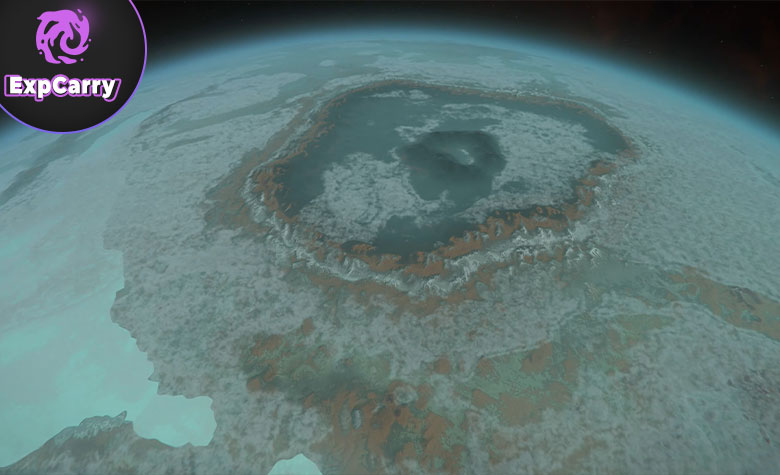
The surface is where Genesis matters most for moment-to-moment immersion. A planet can be huge, but if the ground reads like repeating tiles, it feels fake. Genesis focuses on layered materials and biome logic so the surface holds up at all scales: from orbit, from a ship at 500 meters, and from a player walking.
Biome Logic: Where Things Go And Why
Biome logic is the rule system that answers "what belongs here." The goal is not just variety. The goal is consistency. If a moon is dry and dusty, the material patterns should support that story. If a region is colder, you should see it in the palette, the roughness, and the scatter choices.
A strong biome setup looks like this:
- Clear region identity: each biome has a readable color and material signature.
- Believable transitions: borders blend gradually, with intermediate mixes instead of hard edges.
- Scale-appropriate detail: big shapes read from high altitude, and micro detail appears as you get closer.
Material Blending: The Difference Between "Gamey" And "Natural"
Material blending is the technical and artistic process of mixing surface layers. Instead of one texture painted flat, a surface can be built from multiple layers driven by slope, altitude, noise masks, and biome rules.
When blending improves, planets typically look better in these ways:
- Less obvious tiling: repeating patterns break up more naturally.
- Better slope behavior: steep faces look rocky, flatter areas look dusty or sandy, and the transition feels earned.
- More convincing micro contrast: grit, pebbles, and breakup appear without looking like a sticker layer.
For players, this shows up as surfaces that look "photographic" from more angles and distances.
Scatter Systems: Rocks, Clutter, And Readability
Scatter is the system that populates the ground with repeated meshes: rocks, boulders, debris-like elements, and biome-specific clutter. Good scatter makes a world feel scaled correctly. Bad scatter makes it feel like a flat parking lot.
The practical rule is simple: scatter is not decoration. It is how the ground communicates distance, speed, and terrain difficulty. Better scatter often means:
- More natural density gradients: not the same amount of rocks everywhere.
- Better object variation: different shapes and sizes, not one boulder copied a thousand times.
- Better placement logic: rocks cluster where they should, avoid where they should, and respect slopes and surfaces.
Terrain Shapes: Macro Forms And Micro Forms
Terrain is built from layers. Macro forms define silhouettes and navigation. Micro forms define the tactile feel when you are close. Genesis improvements often target one or both layers.
- Macro structure: large elevation changes that create dramatic vistas and readable geography.
- Meso detail: ridges, drainage patterns, secondary hills, and the "character" of a region.
- Micro noise: small breakup that prevents surfaces from looking too smooth and artificial.
- Edge behavior: the details that make cliffs, crater rims, and slopes look plausible.
If any one layer is weak, the planet can look fine from one distance and wrong from another.
Atmosphere And Lighting: Sky Color, Haze, Clouds, And Mood
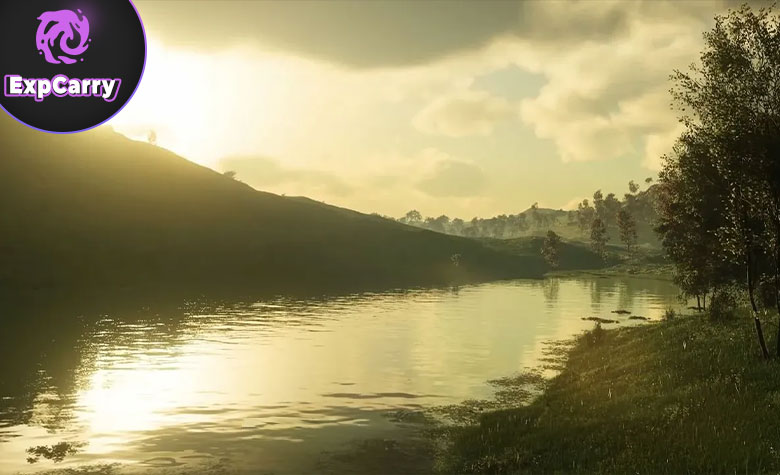
Planets do not look real without a believable atmosphere and lighting model. While Genesis focuses on authoring and procedural rules for planetary surfaces, the final mood comes from Star Engine's planetary rendering stack: atmospheric scattering, horizon haze, sun response, clouds, and how the sky changes with time and location. This is where a world gets its mood.
Atmospheric Scattering: Why Horizons Look Like Horizons
Atmospheric scattering is what makes distant mountains fade, what makes the horizon glow, and what changes the color of the sky based on sun angle. Without it, planets look like spheres with textures. With it, they feel like places with air and depth.
When scattering improves, players typically notice:
- More natural haze and distance falloff instead of a flat fog layer.
- Better sunrise and sunset color shifts.
- More consistent visibility behavior across different altitudes.
Clouds And Volumetrics: The Biggest Visual Multiplier
Cloud tech is a massive multiplier for planetary visuals because it introduces scale, movement, and lighting complexity. Even if terrain is unchanged, improved volumetrics can make a planet look completely different from orbit and from low flight.
Cloud improvements can change:
- Orbital identity: cloud patterns become a defining "face" of a world.
- Lighting drama: shadows and light shafts add depth and contrast across the landscape.
- Weather readability: even without full gameplay weather, clouds signal atmosphere density and mood.
Time Of Day: The Same Place Can Look Like Four Different Worlds
Lighting conditions can redefine a location. A biome that looks dull at noon can look cinematic at golden hour. Surface materials authored through planet tech and the planetary rendering model determine how that transformation reads in practice.
If the material response is correct, you get consistent results:
- Rocks keep believable specular response under different angles.
- Dust and sand hold color without turning into flat gray.
- Haze and shadows work together instead of fighting each other.
Explore services related to this guide, selected from our Star Citizen catalog.
View All Star Citizen Services

How Genesis Changes Planets In Practice
Players often ask, "If Genesis upgrades, will my favorite planet change?" The honest answer is: it can, depending on what is upgraded. Some upgrades are purely better tools for making new worlds. Some upgrades change the rendered result for existing worlds if the material logic, blending, or scatter rules change (and those changes flow through to what the renderer shows).
Visual Changes You Can Actually Notice
When Genesis-related tech improves, planets typically change in visible, practical ways:
- Better ground readability at low altitude: less texture blur, clearer material identity, and stronger surface detail.
- Cleaner biome transitions: fewer awkward hard seams and more believable regions.
- More convincing terrain breakup: hills and slopes look formed, not sculpted by a brush in one pass.
- More natural object placement: scatter feels like geology, not random placement.
- More dramatic sky and atmosphere: rendering upgrades make the planet feel bigger and deeper.
What Usually Does Not Change
Even when visuals improve, certain things often stay stable because they are tied to gameplay and layouts:
- Major landing zones and their immediate terrain constraints, because they are built for navigation and mission flow.
- Key mission locations, outposts, and points of interest that rely on specific approach paths and ground clearance.
- Overall planet identity in lore terms, unless the world is being intentionally reworked.
The typical pattern is: the planet looks better and more consistent, while the "gameplay skeleton" stays recognizable.
Performance And Streaming: The Hidden Half Of Genesis
Planet visuals are meaningless if they break performance. Genesis feeds a planet-production result into systems that stream and render detail based on distance and viewpoint. The goal is to render a planet at extreme scale while keeping memory and draw calls under control.
That is why improvements can matter even when you do not see them immediately:
- Better LOD behavior: smoother transitions and less popping.
- More efficient material complexity: higher fidelity without exploding performance cost.
- More stable traversal: less hitching when flying fast over dense terrain and biomes.
What This Means For Future Systems And Planet Variety
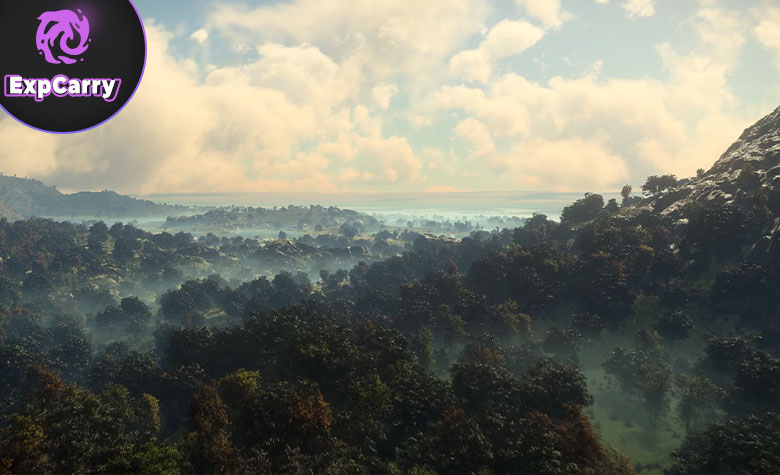
Genesis is a force multiplier. Every time the tech improves, CIG can build more worlds faster, with higher baseline quality, and with more variation. That matters for expanding beyond a small set of systems, because each system needs a unique visual identity to feel worth traveling to.
Scale: More Worlds Without Copy-Paste
The biggest risk of many planets is sameness. Genesis is designed to prevent that by letting artists define distinct biome libraries and rule sets per world. The richer the library and the stronger the rules, the less two planets feel like recolors of each other.
Identity: Planets Need A Visual Signature
A planet needs an immediate signature from orbit and from the surface. Genesis supports that by enabling:
- Unique palettes and material mixes per biome.
- Distinct terrain language: sharp, eroded, smooth, fractured, dune-like, cratered, and hybrid blends.
- Distinct atmosphere mood: clear, hazy, thick, thin, bright, dusty, and heavily clouded.
When this works, you can recognize a world in seconds, even before you land.
Reworks And Iteration: Why Some Worlds Get Revisited
As Genesis improves, older content can become a candidate for rework. This is not only about visuals. It is about consistency. If a new planet has modern blending, scatter, and atmospherics, older planets can start to look behind, even if they are still "fine." Rework passes align older worlds with new standards.
That is why planet tech updates are often felt as a slow tide: not one giant change everywhere, but steady uplift across the universe.
What You Can Do Now To Evaluate Genesis Changes In-Game
If you want to spot what Genesis is doing in your current version, you do not need developer tools. You need a repeatable observation routine. Pick one planet and one region you can revisit. Then compare visuals at three altitudes:
- Orbit view: look for atmosphere color, cloud behavior, and the planet's "face."
- Low flight: look for biome transitions, terrain breakup, and scattering density.
- On foot: look for tiling, material blend quality, and how micro detail holds up.
If a planet tech update lands, these three layers show the difference rapidly.
Watch For The Practical Signals
The most reliable signals that Genesis-related improvements are active are not marketing words. They are patterns you can see:
- Less obvious repeating textures under harsh sunlight.
- More convincing distance haze and horizon falloff.
- Cleaner transitions between ground types.
- More natural rock placement and better ground scale cues.
Those are the surface-level results of deeper tool and rendering improvements.
A Tech Stack That Quietly Shapes The Entire Universe
Genesis is how Star Citizen turns a small number of handcrafted locations into a universe that feels physically explorable. It combines directed procedural generation and artist-driven authoring with an engine rendering and streaming stack designed for seamless orbital-to-ground traversal.
When Genesis improves, planets can become sharper, more natural, more distinct, and more atmospheric, even if the gameplay layout stays familiar. That is why Genesis matters: it is not only prettier planets. It is the foundation that decides how many worlds can exist, how different they can feel, and how believable they will look when you land and walk on them.