




Epic dropped Fortnite Ecosystem v41.10 on June 25, and while the Battle Royale side got new Sprites and a two-week summer event, the real story for anyone building in UEFN is what just landed in Verse. Quest API access, programmatic camera control through Scene Graph, tappable HUD widgets, a Star Wars droid army, and 71 new LEGO bricks all shipped in the same release, and together they push UEFN further away from stitching devices together and closer to writing a real game's worth of systems in code.
Quest API Finally Brings Native Progression Tracking to Verse
The headline feature is the Quest API, landing in Verse as an experimental feature that lets creators define quests, objectives, and rewards entirely in code and have them show up in Fortnite's own quest UI and pause menu, the exact same places players already look for tracked objectives in any island. That sounds like a small convenience until you've actually tried to build achievement tracking, tutorials, or collection sets without it: every island that wanted that kind of progression had to build its own tracking UI from scratch, which meant either learning UMG widget work or settling for a janky on-screen counter that looked nothing like the rest of the game. The API also broadcasts events for joins, progress updates, completions, and reward grants, so island logic and HUD elements can react to quest state in real time instead of polling for it.
The part creators will care about most is that quests can be globally shared across every player on an island with synced real-time progress, which opens the door to cooperative objectives that update for the whole lobby at once rather than tracking state separately per player. The catch for now is that islands using this feature can't be published yet, since it's still experimental, so anyone diving in this week is prototyping for a future release rather than shipping immediately. Epic says publishing support will become available once Quest API exits the experimental stage, but no release window has been listed yet.
Scene Graph Camera Components Put the Lens in Verse
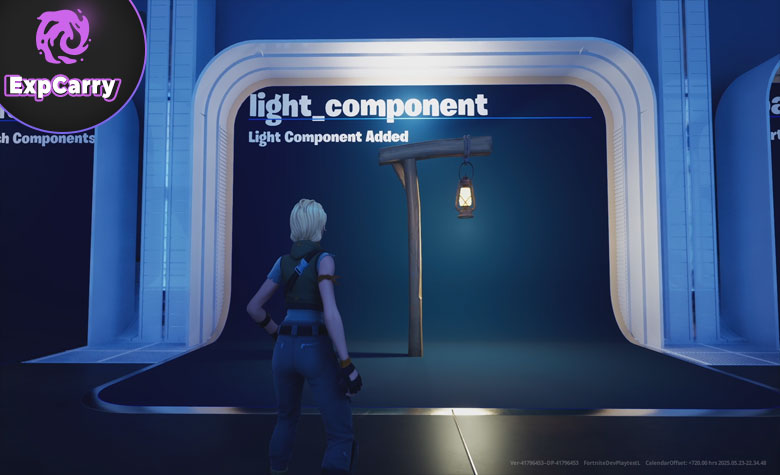
Scene Graph keeps absorbing territory that used to belong exclusively to devices, and this update hands creators direct, code-level control over the camera itself. The new experimental components, camera_director_component, perspective_camera_component, orthographic_camera_component, and physical_camera_component, let you attach a camera to any entity, switch between camera modes at runtime, and tune body and lens properties straight from Verse instead of relying on fixed device presets. That's a meaningfully bigger deal than it sounds, because camera behavior has historically been one of the harder things to customize deeply in UEFN; a cinematic cutscene, a vehicle with a proper chase cam, or a puzzle game that needs an orthographic top-down view all used to require workarounds. Now they're a matter of attaching the right component and writing the logic, though creators still need to remember that these camera components are experimental and not ready for published islands yet.
Possession Queries Solve a Real Multiplayer Headache
Paired with the camera work, Scene Graph also ships a new possessable_component that lets your Verse code query which character entity a player is actually controlling at any given moment, and which entities a given player controls if they're piloting multiple things at once, like a character that's also driving a vehicle. This solves a genuinely annoying problem for anyone building elimination tracking, cosmetic application, or input remapping logic: player identity now stays consistent across respawns even as the underlying entities get swapped out, so a script crediting a kill or applying a skin doesn't have to fight with entities that quietly changed underneath it mid-match. Characters also gained basic support for standing and moving on Scene Graph mesh components as a movement base, which means moving platforms can now carry players correctly instead of letting them slide off or lag behind.
Tappable HUD Widgets Close the Gap Between PC and Mobile
Custom HUD buttons built with either the Custom Button widget in UMG or Verse Buttons can now respond to direct taps on touchscreens in addition to triggered input actions for gamepad and mouse-and-keyboard players, and notably this works without needing a TouchActionWrapper. For islands built with mobile players in mind, this closes a real usability gap: a custom HUD button that worked fine for a controller player previously needed extra wiring to behave the same way for someone tapping a phone screen. Setup is straightforward on both sides of UEFN's UI tooling, assign a Triggering Input Action to a Custom Button in UMG and bind a Verse handler to its On Clicked event, or add a button widget in Verse UI directly and subscribe to its OnClick property, and the same interaction now works identically across input types. Like the Quest API and Scene Graph camera components, however, Custom HUD Widgets are still experimental, and projects using them can't be published yet.
Star Wars Droids and LEGO Sideways Bricks Expand the Toolkits
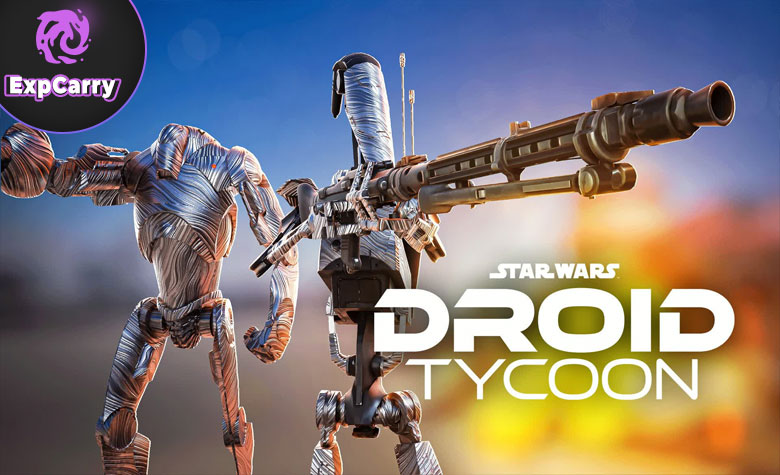
Star Wars islands picked up more than 30 droids in this release, including B1 Battle droids, B2 Heavy droids, the BB series, the R series, BDX Explorers, and Gonk droids, each shipping with a control rig ready for animation and some with adjustable paint colors. A rideable Mountain Tauntaun variant arrived alongside them as a new NPC character type, giving Star Wars islands a usable mount rather than just a background creature. For a toolkit that's been steadily growing since its introduction, this is a major character drop, and the included control rigs matter specifically because they mean creators can actually animate these droids for cutscenes or scripted sequences rather than treating them as static set pieces.
The LEGO Brick Editor picked up 71 new bricks built specifically for sideways building, letting creators extend structures outward instead of only stacking upward. That directly addresses a clear pain point for builders who wanted more horizontal construction options inside LEGO workflows. Alongside the new bricks, Epic shipped a batch of workflow fixes that LEGO builders have been asking for: single bricks can now be Kragled without needing a group first, the brick palette docks to the bottom of the editor by default instead of popping up as a separate window, and canceling a Kragle dialog no longer throws an error. None of these are flashy, but anyone who's spent time in the Brick Editor will recognize them as the kind of friction that made repetitive building tasks slower than they needed to be. A new LEGO Brick Index page also catalogs every brick and plate by type, which is a real time-saver for anyone planning a build instead of scrolling through an unsorted palette.
Unreal Revision Control Becomes Lore
Buried in the same release is a rebrand that matters more than it looks: Unreal Revision Control, the version control system UEFN teams use to avoid overwriting each other's work, is now officially called Lore, a name Epic announced at Unreal Fest as the umbrella for its version control and content storage technology going forward. Existing projects, version history, and workflows carry over without any action needed, since only the name changed in this release, but there's a real technical shift coming with it: Epic is moving from its proprietary Oodle compression to the open-source Zstandard algorithm, and the newly released Lore desktop client isn't compatible with UEFN projects until that migration finishes in a future update. Teams relying on third-party tooling should also note the VS Code plugin still shows the old Unreal Revision Control name for now, so the rename hasn't fully propagated across every surface yet.
Final Thoughts
None of these systems are isolated additions, they're the next step in a pattern Epic has been running with UEFN and Verse: take something that used to require a pre-built device, and hand creators more direct code-level control over it instead. Cameras, character possession, and now quest progression all just moved further from device-land into code-land, which means islands that lean on Verse can build progression systems, custom cinematics, and platform-aware HUDs that would have needed serious workarounds not long ago. The experimental tag still matters, because Quest API, Scene Graph Camera Components, and Custom HUD Widgets are prototype-only for now and can't be used in published islands yet. But the direction is clear enough: the asset and workflow additions are live now, while the bigger Verse-driven systems are exactly what serious UEFN creators should be testing before they become publish-ready.