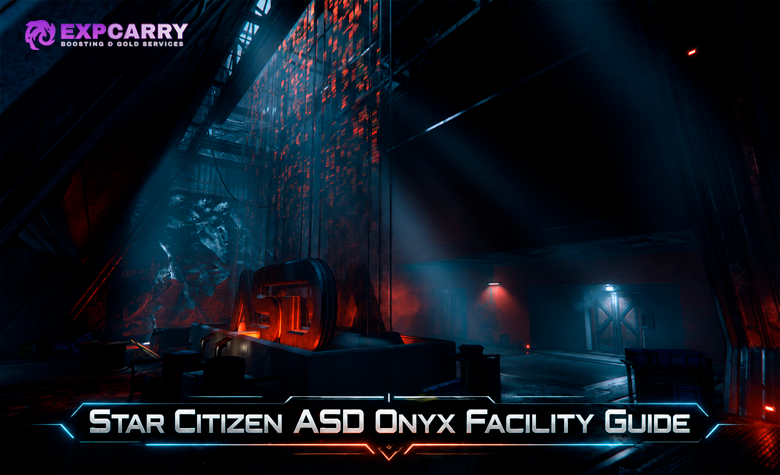
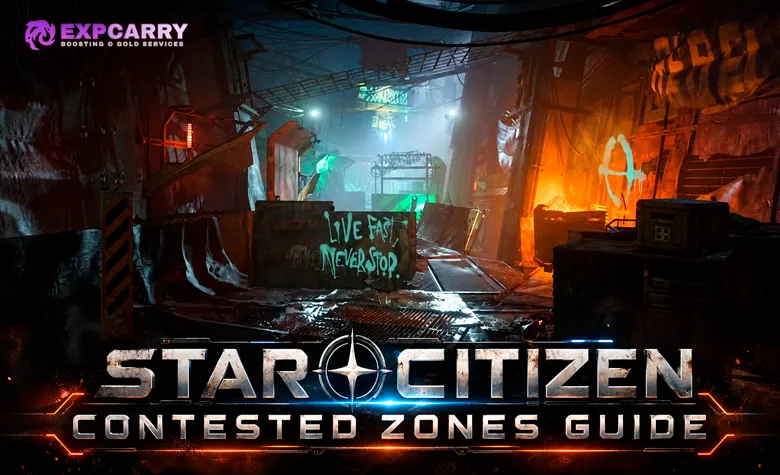
Star Citizen Contested Zones are high-risk PvPvE locations in the Pyro system where players fight hostile NPCs and other players for access cards, rare equipment, ship components and seven unique compboards. The three main locations are Checkmate Station near Monox, Orbituary near Bloom and Ruin Station near Terminus. Their progression involves fuse doors, colored security cards and a timed vault, eventually leading to the Executive Hangar at PYAM-EXHANG-0-1. In Alpha 4.10.2 LIVE, the core activity remains available, but CIG has confirmed a keycard-printer timer display issue, and earlier 2026 player reports describe inconsistent loot spawning. For a complete run, prepare red Supervisor cards, blue Security cards, spare fuses, suitable FPS equipment and a reliable extraction plan before entering the stations.
Short answer: Start by obtaining a red Supervisor Keycard at PYAM-SUPVISR-3-4 or 3-5, then collect Boards 1–3 at Checkmate, Boards 4 and 7 at Orbituary, and Boards 5–6 at Ruin Station. Bring all seven unique boards to the active Executive Hangar at PYAM-EXHANG-0-1 to unlock its final reward area during a valid green-light window.
What Are Contested Zones in Star Citizen?
Contested Zones are free-fire PvPvE areas introduced with Alpha 4.0 and the Pyro system. They combine FPS combat, security-door progression, resource management and valuable equipment rewards. Unlike a traditional mission chain, players can enter these locations to pursue their own objectives, while other groups may be attempting the same content simultaneously.
CIG introduced the activity as part of Pyro's lawless station gameplay. The main challenge comes from fighting through contested corridors and gaining access to restricted rooms containing valuable items. A successful run can provide rare equipment or the unique compboards needed for the Executive Hangar.
The primary objectives are:
- Collect access cards: Obtain the credentials required to open red, blue and special restricted doors.
- Defeat hostile NPCs: Clear occupied rooms and secure important corridors.
- Survive player encounters: Other groups can enter, attack and attempt to take valuable items.
- Recover rare equipment: Search eligible containers and restricted areas for weapons and ship components.
- Collect seven compboards: Obtain the unique items needed for the Executive Hangar.
- Extract successfully: Leave with collected equipment rather than losing it before reaching safety.
There is no universal Contested Zone reputation requirement to begin exploring the main station areas. The practical restrictions are security doors, access-card availability, surviving PvPvE encounters and reaching the correct locations. Compboard progression is tied to the Executive Hangar rather than a conventional faction rank.
The existing Star Citizen Executive Hangar Guide explains the final reward location, its opening conditions and the ship-claim process in greater detail.
Alpha 4.10.2 LIVE warning: The current live build, released on October 9, 2026, is 4.10.2-LIVE.12881860. CIG officially lists an issue that can make security and maintenance keycard-printer timers display 00:00 incorrectly. Alpha 4.8 patch notes documented fixes for empty Contested Zone reward rooms, but players subsequently reported missing containers and inconsistent respawns during May–July 2026. Those reports establish earlier problems but do not prove that every loot container remains broken in 4.10.2. Verify printer operation, loot availability and access-door behavior before committing to a long farming session.
All Star Citizen Contested Zone Locations in Pyro
The three main Contested Zones are located inside existing Pyro stations. Two additional asteroid bases provide red Supervisor Keycards, while the Executive Hangar cluster serves as the final destination after collecting all seven compboards. These locations form one connected progression route, although players can visit the main stations independently.
| Location | Area | Main Purpose |
|---|---|---|
| Checkmate Station | Monox L4, Pyro | Boards 1, 2 and 3; blue Security Keycards |
| Orbituary | Orbit of Bloom, Pyro | Boards 4 and 7; additional blue Security Keycards |
| Ruin Station | Terminus, Pyro | Ghost Arena, special keycards, Boards 5 and 6 |
| PYAM-SUPVISR-3-4 | Bloom (PYR3) L4 region | Red Supervisor Keycards |
| PYAM-SUPVISR-3-5 | Bloom (PYR3) L5 region | Alternative source of red Supervisor Keycards |
| PYAM-EXHANG-0-1 | Asteroid-base cluster near the Pyro star | Final seven-board hand-in and Executive Hangar rewards |
Checkmate, Orbituary and Ruin Station have distinct layouts, so the route through one station cannot be reused unchanged at another. The published Pyro Contested Zone Maps in the RSI Community Hub provide separate player-created maps for all three stations. These are community maps rather than official live navigation overlays, but they are useful for identifying access routes and major rooms. The maps also distinguish armistice sections from combat areas.
Checkmate Station — Monox
Checkmate is a Rough & Ready station located at the L4 Lagrange point of Monox. Its Contested Zone contains several access routes, security doors and a hangar area connected to compboard progression. Checkmate is particularly useful early in a full run because it contains multiple blue Security Keycard printers.
The zone can be reached through the station's Contested Zone access points. Prepare for combat after leaving the protected station sections, since the restricted areas allow PvPvE encounters rather than the armistice conditions found in some public station areas.
Orbituary — Bloom
Orbituary is a Rough & Ready station orbiting Bloom. Its Contested Zone contains Boards 4 and 7, with both documented routes requiring access through red Supervisor security. Blue Security Keycards are also available here, but their printers are located behind red-keycard access, making Orbituary a less convenient first stop when the group has not prepared the necessary credentials.
Before entering, confirm that someone in the group is carrying a usable Supervisor Keycard and enough fuses for the intended route. Reaching the correct locked door without the required access item wastes time and creates an opportunity for another group to intercept the squad.
Ruin Station — Terminus
Ruin Station orbits Terminus and contains the Ghost Arena, a large Contested Zone divided into several named sections. The main progression involves The Crypt, Wasteland, Last Resort and The Vault. Its most important difference from Checkmate and Orbituary is the timed vault door, which controls access to the two remaining compboards.
Ruin requires additional planning because its special keycards come from separate branches of the Ghost Arena. A group can reach the vault area but still be unable to collect every required board if it has not obtained the appropriate card for the restricted room inside.
PYAM Supervisor Asteroid Bases
PYAM-SUPVISR-3-4 and PYAM-SUPVISR-3-5 are separate asteroid installations associated with the L4 and L5 regions of Bloom (PYR3). Their primary role in the Contested Zone progression chain is supplying red Supervisor Keycards, which cannot be obtained through the ordinary blue-card printers inside Checkmate or Orbituary.
The facilities may be difficult to locate through ordinary text search in the Starmap. Community navigation instructions recommend traveling to the relevant Bloom Lagrange point and examining nearby asteroid-base markers. Once inside, the red-card printer area is reached through an overhead passage near stacked boxes rather than simply walking through the nearest locked door.
Contested Zone Keycards, Fuses and Locked Doors
Access control is the core progression mechanic. Different restricted rooms require different credentials, and the compboards are distributed behind several layers of security. The relevant items are fuses, red Supervisor cards, blue Security cards and three special Ruin Station cards.
| Access Item | Where to Get It | What It Opens |
|---|---|---|
| Fuse | Nearby fuse boxes, selected vendors or supported fabrication | Standard fuse-operated doors |
| Red Supervisor Keycard | PYAM-SUPVISR-3-4 or 3-5 | Red security doors at Checkmate and Orbituary |
| Blue Security Keycard | Checkmate or Orbituary printers | Blue security doors in their Contested Zones |
| Crypt Keycard | Ghost Arena, Ruin Station | Crypt-restricted vault section containing Board 5 |
| Wasteland Keycard | Ghost Arena, Ruin Station | Corresponding Wasteland-restricted area |
| Last Resort Keycard | Ghost Arena, Ruin Station | Corresponding Last Resort-restricted area |
| Compboards 1–7 | Three main Contested Zones or transfers from other players | Executive Hangar access when all seven unique boards are inserted |
Access cards and compboards serve different purposes. A keycard opens its corresponding security door, while a compboard is a progression item required at the final Executive Hangar. Collecting several copies of one compboard does not replace a missing board number. Boards can also be transferred between players, but obtaining them from another player does not remove the final seven-unique-board requirement.
How Fuse Doors Work
Fuse doors are found throughout the main Contested Zones. They require a physical fuse inserted into the receptacle near the door controls. Fuses can often be recovered from nearby sparking electrical boxes and carried directly to the door.
Approach the receptacle while carrying the fuse and use the available insertion interaction. If the interaction prompt does not appear, community troubleshooting instructions describe using a tractor beam to align the fuse with the slot. The placement outline must indicate a valid orientation before releasing the item.
Fuse doors can close automatically after a short interval. Community documentation describes a typical window of approximately 30–60 seconds, but actual behavior can vary with the current server state. Team members should remain together when passing through and avoid leaving the only fuse carrier on the wrong side.
Red Supervisor Keycards: Where to Get Them
Red Supervisor cards are required for the red security doors in Checkmate and Orbituary. The documented sources are the dedicated PYAM-SUPVISR asteroid bases, where players access the printer room through an overhead opening near stacked boxes. The printer then produces the card needed for the main station progression.
Community documentation lists a normal printer cooldown of approximately 30 minutes. This should be treated as the documented intended cycle, not a guarantee that every printer display functions correctly in Alpha 4.10.2. CIG currently acknowledges incorrect printer countdown displays, so verify the actual interaction instead of relying on a frozen timer.
Obtain red cards before attempting the locked sections at Checkmate or Orbituary. This reduces unnecessary backtracking between stations and asteroid bases.
Blue Security Keycards: Checkmate vs Orbituary
Blue Security cards are produced at printers inside Checkmate and Orbituary. The documented layouts identify four blue-card printers at Checkmate and two at Orbituary. The Checkmate printers are relatively accessible after progressing through fuse doors, while the Orbituary printers require red Supervisor access.
For a group starting without any blue cards, Checkmate is the more convenient preparation stop. Collect the required cards, distribute them to designated carriers and confirm that the team has enough access to complete its intended board route.
Blue cards should not be confused with the similarly colored Wasteland card at Ruin Station. They are separate access systems and unlock different locations.
Crypt, Wasteland and Last Resort Keycards
Ruin Station has three additional keycard types associated with Ghost Arena. Each comes from its corresponding branch and is located behind a fuse-operated door. The cards unlock separate restricted sections beyond the timed vault entrance.
The Crypt card is directly relevant to the seven-board objective because Board 5 is behind the Crypt-restricted section of The Vault. Wasteland and Last Resort provide access to their respective areas and additional loot opportunities, but the documented routes do not establish that both are mandatory to obtain Boards 5 and 6.
For a complete loot run, obtaining all three cards provides broader access. For an Executive Hangar board-only route, prioritize the Crypt card and the vault timing required for the two numbered boards.
Explore services related to this guide, selected from our Star Citizen catalog.
View All Star Citizen Services

Checkmate Contested Zone: Boards 1, 2 and 3
Checkmate supplies the first three unique compboards and serves as a useful starting point for collecting blue Security Keycards. Its board routes lead through security doors and into a separate Contested Zone hangar, with more than one possible approach to the deeper rooms.
Board 1: Fuse Door and Red Security Access
Board 1 is located behind a fuse door followed by a red Supervisor door. This means the group needs at least one suitable fuse and a red keycard before reaching the board's access area. The published map identifies the relevant branch, but the squad should verify the entrance labels and room layout in the current client.
Clear the corridor before interacting with the locked doors. The card carrier should remain protected while operating the reader, and another player should watch the rear approach. Once the board is collected, confirm its number before proceeding instead of assuming any recovered compboard will complete the next requirement.
Boards 2 and 3: Contested Zone Hangar
Boards 2 and 3 are located in Checkmate's Contested Zone hangar section. Community mapping documents two access approaches: one using a fuse door, red security and blue security, and another using two fuse doors followed by two blue doors.
The second approach can be useful when the squad has enough fuses and blue cards but wants to avoid the red-door route. Neither approach eliminates the possibility of hostile players already occupying the hangar. The team should select the path matching its available credentials and confirm that both boards have been recovered before leaving.
After collecting Boards 1–3, Checkmate's remaining value is its optional equipment loot and accessible blue-card printers. If the objective is completing the full seven-board chain, carrying unnecessary loot through several additional stations increases the consequences of a later defeat.
Orbituary Contested Zone: Boards 4 and 7
Orbituary provides Boards 4 and 7. Its progression is more dependent on advance preparation because red Supervisor access is required for the documented routes, and blue Security cards are needed deeper inside the hangar section. Arriving without the proper credentials can prevent the squad from reaching either intended board location.
Board 4: Red Door and Two Fuse Sections
Board 4 is behind a fuse door, a red Supervisor door and another fuse door. Carry enough fuses to pass the required sections and confirm that the red card is available before entering the route. The sequence involves multiple interaction points, so groups should avoid spreading out while doors are being opened.
Collect the board after securing the surrounding area and verify its inventory number. If the objective is the Executive Hangar, Board 4 is mandatory even when the group has already recovered other valuable loot from Orbituary.
Board 7: Deeper Hangar Security Route
Board 7 is located in Orbituary's Contested Zone hangar. The documented route includes a fuse door, red Supervisor access, another fuse door and two blue security doors. This makes it one of the more access-dependent objectives in the standard seven-board progression.
Before beginning the final section, assign the blue-card carrier and confirm the group has sufficient supplies to cross each locked point. If players enter separately, the team may lose time reopening doors while other groups approach the same objective.
Orbituary also has blue-card printers, but they are behind red access. Prepare the necessary credentials in advance rather than depending on obtaining an accessible card after reaching the restricted hangar route.
Ruin Station Ghost Arena: Boards 5 and 6
Ruin Station is the final main source of Executive Hangar compboards. Its Ghost Arena contains several branches connected to The Vault, which uses a timed entrance rather than an ordinary card reader. The combination of a predictable opening window and multiple access routes makes it a natural location for other players to contest.
Ghost Arena, Crypt, Wasteland and Last Resort
Ghost Arena is the central connection between the named branches of Ruin Station's Contested Zone. The Crypt, Wasteland and Last Resort contain their corresponding keycard sources, while The Vault contains the primary numbered-board objectives.
For a complete exploration run, collecting all three special cards opens more restricted sections. For an Executive Hangar attempt, the essential progression is reaching The Vault and obtaining the Crypt card needed for Board 5. Optional loot collection should be weighed against the risk of another team entering the arena while the squad is separated.
The Vault Timer: How the Door Opens
The documented vault entrance opens automatically for approximately one minute, followed by a closed phase of approximately 20 minutes. Players cannot manually force the timed door to open using an ordinary fuse or keycard. The timing is indicated by the door's display and changing lights in Ghost Arena.
Community documentation describes blue warning lights appearing shortly before the door opens, followed by bright white lights while it is accessible. These visual indications are more useful than relying entirely on an external timer whose synchronization with the current server is uncertain.
Prepare the squad before the opening begins. Assign someone to cover the entrance and avoid starting lengthy inventory operations while the door is open. The narrow access window can expose players to attacks from groups waiting for the same opportunity.
Boards 5 and 6: The Vault
Board 6 is located within the vault route, in an upper area of the second room after the timed entrance. Board 5 is also tied to The Vault but requires an additional door opened with the Crypt Keycard. As a result, obtaining Board 6 does not automatically mean the squad has everything needed for Board 5.
Collect both unique boards and verify them before returning toward the station exit. If the group is missing the Crypt card, it may need to revisit the appropriate Ghost Arena branch rather than repeatedly waiting for the vault timer without the necessary credential.
Ruin's design rewards preparation because the required access items and the timed door are separate obstacles. A team can win a fight at the vault but still fail to finish its progression if it entered without the Crypt card.
All Seven Compboards and the Executive Hangar Progression
The Executive Hangar requires seven unique compboards collected from the main Contested Zones or obtained through other players. They must remain available until the group reaches the final asteroid-base cluster. Losing one board creates a missing requirement that cannot be replaced by an extra copy of another number.
| Compboard | Location | Access Requirement |
|---|---|---|
| Board 1 | Checkmate | Fuse door and red Supervisor door |
| Board 2 | Checkmate hangar | Fuse, red/blue or alternative blue-card route |
| Board 3 | Checkmate hangar | Same hangar access area as Board 2 |
| Board 4 | Orbituary | Fuse, red card, second fuse |
| Board 5 | Ruin Station Vault | Timed vault entrance and Crypt card |
| Board 6 | Ruin Station Vault | Timed vault entrance |
| Board 7 | Orbituary hangar | Fuse, red card, second fuse, two blue doors |
Use a simple inventory record showing which player carries each board. The most common avoidable problem is reaching the final hangar with duplicate items or discovering that an important board was left behind, transferred into another inventory or lost after death.
How Contested Zones Connect to the Executive Hangar
Once the squad has Boards 1–7, the next destination is PYAM-EXHANG-0-1, the Executive Hangar asteroid-base cluster near the Pyro star. This is a separate location from Checkmate, Orbituary and Ruin Station. Community documentation describes three asteroid bases in the cluster, with only one active at a time. The final area uses status lights and physical insertion of the collected boards.
At the active base, players proceed into the zero-gravity access area and inspect five status lights. Entry requires at least one green indicator with no red indicators active, followed by inserting all seven boards into their numbered receptacles. The documented system has two additional board positions that are already populated. Once the access mechanism activates, the door toward Engineering remains open for approximately 30 minutes.
The established procedure then leads to the reward hangar and its ASOP terminal. One player can claim the available in-game reward ship, and retrieving it begins a separate extraction window for the group. The documented sequence gives approximately ten minutes after retrieval to leave through the main hangar doors, which do not reopen during that extraction cycle. Players should trust the actual in-game state over an external countdown.
The full process, including the active-base selection, claim conditions and ship reward history, is covered in the Executive Hangar Guide. This Contested Zones article concentrates on obtaining the equipment and boards needed to reach that final stage.
Contested Zone Loot: Rare Weapons, Components and Equipment
Contested Zones were designed to provide loot beyond ordinary station equipment. Restricted rooms can contain valuable FPS weapons, ship weapons and components, while the Executive Hangar represents the highest-value reward stage through its ship claim and additional equipment opportunities.
However, the difference between intended loot and actual spawning is important. CIG's Alpha 4.8 patch notes reported fixes for empty reward rooms, and updated community documentation describes weapons and components appearing again in Alpha 4.8.3. Nevertheless, players reported empty loot rooms and missing containers during later periods of 2026. These sources indicate changing behavior, not a guaranteed loot state for every Alpha 4.10.2 server.
| Reward Type | Documented Source | Important Limitation |
|---|---|---|
| Unique Compboards | Checkmate, Orbituary, Ruin Station | Required for Executive Hangar access |
| Rare FPS Weapons | Restricted loot areas and Executive Hangar | Container spawns and availability can vary |
| Grenade Launchers / Railguns | Executive Hangar reward loot | Not guaranteed every completed run |
| Ship Weapons | Restricted station loot and final hangar | Models and sizes depend on current loot records |
| Grade-B Ship Components | Selected locked station rooms | Loot spawning has been inconsistent in prior patches |
| Grade-A Ship Components | Executive Hangar | Availability and successful extraction are not guaranteed |
| Executive Reward Ship | Final hangar ASOP terminal | One claimant; current reward pool is patch-sensitive |
The strongest reason to run every Contested Zone is access to the complete Executive Hangar progression. Optional equipment can add substantial value, but a route based entirely on random loot containers is less predictable when spawn behavior is unreliable.
Rare FPS Weapons and Armor
Restricted loot areas and the final Executive Hangar are associated with valuable FPS equipment, including specialist weapons such as railguns and grenade launchers. Some station loot areas can also provide weapons and armor that are difficult to obtain through ordinary shopping.
No current verified table establishes a fixed drop rate for a specific rare FPS weapon in every Contested Zone. For that reason, do not treat older screenshots of populated containers as proof that the same item will appear on a new server or after a specific waiting period.
For ordinary combat preparation, use weapons you can replace reliably. The Star Citizen FPS Weapons Guide compares personal weapons and their practical roles in PvE and PvP combat.
Ship Components and Weapons: Grade B vs Grade A
Selected restricted rooms inside the main Contested Zones are documented sources of Grade-B ship components and mid-tier ship weapons. The final Executive Hangar has historically offered Grade-A components alongside rare FPS and ship weapons. These distinctions make the hangar chain useful for players seeking equipment that may not be readily available through normal shops.
The exact item matters more than the grade label alone. A component must fit the intended ship, and its power, cooling and operational characteristics should suit the existing loadout. Recovering an incompatible component may still have value, but it does not automatically provide an upgrade to the ship used for the run.
Component availability remains patch-sensitive. Community reports from May and July 2026 described missing containers or equipment that failed to respawn after the first collection. Accordingly, expected Grade-A or Grade-B loot should be treated as a possible additional reward rather than guaranteed profit on every visit.
Executive Hangar Ship Rewards
The Executive Hangar's main reward is an in-game ship claimed through the terminal after the seven-board access sequence. Community-maintained documentation lists eight reward ships: the Anvil F7A Hornet Mk II Executive, Anvil F8C Lightning Executive, Drake Cutlass Black Executive, Drake Corsair Executive, Gatac Syulen Executive, RSI Meteor Executive, Mirai Guardian MX Wikelo War Special and RSI Scorpius Wikelo War Special.
Reward lists have changed over time, and some older sources still describe a five-ship pool. The eight-ship list is the more recent documented reference, but a particular model should not be promised as available in every live instance. These rewards represent in-game ownership rather than permanent account pledges, and persistence may be affected by future wipes or patch changes. Actual retrieval and successful extraction are separate requirements.
Because only one player can receive the selected reward ship from a completed claim, decide the claimant before reaching the final ASOP terminal. This avoids using valuable extraction time to settle ownership after the group has already completed the hardest part of the route.
Best Contested Zone Progression Route for All Seven Boards
The most practical complete route collects access credentials before tackling the deeper board rooms. Starting with the Supervisor asteroid bases avoids a return trip when Checkmate or Orbituary presents a red security door. The order between the main stations can be adjusted for travel or PvP conditions, but every required board must eventually be obtained.
- Prepare in Pyro: Equip replaceable combat gear, medical supplies, ammunition and enough inventory capacity for keys and boards.
- Visit a Supervisor base: Go to PYAM-SUPVISR-3-4 or 3-5 and obtain red Supervisor access.
- Clear Checkmate: Collect blue Security cards and retrieve Boards 1, 2 and 3.
- Complete Orbituary: Use the red and blue security routes to collect Boards 4 and 7.
- Enter Ruin Station: Visit Ghost Arena and obtain the Crypt card; collect other special cards if pursuing their loot areas.
- Wait for The Vault: Enter during the available opening window and retrieve Boards 5 and 6.
- Verify all seven boards: Check the numbers and the assigned carriers before departing Ruin Station.
- Travel to the Executive Hangar: Find the active PYAM-EXHANG-0-1 base and confirm its indicator lights.
- Complete the final access: Insert all seven boards during a valid green-light phase.
- Claim and extract: Retrieve the selected reward ship and leave with available additional loot before the hangar closes.
This order minimizes unnecessary changes between resource collection and locked-door progression. It does not guarantee that the stations will be uncontested or that the same keycard printers and loot containers will work correctly on every server.
Can You Complete Contested Zones Solo?
Individual Contested Zone objectives can be attempted solo, but the complete seven-board chain is significantly more demanding. One player must handle combat, access cards, inventory management, timers and extraction without separate teammates covering entrances or recovering dropped items.
A solo player can make progress by learning one station at a time and extracting after obtaining a valuable board. Attempting the complete chain in one uninterrupted session increases the risk of losing accumulated progress. Carry only what is necessary for the next objective and avoid optional loot fights when the required board is already secured.
Solo completion is possible in principle, but no current source establishes a reliable minimum completion time or success rate for Alpha 4.10.2. Server behavior and other players can change the outcome substantially.
Best Team Roles for Contested Zone Runs
A coordinated group has an advantage because security, combat and item management can happen simultaneously. The exact number of players is flexible, but a small organized squad can assign responsibilities that would otherwise compete for one person's attention. Larger groups should avoid splitting into too many disconnected teams inside narrow station routes.
| Role | Responsibility | Why It Matters |
|---|---|---|
| Squad Leader | Calls routes and assigns objectives | Prevents unnecessary detours and split movements |
| Entry / Point | Clears rooms and checks corners | Reduces immediate ambush risk |
| Rear Security | Watches doors and approaches | Protects against following players |
| Medic / Support | Handles recovery and emergency supplies | Improves survival after unexpected engagements |
| Key and Board Carrier | Tracks credentials and numbered boards | Reduces lost or duplicated progression items |
| Extraction Pilot | Maintains the ship and escape plan | Speeds up final loot removal and departure |
These roles can be combined when fewer players are available. The most important assignments are entry security, board tracking and extraction coordination. At the Executive Hangar, the reward claimant should be selected before the team reaches the terminal.
Weapons, Armor and Equipment Preparation
Contested Zone combat includes close corridors, doorways and occasional longer sightlines. A reliable rifle or SMG is useful for room clearing, while a teammate with a weapon suited to longer angles can help control exposed approaches. Carry sufficient ammunition for repeated engagements rather than assuming every defeated NPC will provide usable supplies.
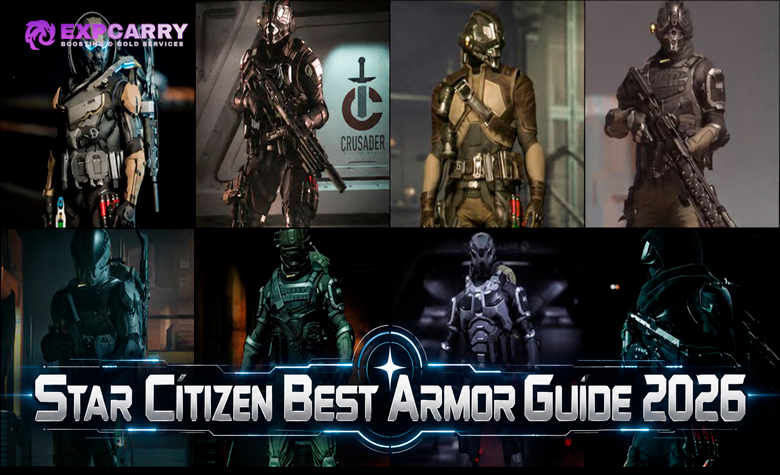
Medium armor offers a practical balance of protection and mobility. Heavy armor can be useful for entry or defensive roles, but its movement trade-offs should be considered when navigating quickly through several locked sections. The Star Citizen Best Armor Guide compares armor classes, protection levels and equipment choices for PvE and PvP.
Bring medical supplies, compatible fuses, sufficient inventory space and equipment needed to handle physically carried items. Keep board carriers identifiable so valuable progression items are not accidentally left inside a container or transferred to someone who departs early.
Are Contested Zones Worth Farming in Alpha 4.10.2?
Contested Zones offer high-value rewards but carry substantial operational risk. Players can lose equipment during PvP, fail to access locked rooms because of missing items, or reach a loot area that does not contain the expected rewards. Travel between multiple Pyro locations also increases the time committed before the final hangar reward becomes available.
The best way to evaluate the activity is to separate objectives into three categories: collecting compboards, acquiring random station loot and claiming an Executive Hangar ship. Each has a different relationship between required preparation and possible reward.
Compboards, Rare Loot and Ship Claims Compared
Compboard farming is the most structured objective because each numbered board has a documented source. The Executive Hangar provides a larger potential payoff but requires all seven boards, successful access timing and a safe extraction. Optional container loot can be valuable, yet its spawning history makes it the least predictable basis for a dedicated profit route.
For a group specifically seeking an Executive reward ship, the chain can justify a long preparation session. For a player seeking ordinary equipment or consistent aUEC income, repeated Contested Zone runs may be inefficient compared with activities offering more predictable rewards and less potential for total loss.
No reliable Alpha 4.10.2 measurements establish a universal profit per hour, item drop probability or guaranteed ship-claim success rate. Actual efficiency depends on PvP opposition, access-card availability, server behavior and the time required to recover from failed runs.
Do Contested Zone Loot Containers Respawn?
Community reports from May through July 2026 describe containers that were empty, missing or unable to respawn correctly after earlier players had looted the area. Some reports indicated that boards or keycard printers continued functioning while optional weapon and component loot remained unreliable.
These reports concern specific earlier game builds and servers. They do not independently establish that the identical issue affects every Alpha 4.10.2 instance, nor do they provide a reliable respawn interval. If a target loot room is empty, do not assume waiting a fixed number of minutes will necessarily restore its containers.
When optional loot is the main objective, confirm the room's current state before committing to repeated farming attempts. When the goal is the seven-board chain, prioritize required progression items rather than spending the entire session waiting for uncertain container respawns.
How to Extract Safely From Contested Zones
Successfully collecting a rare item is not the end of the activity. The player must still leave the restricted area, reach an accessible ship and transfer the equipment to a safe location. This becomes more difficult when another group knows which exit the squad is likely to use.
Plan the return route before beginning the deepest section of a station. Leave sufficient ammunition and medical supplies for the exit, and avoid filling every inventory slot before recovering the required compboard. If multiple exits are available, choose the route that is accessible with the team's remaining cards and fuses rather than automatically retracing the longest path.
Protecting Compboards and Access Cards
Assign one person to track every collected board number and confirm its location after each station. When the group separates, communicate clearly about which player carries the remaining access cards and which player has the progression items.
After leaving a station, decide whether to continue immediately or store recovered items using an appropriate available inventory location. Item persistence, inventory movement and retrieval behavior can change between builds, so verify the storage operation before treating equipment as safely preserved.
Avoid taking unnecessary PvP fights after completing the intended station objective. The cost of losing several unique boards may outweigh any additional loot available from one more encounter.
Executive Hangar Extraction Window
The final hangar requires particularly careful timing. Once the reward ship is claimed and retrieved, the documented extraction window is approximately ten minutes before the main hangar doors close. The group must move the reward ship and any additional cargo out before that opportunity expires.
Assign the claimant and extraction pilots in advance. If optional components or weapons are present, decide which items are worth collecting before the ship is retrieved. Cargo capacity matters because the selected reward ship may not have enough storage for all available loose equipment.
The final hangar has its own longer access cycle and indicator-light conditions, so external countdown tools should be treated as references. Confirm the actual light state and door status inside the game before inserting valuable boards or beginning the claim process.
Common Contested Zone Problems and Fixes
Several problems can interrupt a Contested Zone run even when the group has the correct access items. Some are intended progression requirements, while others are acknowledged bugs or inconsistent server behavior. Identifying the difference prevents unnecessary backtracking and wasted supplies.
Keycard Printer Shows 00:00 and Does Not Update
This is an officially acknowledged Alpha 4.10.2 issue. CIG reports that affected maintenance and security keycard printers may display 00:00 instead of their actual printing or cooldown timers. The incorrect countdown can make a printer appear ready or stalled when its real state is different.
CIG's documented workaround is to force-quit the game using Alt+F4 and log back in, after which the timer should display correctly. Because leaving the game during a high-risk run creates its own inventory and positioning concerns, use this workaround only after considering the safety of the current situation.
The issue is documented in the official Alpha 4.10.2 Known Issues.
Loot Room Is Empty or Containers Are Missing
First distinguish missing optional equipment from a missing required board or inactive printer. Community reports document cases where optional loot containers failed to respawn even though other parts of the zone remained accessible. This does not prove that every empty room has the same cause, since another group may also have collected the available items.
Do not promise that server hopping, waiting a fixed interval or clearing all enemies will restore the missing containers. If the required progression item is unavailable, reassess the objective or try another valid instance when practical. If only optional loot is missing, continuing the board route may still be worthwhile.
Fuse Door Will Not Open
Confirm that the fuse is inserted into the correct receptacle and that the interaction registered. The established community troubleshooting method uses a tractor beam to orient and place a fuse when direct insertion fails. If the fuse appears physically stuck without activating the door, adjust its position and confirm that the placement indicator shows a valid connection.
Do not assume that a blue or red security card will substitute for a fuse. The door types have separate requirements, and carrying the correct credential does not bypass the physical fuse interaction.
Executive Hangar Does Not Accept the Boards
Check the board numbers and status lights before attempting to open the final door. The documented requirement is all seven unique boards, with at least one green light and no active red lights. Duplicate boards do not replace missing numbers, and an invalid light phase can prevent access despite a complete inventory.
If the group has the required items but the hangar remains closed, verify that it is at the active base and that the board interactions registered. Do not assume that an external timer accurately reflects the current in-game state.
Checkmate ASOP Terminal Has No Deliver Option
CIG's Alpha 4.10.2 Known Issues also identifies an ASOP problem affecting Checkmate and certain other locations, including Levski. Some terminals may fail to display the Deliver option for ships. The official suggested workaround is restarting the game or using another location.
This issue concerns ship management and should not be confused with a missing Contested Zone compboard. If the team cannot retrieve its ship from Checkmate, resolve the transport problem before starting another deep-zone objective.
Star Citizen Contested Zones FAQ
These answers cover additional questions about access requirements, progression and the difference between Contested Zones and the Executive Hangar.
Do you need a mission to enter Contested Zones? The main Pyro Contested Zones are designed as freely accessible PvPvE locations. Their deeper rooms require fuses and specific security cards, but the standard board progression is not presented as a conventional faction reputation mission.
Which Contested Zone has the easiest blue keycards? Checkmate is the most accessible documented source, with four blue Security Keycard printers behind fuse-door progression. Orbituary has two printers, but they require red Supervisor access.
Do you need all three Ruin Station special cards for the Executive Hangar? The documented board route specifically requires the Crypt card for Board 5 and access to the timed vault for Board 6. Wasteland and Last Resort provide additional restricted access, but are not established as mandatory for those two boards.
Are Executive Hangar rewards guaranteed? Completing the seven-board route provides access to the final ship-claim activity when the hangar is functioning and the correct conditions are met. A particular reward ship, optional weapons and ship components are not guaranteed in every instance, and in-game ship ownership should not be confused with a permanent account pledge.
Conclusion
Start with red Supervisor cards, use Checkmate for Boards 1–3 and blue Security access, collect Boards 4 and 7 at Orbituary, then complete Ruin Station's timed vault for Boards 5 and 6. Protect the seven unique boards and plan the final Executive Hangar extraction before committing to the reward claim. In Alpha 4.10.2, account for the confirmed printer-timer issue and avoid relying on unverified loot respawns when evaluating a run.