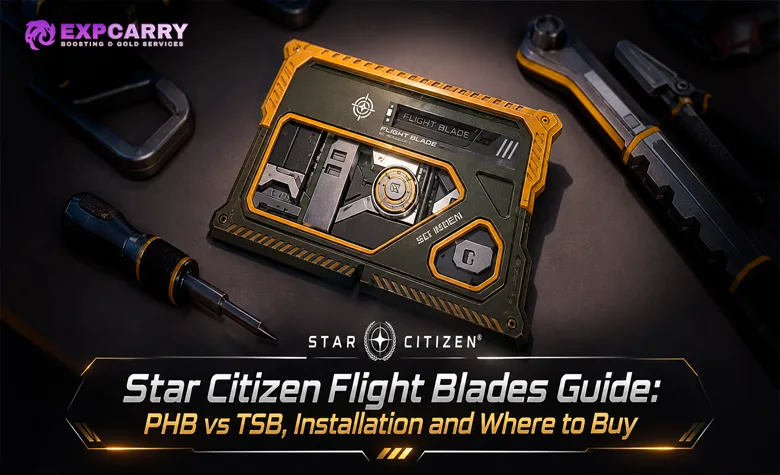
Flight Blades in Star Citizen let pilots tune their ships for better maneuverability or greater straight-line speed without replacing the entire propulsion system. Two upgrade types are available: Precision Handling Balanced (PHB) and Top Speed Balanced (TSB). PHB reallocates forward thrust toward precision handling, while TSB redirects lateral thrust resources toward top speed. Neither is a universal upgrade because improving one characteristic comes at the expense of another. Flight Blades are purchased for aUEC, earned through selected activities, and installed through the Vehicle Loadout Manager in mobiGlas. Compatibility is tied to the exact ship model, not simply its manufacturer or family. This guide covers choosing, buying, installing, and testing Flight Blades in Star Citizen Alpha 4.10.3 LIVE, released November 12, 2026, including recent community shop listings and limitations that can affect your loadout.
Short answer: Choose PHB for tighter maneuvering and more precise handling, or TSB for higher straight-line speed at the expense of handling. Purchase a Flight Blade matching your exact ship variant, store the ship, replace its Standard Flight Blade through the mobiGlas Vehicle Loadout Manager, and save the configuration before flying.
What Are Flight Blades in Star Citizen?
Flight Blades are interchangeable ship components that adjust how a spacecraft distributes its flight performance. Instead of increasing every statistic at once, they modify the balance between forward speed and maneuvering capability. This allows two players flying the same ship to choose different handling characteristics depending on whether they prioritize turning during a fight, maintaining speed through a route, or escaping an engagement.
Cloud Imperium Games introduced Flight Blades as part of ship customization and horizontal progression. Their purpose is to let players change how a familiar ship behaves without making the upgraded component objectively superior in every situation. The developer's official Flight Blades announcement and FAQ explains both tuning types, their compatibility restrictions, and the Vehicle Loadout Manager installation process.
Flight Blades belong to the ship's computer-related equipment rather than its Quantum Drive, Power Plant, or Shield Generator. They are also different from the planned AI Blades intended for other ship-computer functions. A PHB or TSB Flight Blade changes flight behavior; it does not add an automated turret operator, increase cargo capacity, or upgrade the ship's weapons.
PHB vs TSB Flight Blades: Which Is Better?
The choice comes down to how you use your ship. PHB is designed for pilots who need more control during turns and direction changes, while TSB favors maintaining a higher speed along a straight flight path. Both achieve their advantages by reallocating thrust resources, so the improvement is accompanied by a reduction elsewhere. The Standard Flight Blade remains the balanced option when neither specialization is worth its trade-off.
| Flight Blade | Main benefit | Trade-off | Best starting use |
|---|---|---|---|
| PHB — Precision Handling Balanced | Improves maneuverability and precision handling. | Reallocates forward thrust resources away from straight-line performance. | Close-range maneuvering, frequent turns, precise approaches, and agile combat. |
| TSB — Top Speed Balanced | Improves straight-line top-speed potential. | Reallocates lateral thrust resources, reducing the handling available for directional changes. | Long straight flights, interception, pursuit, and disengagement where speed matters. |
| Standard Flight Blade | Retains the ship's default flight balance. | Does not provide the specialized advantage of PHB or TSB. | Mixed activities, general flying, and a baseline for comparing other blades. |
The important limitation is that CIG has not provided one universal percentage that applies to every ship. A PHB upgrade should not automatically be described as giving a fixed increase to pitch, yaw, or roll on every hull, nor should TSB be assigned an invented maximum-speed bonus. Current community databases sometimes display the same baseline SCM speed, maximum speed, and rotation figures for Standard, PHB, and TSB versions. Those listings are useful for identifying components, but identical displayed values do not establish the complete effect of a Flight Blade during actual flight.
PHB Flight Blades: Better Handling and Precision
PHB stands for Precision Handling Balanced. The component is designed to improve maneuverability by reallocating forward thrust resources, making it the handling-oriented choice. On ships used for combat, that trade-off can be attractive when the pilot spends more time changing direction and adjusting position than flying at maximum speed in a straight line.
Consider an Anvil Arrow or Aegis Gladius used in close-range engagements. These ships frequently change heading while trying to maintain a useful firing angle, and the PHB design supports that style of flying. The important question is whether the improved handling compensates for the reduction in forward performance. A pilot who regularly loses targets during fast turns may prefer PHB, while someone who depends on rapid pursuit or escape may find the compromise less attractive.
PHB can also be considered for noncombat flying where precise control is more valuable than peak speed. However, it should not be treated as a guaranteed improvement to every landing maneuver or every movement mode. The correct choice depends on the actual flight response of the ship after the component is installed.
TSB Flight Blades: Higher Straight-Line Speed
TSB stands for Top Speed Balanced. It reallocates lateral thrust resources to improve the ship's performance in a straight line, making it the speed-oriented alternative to PHB. This can be attractive when a pilot wants to cover local distances quickly, pursue a target that is pulling away, or create separation after an engagement.
The main disadvantage is reduced maneuvering capability. A ship that performs well while accelerating along a straight route may become less comfortable when the pilot needs to turn sharply, strafe around an obstacle, or make rapid directional corrections. During combat, a speed advantage can help with positioning, but it does not automatically compensate for difficulty keeping weapons on target.
TSB also should not be confused with a Quantum Drive upgrade. It is intended to change the ship's flight behavior, not quantum travel speed, spool time, or quantum fuel efficiency. For long interplanetary journeys, a Quantum Drive and a Flight Blade solve different problems.
When Should You Keep the Standard Flight Blade?
The Standard Flight Blade is worth keeping when your ship needs to perform several roles during the same session. A general-purpose pilot may alternate between combat, cargo deliveries, station approaches, and ordinary travel. In that situation, increasing speed at the expense of handling or improving maneuverability at the expense of forward thrust may create more problems than it solves.
The stock configuration also provides a reliable comparison point. Before purchasing an upgrade, record how the ship behaves in its default setup. If you cannot identify a specific flight limitation that PHB or TSB would address, there is no reason to assume that a more specialized blade is automatically worth the aUEC.
Which Ships Can Use Flight Blades?
Flight Blade compatibility is model-specific. A component designed for one ship cannot be assumed to work on another simply because both are produced by the same manufacturer or belong to the same ship family. This is one of the most important restrictions to understand before purchasing a blade, particularly when dealing with ships that have several variants.
CIG's initial rollout covered the Aegis Gladius, Avenger, Redeemer, RSI Scorpius, Argo MPUV, Anvil Arrow, Pisces, and Aegis Hammerhead families. Additional model-specific blades have appeared in later component records, including examples associated with the Asgard, Carrack, Constellation Mk IV, Corsair, Mantis, and other ships. These newer database entries should not be treated as proof that every listed ship or variant has identical current store availability or compatibility.
Flight Blades Are Specific to Ship Variants
The distinction between a ship family and an individual model matters most when a manufacturer sells several versions of the same general hull. The original developer FAQ specifically identified the Avenger Stalker and Scorpius Antares as examples of ships requiring their own compatible Flight Blades.
- Avenger family: An Avenger Titan Flight Blade should not be assumed compatible with an Avenger Stalker or Warlock. Check the exact variant name.
- Scorpius family: The standard Scorpius and Scorpius Antares have separately identified Flight Blades.
- Pisces family: C8R and C8X versions have separately listed equipment entries; match the item to the actual ship.
- MPUV family: Cargo, personnel, and tractor variants have distinct component records.
- Other ships: Verify the model-specific PHB or TSB item in the current loadout before buying, even when a database lists a similarly named blade.
The safest compatibility check is the Vehicle Loadout Manager. Select your stored ship and inspect its computer-related loadout to see which replacement blades are accepted. A component being available in a shop or appearing in a database does not override the restrictions of the specific ship's current configuration.
Can You Move a Flight Blade Between Ships?
CIG's original installation FAQ explains that a Flight Blade can be moved between compatible ships by first replacing the installed blade with the ship's default. The removed blade can then be installed on another ship that accepts the same exact component. This is not the same as freely transferring an Avenger Titan blade to an Avenger Stalker, because model compatibility still applies.
You also cannot assume that leaving a Flight Blade slot empty is a supported configuration. The documented procedure replaces an installed blade with another blade rather than simply deleting the component from the loadout. Keep the original Standard Flight Blade available so you can return to the default configuration when needed.
Explore services related to this guide, selected from our Star Citizen catalog.
View All Star Citizen Services

Where to Buy Flight Blades for aUEC
Flight Blades are available through selected ship-component shops in Star Citizen's Persistent Universe. CIG originally introduced the equipment through its pledge-store rollout, then confirmed that it would be obtainable with in-game currency rather than requiring a real-money purchase. Community shop records from Alpha 4.10.1–4.10.2 list several PHB and TSB versions with aUEC prices, although availability differs by ship model and shop and has not been independently reconfirmed for Alpha 4.10.3 LIVE.
The most useful places to check are specialized component vendors, including Cousin Crow's at Orison, Omega in New Babbage, and Dumper's Depot in Area18. These are recorded examples, not a guarantee that every shop stocks every Flight Blade. Confirm the exact component name at the terminal before buying.
Flight Blade Prices and Shop Locations
The following prices are recorded in community-maintained item databases for the Alpha 4.10.x period, including records marked 4.10.2. They are planning references rather than prices independently verified at a LIVE shop terminal in Alpha 4.10.3 as of November 13, 2026. Stock and pricing can change after updates, so verify the listing at the vendor before committing your credits.
| Compatible ship | Listed blade types | Recorded price per blade | Shop location |
|---|---|---|---|
| Anvil Pisces | PHB / TSB | 90,000 aUEC | Cousin Crow's, Orison |
| Anvil C8R Pisces Rescue | PHB / TSB | 90,000 aUEC | Cousin Crow's, Orison |
| Argo MPUV-1T | PHB / TSB | 95,000 aUEC | Dumper's Depot, Area18 |
| Anvil Arrow | PHB / TSB | 225,000 aUEC | Cousin Crow's, Orison |
| Aegis Gladius | PHB / TSB | 237,500 aUEC | Omega, New Babbage |
| Aegis Avenger Titan | PHB / TSB | 237,500 aUEC | Omega, New Babbage |
These listings are supported by the item records for Arrow TSB, Gladius PHB, and other model-specific entries in the Star Citizen Wiki Flight Blade database. Some entries were last observed in an earlier Alpha 4.10.x build, so a recent page update does not necessarily mean the price was checked again in the current client.
Prices also differ significantly by ship class. Larger specialized components can cost much more than a blade for a small fighter or utility craft. Do not use the Arrow or Pisces price as a universal estimate for every vehicle, and do not purchase a cheaper blade for the wrong ship under the assumption that it can be adapted later.
If you are setting aside funds for several ship upgrades, include the Flight Blade in your overall component budget. The Star Citizen aUEC options relate to the currency used for in-game purchases, but they do not substitute for checking the actual vendor price or verifying that the desired Flight Blade is compatible.
Can You Get Flight Blades from Events?
Some Flight Blades have been distributed through limited-time activities rather than ordinary shopping. RSI Discovery Month in Alpha 4.10.2 included model-specific PHB and TSB Flight Blades among its progression rewards. The event's reward tracks included variants for the Zeus Mk II, Mantis, Meteor, Aurora Mk II, and Constellation Mk IV Andromeda.
These event rewards are separate from normal shop stock. A listed reward does not mean the same blade is currently available at an equipment terminal, and an event unlock does not make the component compatible with another model. For the reward thresholds and contract requirements, see the existing RSI Discovery Month guide. This page focuses on choosing and installing the resulting equipment rather than repeating the event's mission progression.
How to Install Flight Blades in Star Citizen
Flight Blades are equipped through the Vehicle Loadout Manager, or VLM, in mobiGlas. They are not installed by opening a physical engine compartment or manually swapping a Quantum Drive. Although they are associated with computer ports, the original implementation uses the ship loadout interface rather than a physically accessible blade socket.
CIG's official Vehicle Manager instructions establish the standard process of storing the ship, selecting the replacement component, and saving the updated equipment configuration. The Flight Blade FAQ confirms that the same interface is used for this specific equipment category.
Install a PHB or TSB Flight Blade Step by Step
Before starting, make sure the component belongs to the correct ship model and is available at the location where you are editing that ship's equipment. A purchased Flight Blade and a stored vehicle must be accessible to the loadout system for the replacement to work.
- Purchase or obtain the correct Flight Blade: Confirm the PHB or TSB type and the full ship-variant name before paying.
- Store your ship: Use a suitable landing-zone or station facility and make sure the ship is no longer actively spawned.
- Open mobiGlas: Access the Vehicle Loadout Manager application.
- Select the intended ship: Choose the exact model you want to modify rather than another ship in your fleet.
- Find the Flight Blade slot: Look for the computer or Flight Blade entry in the compatible loadout configuration.
- Replace the Standard Flight Blade: Select the matching PHB or TSB component from the available equipment.
- Save and equip: Apply the changes using the Vehicle Loadout Manager's confirmation control.
- Retrieve and test the ship: Confirm the new blade appears in the loadout, then compare its flight behavior with the stock configuration.
The original Standard Flight Blade is useful for switching back after testing. Do not assume the upgrade has been installed simply because you purchased it or highlighted it in the loadout interface; the change must be saved. For a broader explanation of ship equipment and other component categories, see the Star Citizen Ship Components guide.
How to Remove or Replace an Installed Flight Blade
To return to the default flight behavior, store the ship and reopen its Vehicle Loadout Manager. Replace the installed PHB or TSB with the Standard Flight Blade, then save the loadout. The removed upgrade should be available through the corresponding inventory and loadout system, subject to the current component handling rules.
The developer originally described Flight Blades as nonphysicalized and not subject to damage or destruction in their first implementation. CIG also stated that future physicalization could change that behavior. Do not treat the original statement as a permanent guarantee that every later version will preserve exactly the same component-damage and replacement rules.
How to Test PHB and TSB Performance
Installing a Flight Blade is only useful if its behavior improves the way you actually fly. The safest comparison is to test both variants on the same ship under similar conditions. A single top-speed figure does not explain handling, acceleration, braking, or how the ship performs while turning under pressure.
Community component databases may show identical baseline ship statistics for different blade variants. That is not sufficient evidence to declare PHB and TSB functionally identical, nor does the developer's description establish a particular numerical increase in every listed flight statistic. Compare the actual in-game response and the trade-offs that matter to your activities.
A Practical Flight Blade Comparison Test
Choose a controlled route away from traffic, obstacles, and changing combat conditions. Record the results with the Standard Flight Blade, then repeat the same exercises with PHB and TSB. Keeping the ship, loadout, flight mode, boost usage, and test conditions consistent makes the comparison more meaningful.
- Straight-line run: Compare sustained speed and the time needed to cover the same distance without quantum travel.
- Turn-and-return maneuver: Fly toward a reference point, turn around, and measure how comfortably the ship changes direction.
- Lateral movement: Compare strafing and corrections around a fixed reference point, especially when testing TSB.
- Combat-style maneuver: Practice maintaining a target within your firing arc while maneuvering at similar starting speeds.
- Recovery and braking: Check how the ship handles after a fast approach or an abrupt change in direction.
Do not treat a subjective impression from one maneuver as a complete performance ranking. Repeat the test and consider which difference you can actually use. Pilots looking to improve their control technique can compare their setup during ship piloting and dogfighting instruction, where the goal is to understand flight behavior rather than assume a particular component automatically wins an engagement.
Best Flight Blade for Dogfighting, Travel and Utility Ships
For close-range dogfighting, PHB is the natural first option to test because handling and frequent direction changes are important. TSB may be more attractive to pilots who prefer faster approaches, pursuit, or disengagement. Neither choice is automatically superior in every combat situation, because target range, ship type, weapons, pilot technique, and the opponent's flight behavior all affect the result.
For cargo and utility ships, the decision is more situational. Better straight-line speed can be useful during local travel, while greater maneuverability may help during frequent close approaches and precise movements around stations or facilities. Large ships also have very different handling characteristics from small fighters, so a percentage or impression taken from an Arrow should not be generalized to a Carrack or Hammerhead.
If your ship already handles adequately and the blade's benefit is difficult to notice in normal operations, keeping the Standard Flight Blade is reasonable. The best component is the one that addresses a real limitation of the ship's intended role rather than simply having a more specialized name.
Flight Blade Installation Problems and Troubleshooting
Most problems involve compatibility, local inventory, unsaved loadout changes, or differences between the Persistent Universe and Arena Commander. Before treating a missing blade as a game bug, make sure the item matches the ship and is accessible through the correct Vehicle Loadout Manager.
The Flight Blade Does Not Appear in Vehicle Loadout Manager
First check the ship's exact variant. An Avenger Titan blade should not be expected to appear as a compatible replacement for an Avenger Stalker, even though both ships belong to the Avenger family. Also verify that you purchased a Flight Blade rather than an unrelated computer component or another ship upgrade with a similar name.
Next, confirm that the intended ship is stored and that the Flight Blade is accessible at the same location. If the component was purchased or transferred elsewhere, it may not appear in the available replacement list. Close and reopen the Vehicle Loadout Manager after confirming the ship and inventory state, then check whether the correct slot and component are visible.
Flight Blades Cannot Be Changed in Arena Commander
Alpha 4.10.3 still has a specific documented limitation: Flight Blade customization is missing from the Arena Commander ship-loadout interface. CIG identifies this in its official Alpha 4.10.3 Known Issues article. The entry states that no workaround is available and that a fix is planned for a future patch.
This is different from the normal Persistent Universe installation process. If you cannot find Flight Blade customization in Arena Commander, do not assume your purchased component has disappeared or that the ship is incompatible. Use the supported Persistent Universe loadout interface for ordinary equipment changes and check later patch notes for the Arena Commander fix.
The Flight Blade Appears Installed but Feels Unchanged
Check that the loadout change was saved and that you are flying the intended ship rather than another copy. Compare the installed blade against the Standard version using a consistent test route. If you only inspect a static speed or rotation number from a third-party database, you may miss differences that require in-game testing to evaluate.
Also consider whether the selected tuning actually matches your flying style. A TSB blade is designed for straight-line performance, so its benefit may be less useful during repeated tight turns. Likewise, PHB may be difficult to appreciate if your usual activity involves mostly straight-line flight. Avoid assuming that a lack of immediately obvious improvement proves the component is broken.
The Flight Blade Costs More Than Expected
Prices depend on the ship model and available vendor. A small utility-ship blade can be considerably cheaper than equipment for a large specialized ship, and community listings may lag behind the current shop inventory. Verify the exact component at the terminal before spending aUEC, especially if you are traveling to another landing zone specifically for the purchase.
When preparing several upgrades, budget for the intended ship and leave enough credits for fuel, repairs, and ordinary operating expenses. Players who prefer to earn the needed aUEC through gameplay can compare mission or earning activities with time-based Star Citizen progression assistance, although the amount earned and the component's final price remain separate variables.
Star Citizen Flight Blades FAQ
These answers cover common questions about compatibility, purchase options, and the difference between Flight Blades and other ship systems.
Can you install a PHB and TSB Flight Blade at the same time?
The normal documented setup replaces the ship's Standard Flight Blade with a compatible alternative. Do not assume PHB and TSB effects stack or that additional blade entries create a cumulative speed and handling bonus; use the actual supported loadout slots.
Do Flight Blades improve quantum travel speed?
No quantum-speed improvement is part of the documented PHB or TSB function. Flight Blades tune ordinary flight behavior, while Quantum Drives control quantum travel characteristics.
Can you get Flight Blades without spending real money?
Yes. CIG confirmed aUEC acquisition, and community records list multiple PHB and TSB variants at in-game shops. Selected models have also been distributed as event rewards.
Are Flight Blades the same as AI Blades?
No. PHB and TSB are flight-tuning components. CIG discussed AI Blades as a separate future system, so purchasing a Flight Blade does not unlock automated turret operation or other AI functionality.
Conclusion
Choose PHB when maneuverability is your main limitation, TSB when straight-line speed matters more, and Standard when you need a balanced ship. Check the exact model before purchasing, verify the current aUEC price at the vendor, install the blade through the Vehicle Loadout Manager, and test it against the stock configuration. A Flight Blade is most valuable when its trade-off supports the way you actually fly.