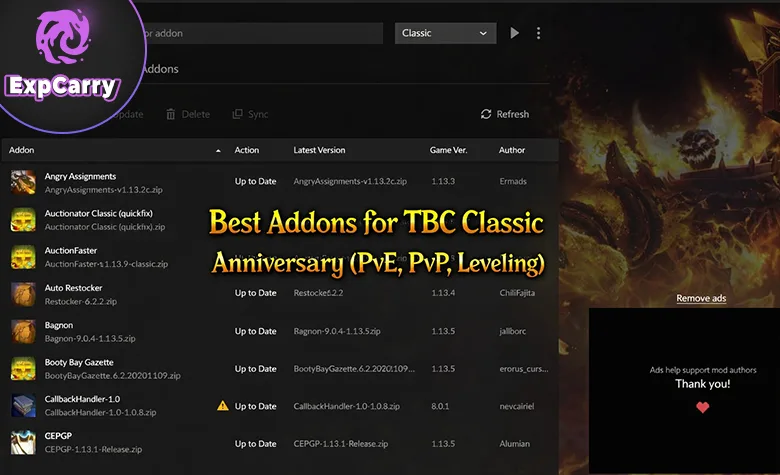
Best Addons for TBC Anniversary (PvE, PvP + Leveling) is a practical guide to building a clean interface for questing, Heroics, Phase 3 raids, Battlegrounds, and Arena. The goal is not to install every popular addon. It is to cover the information that the default UI does not show clearly while avoiding duplicate warnings, outdated files, and unnecessary screen clutter.
The setup below works for new characters, returning players, and established raiders preparing for Black Temple and the Battle for Mount Hyjal. If you also need help with leveling, attunements, gear, reputations, or scheduled raids, the WoW TBC Anniversary services hub covers the available progression routes.
Addon compatibility last checked: August 10, 2026. Every recommended project below had a current Classic TBC file or an active TBC Anniversary project page on that date. Always select the Classic TBC flavor, not Retail, MoP Classic, Classic Era, or an archived Burning Crusade package.
How Addons Help in TBC Anniversary
Addons solve three different problems in TBC. Leveling tools reduce backtracking and interface friction. PvE tools make casts, debuffs, boss timers, and raid assignments easier to read. PvP tools show enemy frames, trinkets, cooldowns, and diminishing returns so that crowd-control chains and target swaps are based on visible information rather than guesswork.
A good setup should make decisions easier without playing the game for you. Each addon needs one clear job, important alerts must appear in a consistent part of the screen, and overlapping functions should be disabled. A compact UI that you understand is more useful than a large imported package that flashes constantly.
Check Compatibility Before You Install
TBC Anniversary shares addon project pages with several other versions of World of Warcraft, so the correct download matters as much as the addon name. Use this short check whenever you install or update a file.
- Choose a file explicitly marked Classic TBC or Burning Crusade Classic.
- Check the project update date and the supported game version instead of downloading an old file from a guide, mirror, or archived ZIP.
- Install required content modules and dependencies. A boss-mod core without its TBC raid package will not provide complete Black Temple or Hyjal coverage.
- Restart the game or run /reload, open the AddOns menu, and confirm that the addon is enabled for the correct character.
- Back up the WTF and Interface folders before a large update or profile import.
The Core Addon Pack
This is the smallest balanced package for most TBC Anniversary players. Install the rows that match your activities, then add specialized tools only when a real need appears.
| Category | Recommended addon | Main purpose | Installation note |
|---|---|---|---|
| Questing | Questie | Quest objectives, map markers, and route clarity | Useful for 1-70 leveling, Outland quests, and unfinished attunement chains |
| Boss timers | DBM Core plus DBM TBC, or BigWigs plus its Burning Crusade pack | Dungeon and raid timers, warnings, and encounter calls | Choose one complete boss-mod route; do not run both |
| Custom alerts | WeakAuras | Personal cooldowns, debuffs, procs, and assignment reminders | Import only a few verified auras at a time and test their load conditions |
| Combat analysis | Details! Damage Meter | Damage, healing, deaths, interrupts, dispels, and damage taken | Use it to diagnose mechanics and execution, not only to rank DPS |
| Quality of life | Leatrix Plus | Faster looting, repairs, vendor options, and interface conveniences | Enable only the modules you understand and need |
| Arena | Gladdy Classic | Enemy frames, trinkets, casts, cooldowns, and diminishing returns | Use the current official Classic TBC build instead of old community ZIPs |
This pack is enough for efficient leveling, Heroics, raids, and Arena. Raid leaders should also add one assignment tool from the dedicated section below, while players who frequently tank or interrupt dungeon packs may benefit from Plater.
Explore services related to this guide, selected from our WoW TBC Anniversary catalog.
View All WoW TBC Anniversary Services


Phase 3 Addons for Black Temple and Mount Hyjal
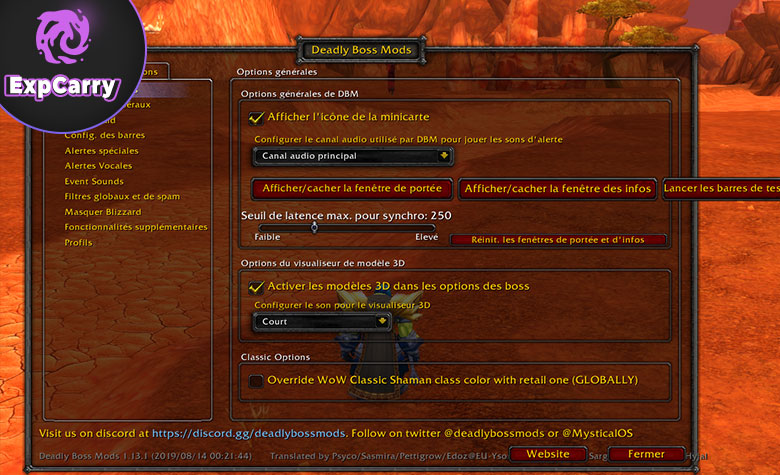
Phase 3 requires more than a generic boss timer. Black Temple has encounter-specific debuffs, target swaps, interrupt rotations, resistance checks, and multi-phase assignments. Mount Hyjal adds long trash sequences, wave planning, and bosses whose mistakes can quickly reset several minutes of progress. The reliable setup is one current boss-mod stack, a small WeakAuras package, and a shared assignment tool.
Choose One Complete Boss-Mod Stack
DBM and BigWigs both separate the main addon from some expansion content. Installing only the core can leave the raid package missing, while installing both ecosystems creates duplicate bars and sounds.
| Option | Required files | Best for | Important check |
|---|---|---|---|
| DBM route | Deadly Boss Mods Core plus DBM Burning Crusade Mods | Strong default warnings and minimal initial configuration | Confirm that both the core and TBC raid module are enabled |
| BigWigs route | BigWigs Bossmods plus BigWigs Burning Crusade | Modular bars, sounds, and more granular warning control | Confirm that the Burning Crusade content pack loads with the core |
After installation, run the addon's test bars, place them away from raid frames, and check sound output before the first pull. Disable messages that duplicate your WeakAuras, but keep the core encounter timers active. Everyone does not need identical visual settings, yet the raid should use consistent names for phases, groups, and assignment calls.
WeakAuras to Track in Black Temple and Hyjal
WeakAuras should cover personal responsibility and assignment visibility rather than repeat every boss-mod timer. Start with a current TBC package from the TBC WeakAuras directory, inspect its update notes, and keep only the modules your raid actually uses.
| Raid or encounter | High-value alerts | What the aura should communicate |
|---|---|---|
| Mount Hyjal trash | Wave count, remaining enemies, next-wave timing, dangerous casts | Which wave is active, whether the raid can drink, and which marked target or interrupt has priority |
| Rage Winterchill and Anetheron | Death and Decay, Icebolt, Inferno, Carrion Swarm | Immediate movement or healing response without covering the boss timer bars |
| Kaz'rogal and Azgalor | Mark of Kaz'rogal, Doom, Rain of Fire | Personal mana danger, Doom targets, and urgent movement warnings |
| Archimonde | Air Burst, Doomfire, Fear, Grip of the Legion, Tears of the Goddess reminder | Personal survival prompts and enough notice to use the assigned response |
| Naj'entus, Supremus, and Teron Gorefiend | Impaling Spine, Tidal Shield, fixate, volcano proximity, Shadow of Death | Clear targets, movement calls, burst timing, and the special assignment given to the affected player |
| Gurtogg Bloodboil and Mother Shahraz | Bloodboil group rotation, Fel Rage, Fatal Attraction | Current soak group, temporary threat or healing changes, and movement direction |
| Illidari Council and Illidan | Interrupt order, target calls, Shear, Parasitic Shadowfiend, phase changes | Who acts next, which target is active, and when the raid changes position or responsibility |
Test every imported aura with /wa before raid night. Check that it is made for Classic TBC, loads in the correct zone, uses spells available in the Anniversary client, and does not depend on another uninstalled aura. Delete unknown custom code and obsolete modules instead of leaving them disabled indefinitely.
Teams that want a scheduled clear or targeted progression help can review the Black Temple raid service. Addons improve visibility, but successful Phase 3 progression still depends on a prepared roster, correct assignments, consumables, resistance sets where required, and consistent execution.
Raid Assignment Tools for Phase 3
Boss timers tell the raid when a mechanic happens; assignment tools tell each player who handles it. A Phase 3 plan should cover tanks, healers, interrupts, dispels, misdirection targets, group rotations, raid markers, cooldowns, and backups. Choose one primary board so that players do not receive conflicting instructions from several addons.
| Tool | Primary use | Best Phase 3 application | Who needs it |
|---|---|---|---|
| Method Raid Tools | Shared notes, reminders, raid cooldowns, interrupt assignments, marks, and saved raid groups | One reusable note per boss, cooldown plans, interrupt orders, and restoring Hyjal wave groups | Raid leaders and officers need the editor; raiders should install it when the team shares MRT notes or reminders |
| RaidHelper_TBC | Visual TBC encounter assignments with roster scanning and chat communication | Boss-specific Black Temple and Hyjal roles, including tanks, healers, interrupts, marks, and Hyjal trash waves | Best as the raid leader's primary assignment board; assigned players receive announcements or whispers |
| Nova Raid Companion | Raid readiness checks, consumables, durability, resistances, oils, talents, cooldowns, and raid logs | Pre-pull verification for shadow resistance, consumables, weapon oils, and roster cooldown coverage | Most useful for leaders and officers; wider adoption improves the information it can collect |
A Simple Assignment Workflow
- Create the boss plan before invites and use role labels instead of relying only on character names.
- Update names from the live roster, then assign a backup for every critical interrupt, tank, dispel, or special mechanic.
- Publish one short raid note and show personal reminders only to the players who need them.
- Run a ready check for consumables, durability, resistance gear, and required WeakAuras.
- After a wipe, change only the failed assignment or timing instead of replacing the entire plan.
For Hyjal, save the five groups and trash-wave responsibilities separately from boss assignments. For Black Temple, keep reusable pages for Gurtogg group rotations, Mother Shahraz positioning, Council interrupts, and Illidan phase roles. A short plan that stays current is more reliable than a long note nobody reads.
Best Leveling Addons for TBC Anniversary
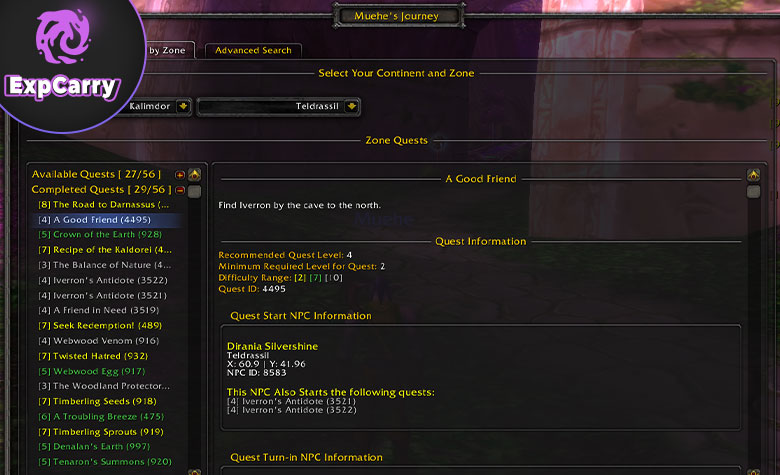
Leveling addons remain useful in Phase 3 because new mains, profession alts, PvP characters, and replacement raiders still need to reach level 70 and finish Outland access chains. The objective is steady momentum: complete compact quest loops, reduce travel mistakes, and enter useful dungeons with the relevant quests ready.
Questie for Questing and Attunements
Questie shows available quests, objectives, turn-ins, and map locations. It reduces backtracking during the 1-70 route and helps returning characters identify unfinished zone chains. Filters are important: hide low-value markers when the map becomes crowded and track only the objectives relevant to the current route.
Questie is a navigation aid, not a complete route planner. Stack quests that share an area, set your hearthstone around the next group of turn-ins, and combine Outland questing with dungeons that provide useful reputation, gear, or access progress.
Leatrix Plus for Less Downtime
Leatrix Plus removes small interface delays through options such as faster looting, automated repairs, vendor controls, and other quality-of-life modules. These seconds add up across a long leveling route, but every option should be reviewed before it is enabled so that the addon does not sell, accept, or hide something unexpectedly.
Dungeon Leveling Tools
A boss mod, readable nameplates, and Details! are valuable before level 70. Timers explain boss abilities, nameplates expose dangerous casts, and the interrupts or damage-taken views show why a pull failed. Keep leveling profiles lighter than raid profiles so that temporary dungeon warnings do not cover the center of the screen.
Best PvE Addons for Dungeons, Heroics, and Raids
Outside the Phase 3 raid package, the most useful PvE information is cast visibility, personal cooldown state, dispels, threat, deaths, and avoidable damage. Add tools in that order instead of importing a complete interface simply because another player uses it.
WeakAuras and Details! for Personal Improvement
WeakAuras is best for a small set of role-specific prompts: a missing buff, an available defensive, an expiring proc, an interrupt reminder, or a debuff that changes positioning. Place action alerts near the character and long-duration information farther from the center. If an aura duplicates a boss-mod warning, keep the clearer version and disable the other.
Details! should be configured with useful views for the content you play. Damage Done and Healing Done show output, but Deaths, Damage Taken, Interrupts, Dispels, and Enemy Damage Taken usually explain wipes more clearly. Review the event sequence around a death before assuming that low gear or low DPS caused the problem.
Plater for Casts, Threat, and Priority Targets
Plater Nameplates is an optional upgrade for tanks, interrupters, and players who run many Heroics. A clean profile can highlight aggro, important casts, and priority enemies. Start with the default profile, enlarge cast bars, and add only a few proven spell colors. Large imported profiles can contain obsolete NPC data, custom scripts, and visual effects that reduce performance.
Plater is not mandatory for every player. If the default nameplates already make targets and casts clear, keep the simpler setup and avoid another configuration layer.
Best PvP Addons for Arena and Battlegrounds
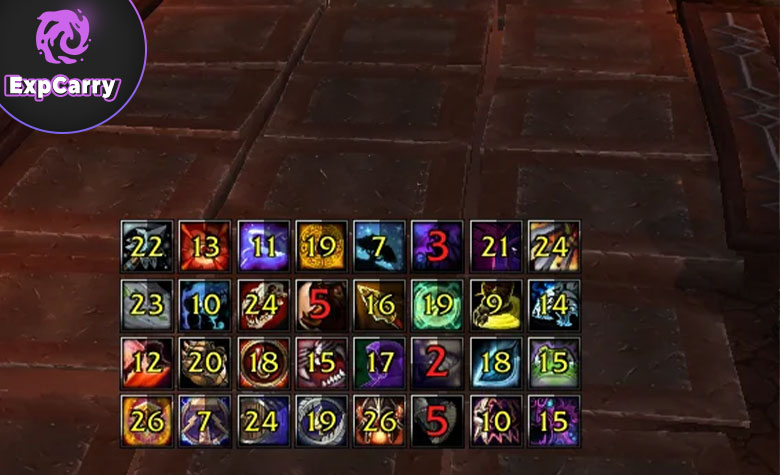
TBC PvP is built around trinket trades, crowd-control chains, interrupts, dispels, and short damage windows. The current recommendation is a supported Arena frame package that combines the most important information, with a separate DR tracker only if the built-in display does not fit your UI.
Gladdy Classic as the Main Arena Package
Gladdy Classic provides enemy Arena frames, trinket tracking, cast bars, cooldown displays, diminishing returns, and other TBC-specific modules in one package. Configure only the abilities relevant to your bracket and composition, then place the frames where you can compare health, casts, trinkets, and DR without moving your eyes across the whole screen.
Test the profile in skirmishes before rated games. Track major defensives, interrupts, trinkets, and composition-defining cooldowns first; adding every minor spell makes the useful windows harder to see.
Diminish as an Optional DR Tracker
Diminish DR Tracker remains an optional choice for players who want DR icons attached to unit frames or nameplates. Its project is maintained primarily for fixes rather than new features, so use the current Classic TBC file and keep it only if its display is clearer for you than Gladdy's DR module.
Do not show the same diminishing-return category in several places. One consistent DR display produces faster decisions than duplicate icons on Arena frames, nameplates, and the target frame.
Gold and Economy Addons
Choose one primary Auction House workflow. Auctionator is easier for routine buying and selling, while TradeSkillMaster is designed for players who build groups, operations, crafting queues, and larger inventories.
| Addon | Best for | Learning curve | Recommendation |
|---|---|---|---|
| Auctionator | Fast searches, shopping lists, price visibility, and everyday posting | Low | Best default choice for most players |
| TradeSkillMaster | Structured crafting, groups, operations, inventory, and advanced selling workflows | High | Install only if you intend to configure and maintain its systems |
Running both is possible, but overlapping scans, price displays, and posting tools can make the interface confusing. Start with Auctionator and move to TSM when you have a specific workflow that the simpler addon cannot handle.
Outdated, Unsupported, or Duplicate Addons to Remove
An addon name can remain popular after its TBC file stops receiving current client updates. Remove old packages rather than enabling Load out of date AddOns for the entire interface and hoping every module still works.
| Remove or avoid | Why | Current replacement |
|---|---|---|
| Old OmniBar TBC builds | The official project did not provide a current TBC Anniversary client file at the August 10 check, so it is no longer a core recommendation in this guide | Use the supported cooldown modules in Gladdy Classic |
| Archived DBM or BigWigs ZIPs from old guides | Old cores and missing raid modules can produce incomplete timers or Lua errors | Install the current core and the matching official Burning Crusade content package |
| Unofficial or abandoned Gladdy community packages | Older forks may target a previous TBC client and can conflict with current modules | Use the current official Gladdy Classic project linked above |
| Retail, MoP Classic, or Classic Era files | They can have different APIs, interface numbers, spell data, and encounter modules | Select the Classic TBC flavor on the project page |
| DBM and BigWigs running together | Duplicate timers, sounds, range tools, and messages add noise without adding useful information | Keep one complete boss-mod stack |
| Several addons showing the same DR, cooldown, or cast | Repeated icons split attention and make important state changes harder to read | Choose one display for each type of information and disable the duplicate modules |
Common Addon Mistakes to Avoid
Most addon problems come from unclear ownership of information. Decide which addon controls boss timers, nameplates, Arena frames, raid notes, damage analysis, and Auction House actions. Then turn off the overlapping modules elsewhere.
- Do not import a full WeakAuras package without reading its dependencies and load conditions.
- Do not install both DBM and BigWigs for the same encounters.
- Do not place timers, raid frames, personal alerts, and nameplates on top of one another.
- Do not copy a raid leader's UI if your role needs different information.
- Do not update every addon immediately before raid without time to test and restore profiles.
- Do not enable every Leatrix, Details!, Plater, or Gladdy module by default.
- Do not treat damage-meter rank as proof that mechanics, interrupts, and positioning were correct.
Recommended Setup Order
Install in layers so that every new alert has a visible purpose and can be tested before the next addon changes the screen.
- Install Questie and Leatrix Plus, then test questing, looting, vendors, and map filters.
- Choose DBM or BigWigs and install both its core and official Burning Crusade content module.
- Add Details! and a small personal WeakAuras set, then run a dungeon to adjust scale and placement.
- For Phase 3, add the Black Temple and Hyjal aura modules your raid requires and verify them with the raid leader.
- If you lead raids, choose Method Raid Tools or RaidHelper_TBC as the primary assignment system and add Nova Raid Companion only for readiness checks you will use.
- For Arena, configure Gladdy Classic and add Diminish only if you need a separate DR layout.
- Add Plater, Auctionator, or TSM last, after the core interface is stable.
Keep a backup of working profiles and update one layer at a time. If an error appears, disable the most recently updated addon first, check whether a dependency is missing, and confirm that every installed file is the Classic TBC version.
Conclusion
The best TBC Anniversary addon setup is small, current, and organized by responsibility. Questie and Leatrix Plus streamline leveling. One complete DBM or BigWigs stack, targeted WeakAuras, Details!, and optional Plater cover PvE. Phase 3 raiders should add Black Temple and Hyjal alerts plus a shared assignment tool. Gladdy Classic is the main Arena package, while Diminish is an optional maintenance-mode DR display. Auctionator serves most economy needs, and TSM is the advanced alternative.
Check project support dates regularly, remove obsolete packages instead of forcing them to load, and keep only one clear display for each type of information. That approach produces a faster, safer, and more readable UI for leveling, Heroics, Black Temple, Mount Hyjal, Battlegrounds, and Arena.