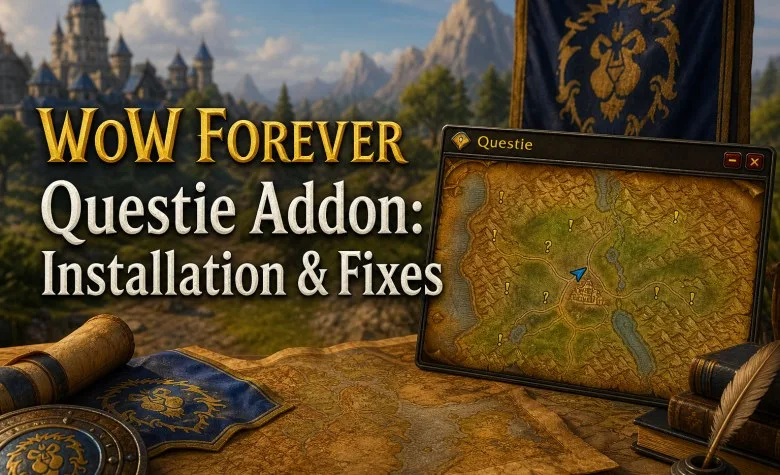
Questie works with World of Warcraft: Forever, but you need a release built for the correct game client. Download the official Questie package, install it into Forever's AddOns folder, and enable both Questie and its quest database. If the addon loads but quest markers are missing, the problem may be a map filter, an outdated database, or a Forever quest that has not yet been fully mapped.
The latest official release checked for this guide is Questie 12.2.0 with QuestieDB 1.0.7, published on October 23, 2026. This release includes fixes for Forever quest-log synchronization, disappearing map icons, quest objective ordering, and errors caused by clicking map markers during combat.
Does Questie Work in WoW Forever?
Yes. The Questie team added official Forever support in September 2026 and has continued updating it throughout the beta. Forever uses a different client and includes new quests, locations, and interface behavior, so installing an older WoW Classic package is not the same as installing a supported Forever release.
| Component | Verified Version | Purpose |
|---|---|---|
| Questie | 12.2.0 | Quest markers, tracker, map icons, objectives, and navigation tools |
| QuestieDB | 1.0.7 | Quest locations, objectives, NPCs, and Forever-specific quest data |
| Forever Beta Client | 1.60.1 during beta testing | Client used for the published Forever compatibility updates |
The official Questie release bundles the appropriate database. If you use a standalone package instead, QuestieDB is a required dependency and must be installed separately.
Download Questie from the official GitHub releases page. The developer also maintains QuestieDB releases and an installation guide. Select a packaged addon ZIP, not GitHub's generic source-code archive or an unverified third-party repack.
How to Install Questie in WoW Forever
- Close World of Warcraft. Exit the client completely before changing addon files.
- Locate your Forever installation. In Battle.net, select the relevant WoW Forever installation and use the option to show the game folder in File Explorer or Finder.
- Open Interface/AddOns. The beta used
World of Warcraft/_classic_beta_/Interface/AddOns. That was the beta path, not a confirmed path for the November launch client. Always follow the installation you actually selected. - Download the current official package. Open Questie's GitHub Releases page, select a release with Forever support, and download the packaged bundle.
- Extract the addon folders. Put Questie and QuestieDB directly inside
Interface/AddOns. Do not leave them nested inside a ZIP folder or a folder named after the release. - Start the game and check AddOns. Look for Questie and QuestieDB in the addon list. Enable the correct version for your client.
- Test a known quest. Open your quest log and map. Check whether an accepted quest displays its objective and turn-in markers.
Your directory should contain the addon files at the correct depth:
World of Warcraft/
[selected Forever client]/
Interface/
AddOns/
Questie/
Questie.toc
QuestieDB/
QuestieDB_Forever.toc
The database may contain additional TOC files for other supported versions. That is normal for an all-flavors package. The important checks are that the Questie and QuestieDB folders are separate, their TOC files are directly inside them, and the release supports Forever.
During beta testing, a Questie maintainer reported a client issue affecting characters that logged in with addons already enabled. Their temporary workaround was to log in with addons disabled and enable them after entering the world through Esc > AddOns. This was a beta precaution, not a confirmed permanent requirement for the launch client.
How to Set Up Questie for Leveling
Once the addon loads, enter /questie in chat to open its configuration. Questie's exact option names and layout may vary between releases, but the following settings are the most useful to review.
| Setting or Feature | Recommended Action |
|---|---|
| World Map Icons | Enable quest givers, objective markers, and turn-in locations you want to see. |
| Minimap Icons | Keep nearby objectives visible; reduce excessive markers if the minimap becomes cluttered. |
| Quest Tracker | Show active quests and progress. Use one main tracker if Questie and the default UI overlap. |
| Quest Difficulty | Check level and trivial-quest filters before assuming a missing quest is a bug. |
| Party Objectives | Review party tracking if objective markers or progress behave differently in a group. |
| Waypoints | Use Questie's supported waypoint features; TomTom is an optional extra for directional arrows. |
If the Questie tracker blocks another UI element, try holding Ctrl and dragging it with the left mouse button. This is documented for Questie's traditional tracker; check the current settings if the behavior differs in Forever.
Questie is a quest helper, not a complete speed-leveling route planner. It shows where objectives are located but does not necessarily decide the most efficient order in which to accept and complete every quest. For optimized faction-specific routes, use our Horde Leveling Guide or Alliance Leveling Guide.
Explore services related to this guide, selected from our WoW Forever catalog.
View All WoW Forever Services

Questie Not Working? Troubleshooting by Symptom
| Problem | Likely Cause | What to Do |
|---|---|---|
| Questie does not appear in the AddOns list | Wrong game folder, nested archive, or incorrect package | Open the actual Forever installation and verify Questie/Questie.toc. |
| Questie appears but will not load | Unsupported client flavor or missing QuestieDB | Install the official Forever bundle and confirm both addon components are enabled. |
| No quest markers on the map | Markers disabled, filters active, outdated release, or incomplete quest data | Check /questie, test a known Classic quest, and update QuestieDB. |
| Only new Forever quests are missing | New quest data has not yet been fully added or corrected | Compare with the in-game quest log and report the exact quest to the developers. |
| Quest tracker disappeared | Tracker hidden, minimized, moved, or conflicting with another UI addon | Review tracker settings and temporarily disable other interface addons. |
| Quest progress or icons update incorrectly | Quest-log synchronization error or outdated addon | Update both components. Questie 12.2.0 includes multiple Forever synchronization fixes. |
| Settings reset after relogging | SavedVariables not loading correctly or a client-side bug | Test the current client, avoid repeated resets, and back up saved settings before changing files. |
| Lua errors in combat or after a map click | Client API changes or incompatible addon code | Update to the latest official build and reproduce the problem with other addons disabled. |
Questie Shows No Quests on the Map
Start by separating an installation problem from a quest-data problem. If /questie does not open the configuration, check whether the addon has loaded at all. If the configuration opens and familiar quests show markers but a specific new Forever quest does not, the installation may be correct while the database still needs an update.
Follow this order:
- Verify that Questie and QuestieDB are both enabled.
- Check the marker and quest difficulty filters.
- Open the correct zone map and compare it with the active quest log.
- Disable other quest and map addons temporarily to rule out overlapping icons.
- Update to the latest official release and restart the client.
- If only one quest is affected, record its name, objective, zone, client version, and addon versions.
Do not assume that every missing icon is caused by your settings. Forever added quests and areas that did not exist in the original Classic database. QuestieDB receives ongoing corrections for quest objectives, spawn locations, and new dungeon entries.
Questie vs RestedXP, Leatrix Plus, and the Default Quest Tracker
These tools solve different problems and can be useful together, provided their compatible versions do not conflict.
| Tool | Main Purpose |
|---|---|
| Questie | Map quest markers, locations, objective tracking, and quest information. |
| RestedXP | Step-by-step leveling routes and a planned sequence of activities. |
| Leatrix Plus | Interface and quality-of-life functions, including supported automation settings. |
| Default WoW Interface | Basic quest log, tracking, and game-provided markers. |
Installing Questie does not automatically enable auto-loot or guarantee automatic quest acceptance and turn-ins. Auto-loot is configured separately in the game's controls, while automatic quest interactions depend on the client and other addon settings. Use our Best WoW Forever Addons Guide to compare compatible tools and their installation sources.
Questie and the New Forever Zones
New quest content is a particular challenge for addon databases. Locations such as Zephras Isle and new dungeon questlines may receive data corrections after the addon itself has become compatible with the client.
Questie's October releases included fixes for Zephras Isle quests, new dungeon journal data, quest synchronization, and objective ordering. Those updates demonstrate why using a current quest database matters even when an older Questie interface appears to work.
For the Skyborne starting area, see our Zephras Isle Guide. If you are preparing several quests for a dungeon run, consult the WoW Forever Dungeon Quests Guide before entering.
How to Report a Questie Bug
If a problem remains after testing Questie without other addons, collect enough information for the developers to reproduce it. Include your Forever client version, Questie and QuestieDB versions, game language, the quest name or ID, the affected zone, the expected behavior, and what actually happened. Add the Lua error text or screenshots where relevant.
Submit the report through Questie's official GitHub issue tracker. For problems involving a single missing NPC or quest objective, a precise report is more useful than simply stating that Questie does not work.
ExpCarry's WoW Forever Leveling Guide covers the broader 1–60 journey. If you prefer help progressing your character rather than following a route yourself, you can also explore our WoW Forever Leveling Boost.